How to write prompts for Nano Banana Pro in Pippet AI
TL;DR
Yes, structured prompts dramatically improve Nano Banana Pro results in Pippet AI. The video shows turning vague prompts into detailed, guided instructions to generate cinema quality visuals, emphasizing lighting, composition, and world knowledge. It also notes a free trial with 50 percent off, plus weekly credits and the option to download watermark free results.
Transcript
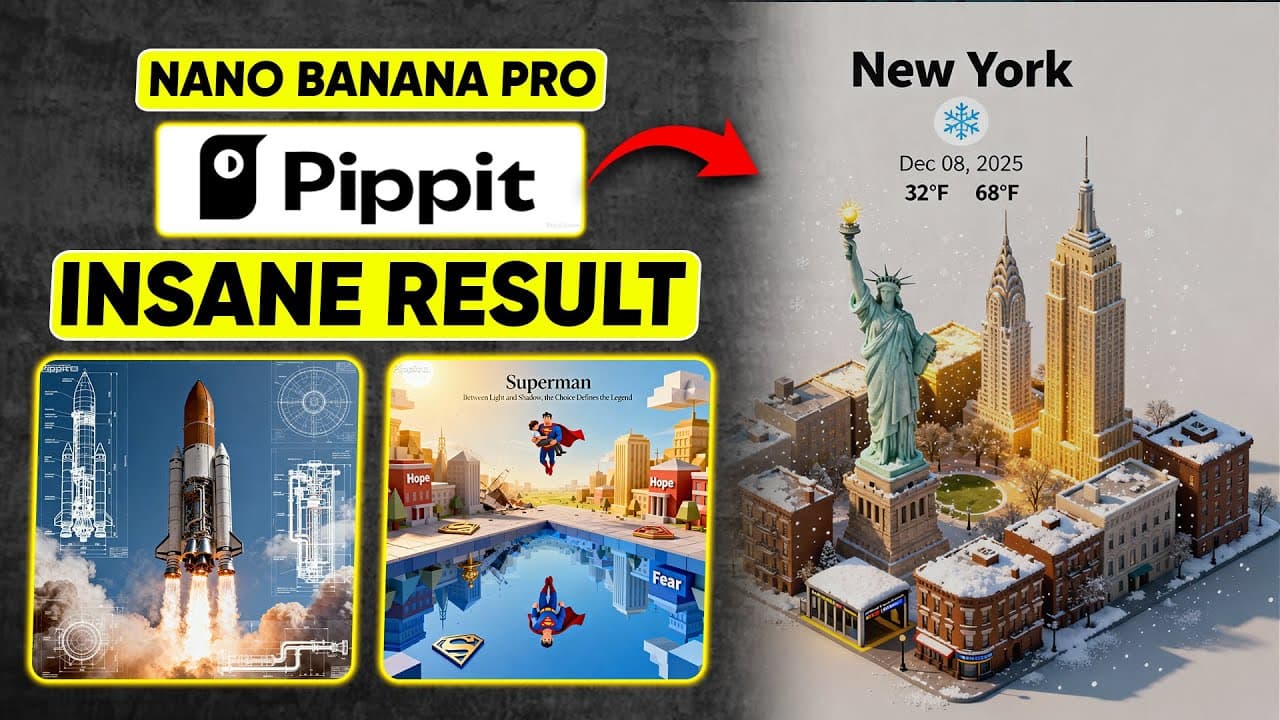
Nano Banana Pro is now live inside Pippet, but 90% of users are wasting its real power. Most of the time, the problem isn't the model. It It's your prompt. People type one lazy sentence and expect a masterpiece, but vague prompts equals vague results. For example, look at this bad prompt. Make a rocket launching with some blueprint stuff. When you ... Read More
Key Insights
- Prompt quality determines result quality and vague prompts yield generic outputs until structured prompts are used.
- Pippet AI now runs Nano Banana Pro and offers sharper details, smarter reasoning, and better scene generation when prompts are clear and intentional.
- A well defined prompt includes concrete elements like angle, textures, lighting, weather, and text placement to guide the AI.
- The video demonstrates a side by side comparison concept to show how enhanced prompts improve outputs over simple prompts.
- Prompts should specify isometric views, specific camera angles, and consistent typography to achieve polished visuals.
- Users can access a free plan with 150 AI credits weekly and a 7 day free trial with premium features, facilitating experimentation.
- The tutorial emphasizes not relying on luck, but instructing AI with clear intent to achieve better results.
- Pippet AI supports converting generated images into video clips, expanding the use case beyond static images to motion visuals.
- More videos from this channel:
- More from this channel: zapiwala ai
Install to Summarize YouTube Videos and Get Transcripts
Explore YouTube Video Summarizer or Get YouTube Transcript Extractor
Questions & Answers
Q: What is Nano Banana Pro integrated into Pippet AI used for
Nano Banana Pro integrated into Pippet AI is used to generate AI visuals with enhanced details, lighting, composition, and realism by following structured prompts. The video demonstrates how clear instructions result in cinematic posters and more accurate scene generation, including weather integration and text placement, making outputs more useful for posters and videos.
Q: How does prompt structure affect results
Prompt structure directly affects the quality of the generated output. The video shows a comparison where a vague prompt produces a generic rocket and little cinematic composition, while an enhanced prompt yields a cinematic engineering poster with precise lighting, angles, and textures. Clear intent leads to better alignment with desired visuals.
Q: What upgrade or tool does the video promote
The video promotes using Nano Banana Pro within Pippet AI, highlighting sharper details, smarter reasoning, and more accurate scene generation. It also emphasizes official Nano Banana Pro branding and compatibility, suggesting users compare results inside Pippet AI with official outputs to see improvements from the enhanced prompts.
Q: What example prompt is used in the tutorial
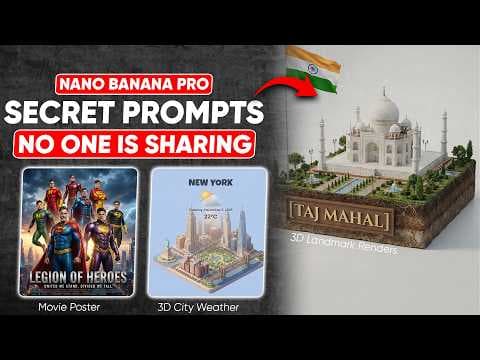
The tutorial uses a detailed 45 degree top down isometric miniature New York weather scene example. It includes landmarks, refined textures, realistic lighting, current weather integration, a centered title and date, and clean composition. This example illustrates how to structure prompts for cinematic and promotional visuals.
Q: What benefits are shown for the free trial
The video notes a free trial option and a 50 percent discount for new users, which lowers the barrier to testing Nano Banana Pro inside Pippet AI. This allows creators to experiment with enhanced prompts, compare results against official outputs, and evaluate potential value before committing to paid plans.
Q: How can you create video from images in Pippet AI
Pippet AI provides a convert to video function that transforms generated images into video clips in various aspect ratios. The process is described as quick and automatic, producing a cinematic sequence that showcases how the same prompt can yield both static and dynamic AI visuals, useful for social content and showcases.
Q: What is the role of weather in the prompts
Weather in prompts is used to create immersive atmospheric mood by integrating current conditions into the city environment. This enhances realism and storytelling by aligning lighting, shadows, and environmental cues with the intended scene, contributing to a more vivid final image or video.
Q: What kind of content is demonstrated besides posters
Besides posters, the video demonstrates generating animated video clips, 3D isometric scenes, and character prompts. The prompts teach how to adapt a single concept to multiple formats, including animated sequences, ensuring consistency in style while expanding the use case to video content.
Summary & Key Takeaways
-
A detailed guide shows how to craft enhanced prompts to leverage Nano Banana Pro inside Pippet AI, resulting in sharper, more cinematic visuals and better scene composition.
-
The creator compares Pippet AI results with official Nano Banana Pro outputs, highlighting how prompt structure elevates the final images and videos.
-
The video includes practical steps to access Pippet AI, start prompts, and take advantage of a free trial and discounts while exploring real world use cases.
Read in Other Languages (beta)
Share This Summary 📚
Summarize YouTube Videos and Get Video Transcripts with 1-Click
Try YouTube Summary with ChatGPT & Claude or YouTube Transcript Generator
Explore More Summaries from zapiwala ai 📚

Summarize YouTube Videos and Get Video Transcripts with 1-Click
Try YouTube Summary with ChatGPT & Claude or YouTube Transcript Generator