How to Use ChatGPT Voice to Orchestrate Your Work
TL;DR
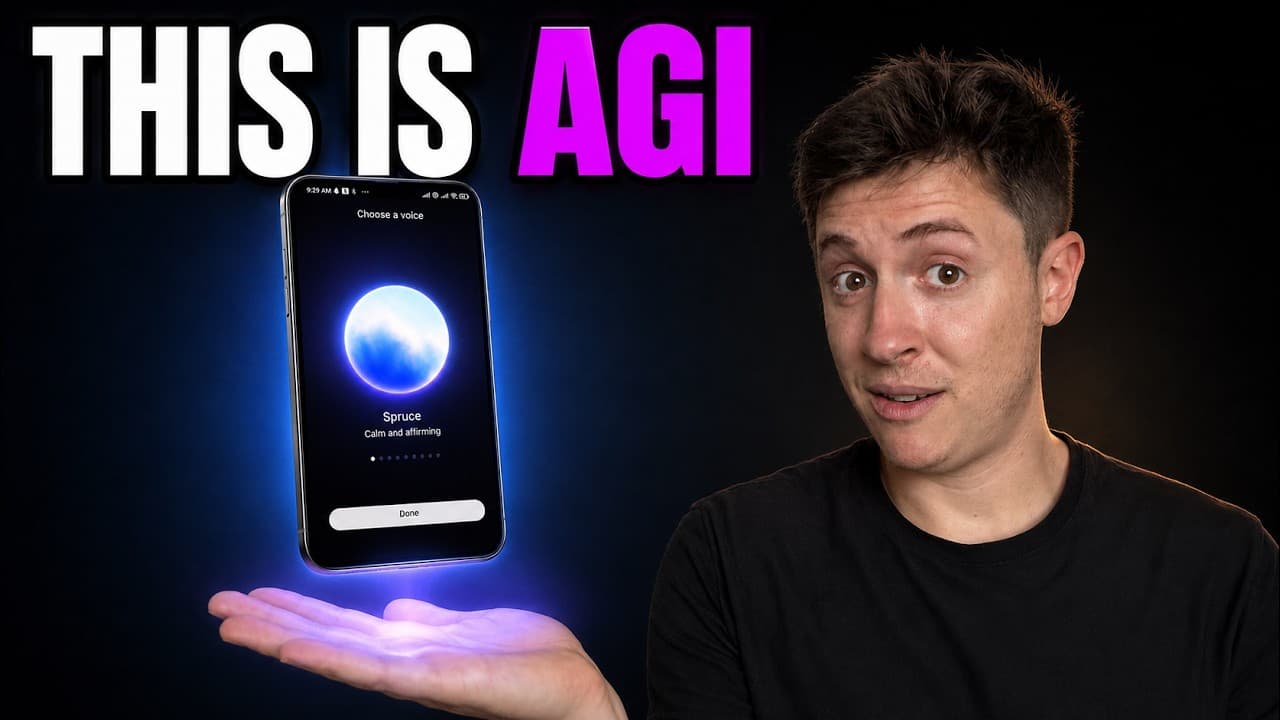
Use ChatGPT Voice as an orchestrator: request a status update, choose next steps, and tell it to create a separate thread for each task. Keeping voice focused on delegation while other threads perform the work lets you start several projects quickly, monitor activity across devices, and continue working while away from your desk.
Transcript
CAD GBT voice is the single most important underrated feature in AI lab has released this year. It has transformed how I work more than any other AI tool I've used. I now work way less am barely at my desk anymore, but still get significantly more work done. In this video, I'll cover eight advanced tips for getting the absolute most out of chat GBT... Read More
Key Insights
- ChatGPT Voice can create separate threads and agents for multiple tasks, allowing several assignments to begin from one spoken request instead of requiring the user to complete each task sequentially inside a single voice conversation.
- The central role of ChatGPT Voice is orchestration, not execution. The suggested workflow uses the voice session to review priorities and delegate tasks, then sends substantive work to separate threads that use the model identified in the transcript as 56 soul.
- A morning preparation routine can begin with a request for yesterday's completed work, the current state of all projects, and recommended next actions. This gives the user a consolidated starting point before deciding which tasks should move forward.
- The phrase "spin up a new thread for that" is a key instruction in the demonstrated workflow. It tells ChatGPT Voice to separate an assignment from the voice session so another agent or thread can work on it independently.
- ChatGPT Voice can maintain visibility across threads and devices, according to the demonstration. This cross-context access allows the voice session to summarize prior work, inspect ongoing projects, and coordinate actions initiated on a phone or desktop computer.
- Remote computer and browser use lets a mobile voice request initiate desktop actions. The example given is asking the system to build a deck on a computer and then send an email containing that deck while the user remains away from the desk.
- The voice interface supports interruption, pauses, background operation, and use while a phone is locked. These interaction features are presented as important because they allow conversation to blend into walking and other activities without requiring constant screen attention.
- Parallel delegation reduces the amount of spoken setup required for multiple projects. In the demonstration, several project requests are assigned in roughly 45 seconds, after which ChatGPT Voice creates new chats and begins the work without continued step-by-step prompting.
- More videos from this channel:
- More from this channel: Alex Finn
Install to Summarize YouTube Videos and Get Transcripts
Explore YouTube Video Summarizer or Get YouTube Transcript Extractor
Questions & Answers
Q: How do you use ChatGPT Voice to manage multiple tasks?
Start by telling ChatGPT Voice the tasks you need completed, then ask it to spin up a separate thread for each task. The voice session acts as the orchestrator, while the new threads begin working independently. This approach supports several assignments at once and avoids handling every task sequentially within one voice conversation.
Q: What is a useful morning workflow for ChatGPT Voice?
Open the ChatGPT desktop app or use the phone, start a voice session, and ask for a rundown of the previous day's work, the current status of active projects, and recommended next steps. Review the response, correct any outdated assumptions, state your priorities, and request separate threads for the tasks you want started.
Q: Why should ChatGPT Voice create separate threads?
Separate threads let the voice session remain focused on coordination while other agents perform the substantive work. The transcript says the voice system uses Terra as its core model, while the created threads use 56 soul. Thread creation also enables several tasks to progress at once instead of being completed one by one.
Q: What phrase helps delegate work through ChatGPT Voice?
The demonstrated phrase is "spin up a new thread for that." It signals that the task should not remain confined to the current voice conversation. The system can create a dedicated chat for the assignment, begin the requested work there, and allow the original voice session to continue coordinating other tasks and projects.
Q: How can ChatGPT Voice help while you are away from your desk?
ChatGPT Voice can be used from a phone while walking outside, with an AirPod providing a convenient audio interface. The transcript describes remote functionality across devices, including the ability to initiate work that happens on a desktop computer. The phone can also be locked and placed in a pocket while the voice session remains available.
Q: How does ChatGPT Voice use computers and browsers remotely?
The user can issue a spoken request from a phone and direct ChatGPT Voice to perform work through a computer or browser. One example is asking it to build a deck on the computer and then send an email containing that deck. The user can mute the session and continue walking while the requested actions proceed.
Q: How is ChatGPT Voice different from a dictation tool?
A dictation button converts speech into text for a message, while the separate ChatGPT Voice button opens an interactive voice session. According to the transcript, that session can review work, recommend actions, coordinate across threads and devices, create new agents, and initiate computer or browser tasks rather than merely transcribing spoken words.
Q: What makes the ChatGPT Voice conversation easier to use?
The voice model can be interrupted, can stop and listen when the user speaks, and can interpret pauses in speech. It can also operate in the background on a computer or remain accessible when a phone is locked. These behaviors reduce the need to watch the screen or follow a rigid turn-taking pattern.
Summary & Key Takeaways
-
ChatGPT Voice is presented as more than a dictation tool because it can coordinate work across separate threads, agents, devices, browsers, and computers. Its main value is serving as one conversational point of contact through which a user can review progress, delegate multiple tasks, and monitor the resulting work.
-
A practical morning routine begins by asking for a summary of the previous day's work, the current status of active projects, and recommended next steps. After reviewing the response, the user provides corrections or priorities and asks ChatGPT Voice to create separate threads that can begin handling each selected task.
-
The recommended operating model separates orchestration from execution. Voice receives goals, asks questions, and distributes assignments, while newly created threads perform the substantive work with another model. Remote access, background listening, phone locking, computer control, browser use, and an AirPod make this workflow usable while walking or otherwise away from a desk.
Read in Other Languages (beta)
Share This Summary 📚
Summarize YouTube Videos and Get Video Transcripts with 1-Click
Try YouTube Summary with ChatGPT & Claude or YouTube Transcript Generator
Explore More Summaries from Alex Finn 📚




Summarize YouTube Videos and Get Video Transcripts with 1-Click
Try YouTube Summary with ChatGPT & Claude or YouTube Transcript Generator