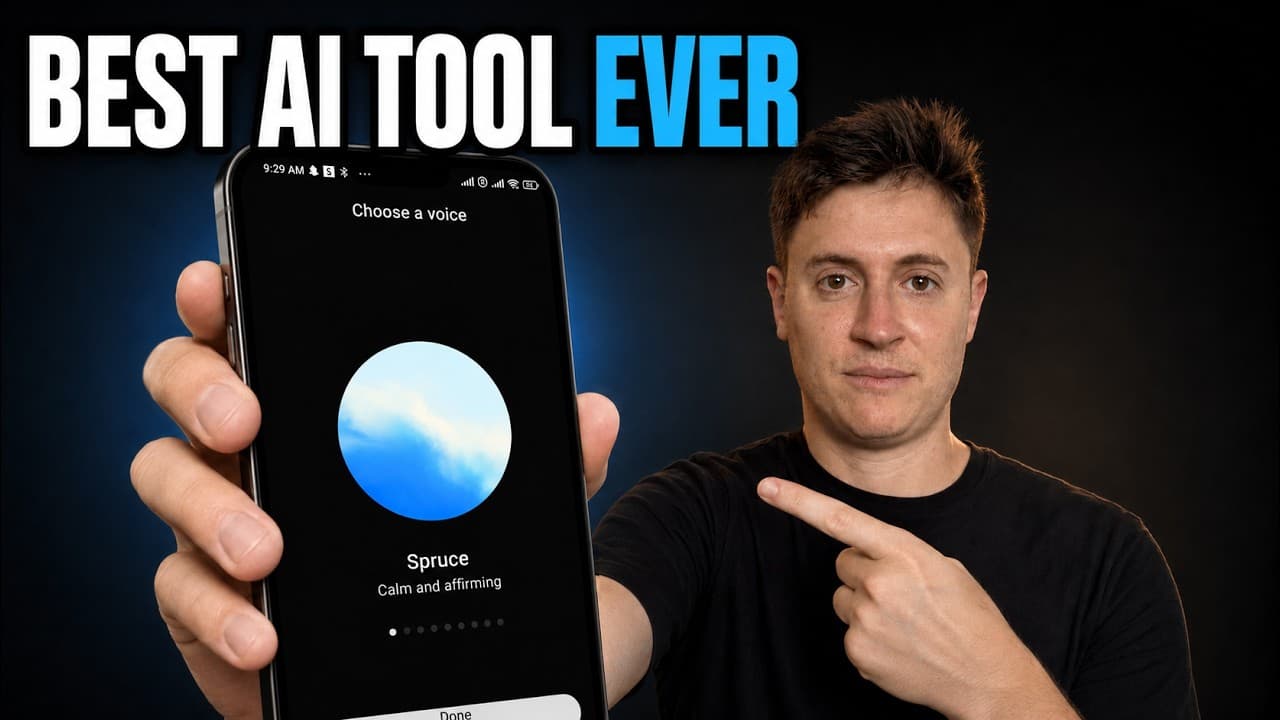
How to Control AI Agents With ChatGPT Voice
TL;DR
ChatGPT Voice can act as an ambient command center that reviews project status, recommends next steps, and starts separate agents across connected devices and chats. The demonstrated workflow lets a user direct work from an iPhone, iPad, or computer, receive spoken completion updates, and reserve personal attention for approvals that only the user can provide.
Transcript
OpenAI's quietly released what I believe to be the biggest AI tool a major lab has ever put out. I think it's not only the future of AI, but the future of how we interact with computers as a whole. Now, this isn't hype. They're not paying me. None of these major labs pay me or even really talk to me at all. This is based on my experience of using C... Read More
Key Insights
- ChatGPT Voice is described as an ambient AI interface that remains available while the user walks, reads, relaxes, or handles other work, then speaks again when an agent finishes a task or needs a decision.
- Traditional AI voice input is characterized as dictation, where speech becomes text before the user sends it. The demonstrated voice experience differs because it can inspect broader project activity, initiate work, and coordinate separate agent threads through spoken instructions.
- Cross-device control is central to the workflow because the voice agent can operate through devices that have the ChatGPT app, including an iPhone, iPad, and computer, while starting new agents and threads associated with those devices.
- Project status reviews can combine information from multiple work surfaces. In the demonstration, the agent checks chats, GitHub code updates, and Linear issues before reporting the condition of School OS, Personal OS, and Henry and recommending one next step for each.
- Agent delegation works by turning a spoken request into multiple isolated workstreams. The demonstration creates separate chats for repairing a School OS connector, addressing a Personal OS Google Calendar connection, and building a ChatGPT site containing Henry's production test plan.
- Human approval remains necessary for actions the agent cannot complete independently. The Google Calendar workflow reaches Google's approval page and waits for the user's consent before the agent can deploy and check the read-only calendar connection.
- Remote mode enables hands-free project direction while away from a desk. The creator reports using an iPhone and AirPods during a six-hour hike to discuss work and start agents without looking at a screen or touching a keyboard or mouse.
- Spoken interaction can reduce the temptation to switch into distracting feeds while an AI works. The creator argues that staying engaged in a conversation makes it harder to open Twitter or YouTube and forget to return to an unanswered AI prompt.
Install to Summarize YouTube Videos and Get Transcripts
Explore YouTube Video Summarizer or Get YouTube Transcript Extractor
Questions & Answers
Q: How does ChatGPT Voice control AI agents?
ChatGPT Voice acts as a spoken command center by receiving a request, reviewing relevant project information, and starting separate agent threads to complete approved tasks. In the demonstration, one spoken instruction creates three chats for School OS, Personal OS, and Henry. Each thread handles its own assignment, while the voice agent reports progress and asks for user action when necessary.
Q: What is ambient AI in the ChatGPT Voice workflow?
Ambient AI is described as an AI that is always available, can listen for instructions, and can build or coordinate work wherever the user happens to be. The user can give a command, mute the conversation, and continue walking, reading, or doing other activities. ChatGPT Voice later speaks again when work is complete or when a decision or approval is required.
Q: How is ChatGPT Voice different from voice dictation?
Voice dictation converts spoken words into text that appears in a chat, after which the user still sends the prompt and interacts with the AI in the usual way. The demonstrated ChatGPT Voice workflow goes further by checking activity across chats and connected work surfaces, starting new agents, coordinating tasks, and providing spoken progress updates without requiring continuous keyboard or screen use.
Q: How can ChatGPT Voice provide project status updates?
ChatGPT Voice can review available project activity and turn it into a concise status report with recommended next steps. In the demonstration, it examines chats, GitHub code updates, and Linear issues for School OS, Personal OS, and Henry. It identifies a paused course sync, a pending Google approval, and an unfinished production proof, then proposes one practical action for each project.
Q: How does ChatGPT Voice delegate several tasks at once?
The user can describe several desired outcomes in one spoken request, and ChatGPT Voice can create a separate thread for each assignment. The demonstration starts one thread to repair the School OS connector, another to address the Personal OS Google Calendar connection, and a third to build a ChatGPT site containing Henry's production test plan. The efforts are kept isolated across repositories.
Q: How can ChatGPT Voice be used away from a computer?
Remote mode allows the voice conversation to run from an iPhone, iPad, or another device with the ChatGPT app. The creator describes using an iPhone and AirPods during a six-hour hike, discussing projects without looking at a screen, and starting agents across devices. The voice agent can then announce completed work or request the next decision while the user remains away from a desk.
Q: When does ChatGPT Voice require human approval?
ChatGPT Voice requires the user when a workflow reaches an approval that only the person can complete. In the demonstrated Google Calendar task, the agent builds and verifies the connection locally, including a daylight saving fix, but does not deploy it immediately. Instead, it opens Google's approval page, waits for consent to read-only calendar access, and plans to deploy after approval.
Q: Why can voice-based AI reduce distraction while working?
A continuous spoken conversation can keep the user engaged with the task instead of encouraging a switch to unrelated feeds while an AI processes a prompt. The creator contrasts this with text prompting, where it is easy to open Twitter or YouTube and fail to return for half an hour. Voice interaction also lets the user walk, read, or handle other activities while awaiting progress updates.
Summary & Key Takeaways
-
ChatGPT Voice is presented as more than speech-to-text dictation. The voice agent can review work across chats, devices, GitHub, Linear, and connected applications, then summarize project status and recommend practical next steps. This broader visibility allows spoken conversations to function as a command center for ongoing projects.
-
The demonstration begins with requests for updates on School OS, Personal OS, and Henry. After identifying a course sync error, a Google Calendar approval, and an unfinished production proof, the voice agent creates three isolated threads to address the work and prepares a visible approval step for the user.
-
Remote mode extends the workflow to an iPhone, iPad, or another device running the ChatGPT app. The creator describes issuing commands through AirPods during a six-hour hike, muting the conversation while agents work, and receiving spoken updates when tasks finish or require consent, enabling work without constant screen interaction.
Read in Other Languages (beta)
Share This Summary 📚
Summarize YouTube Videos and Get Video Transcripts with 1-Click
Try YouTube Summary with ChatGPT & Claude or YouTube Transcript Generator
Explore More Summaries from Alex Finn 📚





Summarize YouTube Videos and Get Video Transcripts with 1-Click
Try YouTube Summary with ChatGPT & Claude or YouTube Transcript Generator