How to Create YouTube Thumbnails Like a Pro
TL;DR
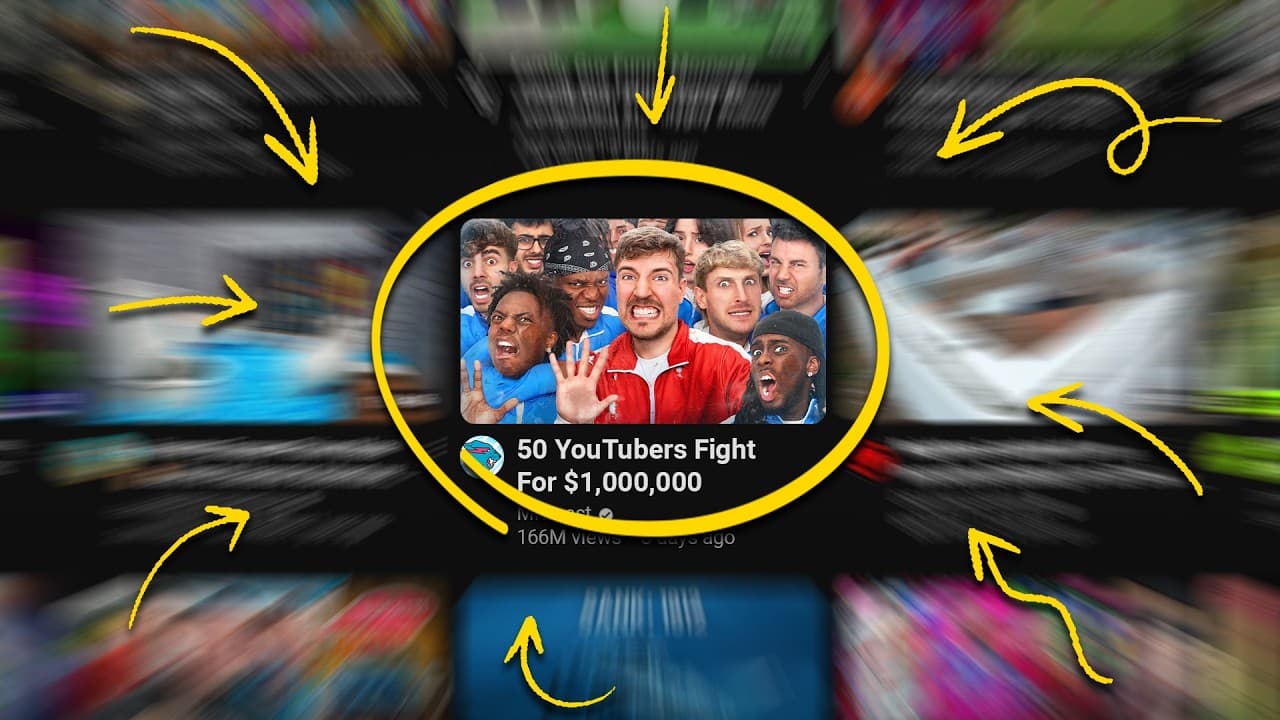
The core is a simple, clear thumbnail that communicates the video at a glance. Use a basic layout with up to three elements, emphasize the main subject, and color strategically to evoke emotion. Test variations with YouTube ABC testing to pick the best performing thumbnail.
Transcript
we've talked about this topic several times in the past but I've seen your comments when it comes to YouTube thumbnails a lot of the stuff we kind of give you is very surface level so today I wanted to dive in a little bit deeper because I believe that a good thumbnail can be the difference between 100 views and 100,000 views and yeah there's like ... Read More
Key Insights
- The rule of thirds is used to align key elements with grid lines or intersections to reduce visual noise.
- Thumbnails should contain up to three elements to create an easy to digest layout that communicates the message quickly.
- Move the main subject toward the edge to create space for text and other elements, improving readability on YouTube’s canvas.
- Color theory matters because colors evoke emotional responses, with different channels using colors to signal urgency, trust, or positivity.
- Color hacks suggest standing out in a crowded category by using non typical colors for that niche, increasing click potential.
- Text, when used, should follow the three C's: curiosity, clarity, and complement the image without obscuring important details.
- Faces can boost recognition and trust; big, expressive eyes and direct eye contact with the camera help draw viewers in.
- ABC testing on YouTube allows running multiple thumbnail variants to identify which one gets the most clicks and apply it as the main thumbnail.
Install to Summarize YouTube Videos and Get Transcripts
Explore YouTube Video Summarizer or Get YouTube Transcript Extractor
Questions & Answers
Q: How can I apply the rule of thirds to my thumbnail design
Applying the rule of thirds involves imagining a 3 by 3 grid over your thumbnail and placing the main elements along the grid lines or at their intersections. This helps reduce visual chaos and makes the thumbnail feel balanced and easy to read at a glance. Limiting to three elements keeps the composition clean and directs focus to the core message of the video.
Q: What is the recommended number of elements in a thumbnail and why
The recommended number is up to three elements because the brain processes three items more easily, creating a simple and digestible visual. Keeping to three elements helps prevent visual overload, makes the message clear, and ensures each element has space to stand out. This balance improves clickability on the crowded YouTube homepage.
Q: How should I position the main subject to maximize text space
Position the main subject toward the edge of the image to create extra space in the center or opposite side for text. This layout increase readability and ensures that text does not cover important parts of the image. It aligns with common thumbnail designs used by successful creators and improves clarity.
Q: What role does color play in thumbnail effectiveness
Color can evoke emotional responses and help a thumbnail stand out. Different channels use colors to signal different messages, such as urgency, positivity, or trust. Choosing contrasting colors based on the opposite sides of the color wheel can increase visibility and attract clicks, especially when the category is highly competitive.
Q: When is text in a thumbnail beneficial and how should it be used
Text can be beneficial as a teaser to spark curiosity or to highlight the main takeaway if used succinctly. The guidance is to keep it simple, ideally three words, and ensure the text enhances the image rather than obscuring key visuals. Text should align with the thumbnail image and be easy to read at small sizes.
Q: What is the ABC testing tool mentioned and how can it help
The ABC testing tool allows YouTube creators to test up to three different thumbnails for a single video. By comparing which thumbnail receives more clicks, creators can identify the most effective design and apply it as the main thumbnail. This process helps optimize click-through rate without needing complex edits.
Q: Why are faces often effective in thumbnails and how should they be used
Faces are effective because they help build trust and recognition, especially for new viewers. To use faces well, exaggerate expressions for visibility, ensure direct eye contact with the camera, and secure good lighting and sharpness for a high quality image. A well composed face is a powerful anchor for the thumbnail.
Q: What general advice is given for improving thumbnail quality across channels
General advice includes starting with a simple, clear layout, using the rule of thirds, keeping text limited and purposeful, ensuring text complements the image, and focusing on one strong message. Color choices should match the channel’s tone, and when in doubt, rely on iterative testing to determine what resonates best with the audience.
Summary & Key Takeaways
-
A clear thumbnail layout reduces visual noise by focusing on three key elements and placing the main subject near the edges to maximize space for text. Color choices should evoke the right emotions, with different channels using reds, greens, purples or blues to convey urgency, positivity, or trust. Experimentation helps find the best combination.
-
Using text should be limited to three words if possible and must add curiosity or clarity without cluttering the image. Text should complement the image, not obscure important parts, and be used to tease the video content rather than explain it in full.
-
Faces in thumbnails can increase trust and click-through rates, especially when expressions are exaggerated and eye contact is made with the viewer. Lighting and sharpness matter, and a well focused face helps viewers recognize and feel connected to the creator over time.
Read in Other Languages (beta)
Share This Summary 📚
Summarize YouTube Videos and Get Video Transcripts with 1-Click
Try YouTube Summary with ChatGPT & Claude or YouTube Transcript Generator
Explore More Summaries from vidIQ 📚
Summarize YouTube Videos and Get Video Transcripts with 1-Click
Try YouTube Summary with ChatGPT & Claude or YouTube Transcript Generator