How to use Higgsfield API for pay as you go video
TL;DR
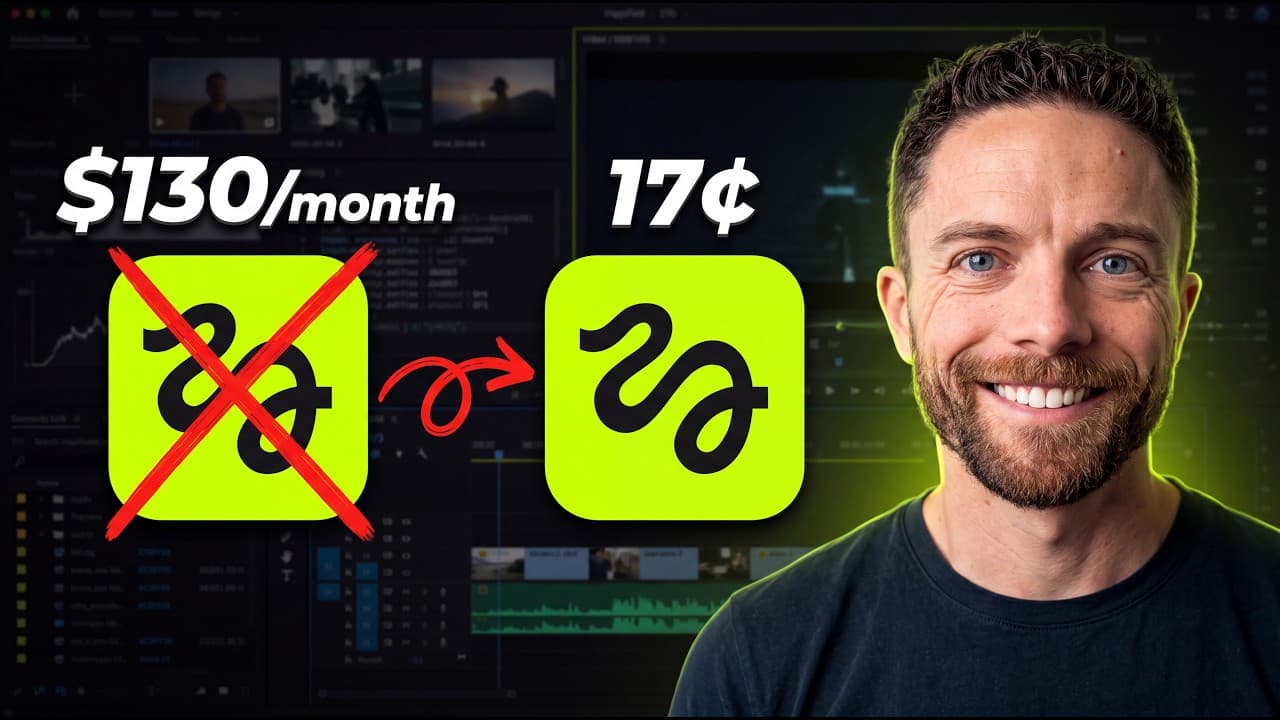
The Higgsfield API lets you generate images and videos inside ChatGPT without a monthly subscription. You fund a balance, choose preferred models, and pay per use based on model pricing. A quick setup guide shows creating an API key, connecting ChatGPT, and building a reusable skill for easy access.
Transcript
As I'm sure you know, you can create images directly inside of Chat GBT and Codeex, but you cannot create videos natively. So, a couple of months ago, I introduced you to the Higsfield MCP as a solution to that. It allows you to create images and videos using any models you want directly inside of ChatGBT, but this requires you to have a Higsfield ... Read More
Key Insights
- Higgsfield API enables pay as you go usage for images and videos inside ChatGPT, avoiding a subscription.
- You must fund an API balance for the API to draw credits from whenever you generate content.
- Pricing varies by model, with some models costing more per second or per image than others.
- Choosing three models can unlock a discount that lasts for seven days, lowering overall costs.
- Creating an API key and using a tailored prompt lets ChatGPT work with any Higgsfield model.
- A dedicated ChatGPT skill helps ensure the API usage is correctly invoked by future requests.
- API usage works inside ChatGPT, mirroring the experience of a plugin and not requiring web navigation.
- The video compares the per use API cost to a monthly subscription cost to help viewers decide the best option for their workflow.
Install to Summarize YouTube Videos and Get Transcripts
Explore YouTube Video Summarizer or Get YouTube Transcript Extractor
Questions & Answers
Q: How do you start using the Higgsfield API without a subscription?
To start you sign up at Higgsfield and fund an API balance, which is separate from any Higgsfield subscription. You select models, add credits, and then generate images or videos inside ChatGPT. The balance is drawn down with each generation, and you can adjust or top up credits as needed to maintain access.
Q: What is the benefit of paying per use instead of subscribing?
Paying per use avoids monthly fees and allows you to choose models based on actual need rather than paying for unused credits. This can be cheaper for occasional generation, since you only pay for the content you create and you can compare costs across models to minimize expense.
Q: How do you enable ChatGPT to use the Higgsfield API model you want?
You create an API key in Higgsfield, then you use a specific setup prompt that configures ChatGPT to use the Higgsfield API with any model. You copy the API key into a secure area during setup and create a skill so that future requests automatically route through the Higgsfield API.
Q: What steps are involved in connecting ChatGPT to the Higgsfield API?
First, sign up for Higgsfield and add a payment method to fund credits. Then create an API key, generate a setup prompt for ChatGPT, paste in the API key securely, and finally create a ChatGPT skill to persist the connection. With the skill in place, you can invoke image or video generation directly from ChatGPT.
Q: How does the discount work when selecting models?
The discount is triggered by selecting three models you plan to use most. Higgsfield offers up to a 50 percent discount for these chosen models for a limited period, and you can apply the discount by saving the model selections on the pricing page.
Q: What should you monitor after starting API usage?
You should monitor your API balance and spending as every generation draws from the balance. Keep an eye on the model pricing for any changes, and set up auto top off if you want uninterrupted access. Also track credits separately from any regular Higgsfield subscription credits.
Q: Can you test image and video generation inside ChatGPT without leaving the chat?
Yes, the workflow is designed to generate both images and videos inside ChatGPT using the Higgsfield API. You configure the API within ChatGPT, then issue prompts to create media directly in the chat, with results shown in the chat as you would expect from a plugin-like experience.
Q: What is the recommended model choice strategy for beginners?
Beginners should start with models offering lower per-image costs while still delivering acceptable quality, then optionally add higher performance video models if needed. The key strategy is to balance model capabilities with the price per unit, and utilize the seven day discount window when possible to test multiple options cheaply.
Summary & Key Takeaways
-
The video explains a pay as you go Higgsfield API setup to avoid a subscription. It covers account funding, model pricing, and selecting three models for a discount, with a live test generating an image and a video. You learn to create an API key and a ChatGPT skill for quick access.
-
The walkthrough demonstrates how balance is consumed per generation and how API and subscription balances are separate. It emphasizes ease of setup similar to a ChatGPT plugin and highlights how to apply a discount by selecting multiple models.
-
The conclusion compares API usage to a subscription, advising viewers to calculate per use versus monthly costs to decide which path fits their usage level, including how to enable auto top ups and monitor spend.
Read in Other Languages (beta)
Share This Summary 📚
Summarize YouTube Videos and Get Video Transcripts with 1-Click
Try YouTube Summary with ChatGPT & Claude or YouTube Transcript Generator
Explore More Summaries from Paul J Lipsky 📚

Summarize YouTube Videos and Get Video Transcripts with 1-Click
Try YouTube Summary with ChatGPT & Claude or YouTube Transcript Generator