How to Build a RAG Agent Without Coding
TL;DR
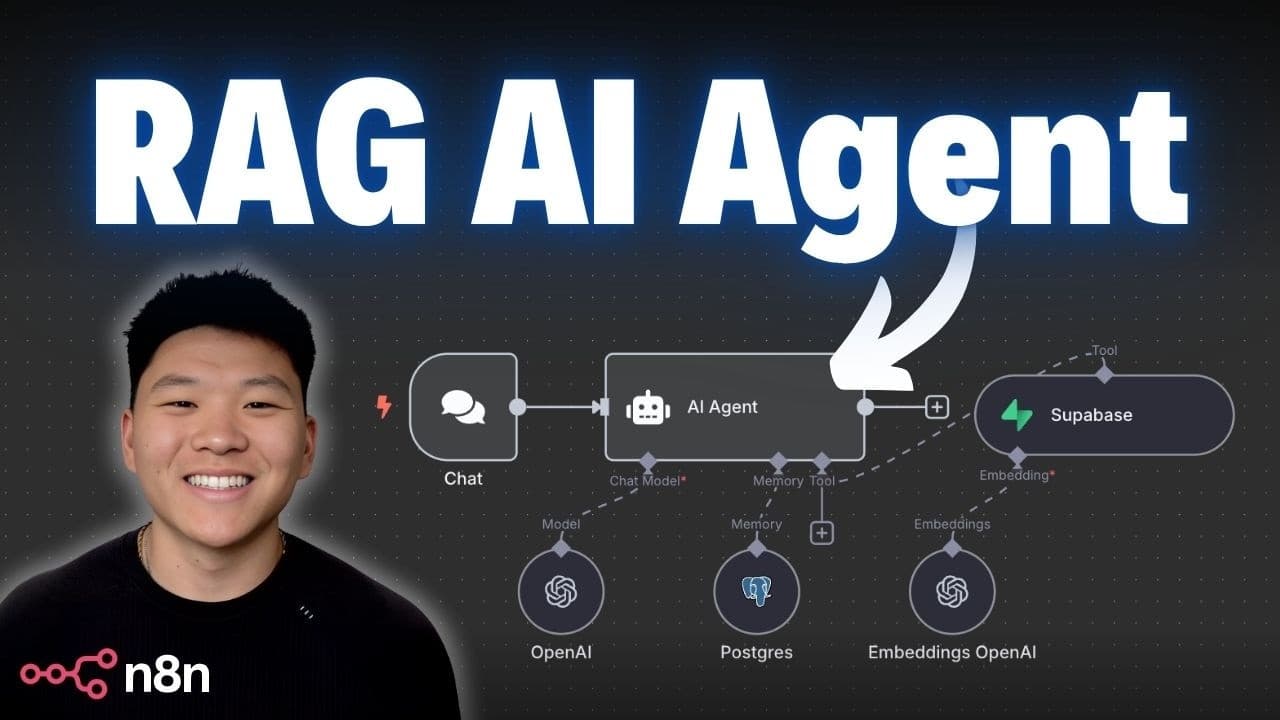
Learn to build a Retrieval-Augmented Generation (RAG) AI agent using n8n and Supabase, without any coding. Understand the basics of RAG, vector databases, and how to connect them for creating an AI agent capable of answering questions based on document data. This beginner-friendly guide simplifies the process, making AI agent creation accessible for everyone.
Transcript
By the end of this video, you'll have built your very own Rag AI agent, even if you're starting at the complete beginning, without having to write a single line of code. So, we're going to break all of it down. I'm going to explain it as simply as I can. We're going to walk through the build step by step. And by the end, I think you're going to be ... Read More
Key Insights
- RAG stands for Retrieval-Augmented Generation, which involves retrieving information to accurately answer questions.
- A vector database is a multi-dimensional space where text chunks are represented as vectors based on their meaning.
- Building a RAG agent involves creating a RAG pipeline to input data into a vector database and a RAG agent to interact with it.
- The RAG pipeline involves chunking text, embedding it into vectors, and storing it in the vector database.
- n8n allows users to create a RAG agent without coding by using a drag-and-drop interface.
- Supabase is used as a vector store in this setup, offering both vector and relational database capabilities.
- The AI agent uses embeddings to process queries and retrieve relevant information from the vector database.
- Postgres is used to provide memory for the AI agent, enabling it to remember recent interactions.
Install to Summarize YouTube Videos and Get Transcripts
Explore YouTube Video Summarizer or Get YouTube Transcript Extractor
Questions & Answers
Q: How to build a RAG agent without coding?
To build a RAG agent without coding, use n8n's drag-and-drop interface to create a RAG pipeline and a RAG agent. The RAG pipeline involves chunking, embedding, and vectorizing text into a Supabase vector database. The RAG agent uses embeddings to process queries and retrieve relevant information. This setup allows interaction with the vector database to answer questions based on document data.
Q: What is a vector database?
A vector database is a multi-dimensional space where text chunks are represented as vectors based on their meaning. It allows for efficient retrieval of information by organizing data in a way that similar items are placed close together, facilitating quick access to relevant information when queried.
Q: Why use Supabase for a RAG agent?
Supabase is used for a RAG agent because it provides both vector and relational database capabilities, making it versatile for storing and retrieving data. It integrates well with n8n, allowing users to set up a vector store without coding. Supabase also offers a PostgreSQL foundation, which can be used for additional functionalities like agent memory.
Q: How does a RAG pipeline work?
A RAG pipeline works by taking text documents, chunking them into smaller pieces, embedding these chunks into numerical vectors, and storing them in a vector database. This process allows the system to organize and retrieve information efficiently, enabling the AI agent to generate accurate responses based on the stored data.
Q: What is the role of embeddings in a RAG agent?
Embeddings play a crucial role in a RAG agent by converting text into numerical vectors that the system can process. They enable the AI agent to understand the semantic meaning of queries and stored text, facilitating accurate retrieval of relevant information from the vector database and generating appropriate responses.
Q: How does memory work in a RAG agent setup?
Memory in a RAG agent setup is managed using a database like Postgres, which stores recent interactions between the user and the agent. This allows the agent to remember context from previous conversations, improving its ability to provide coherent and contextually relevant responses. The memory is typically limited to a set number of recent interactions.
Q: Can a RAG agent handle dynamic data sources?
Yes, a RAG agent can handle dynamic data sources by setting up pipelines that automatically update the vector database when new data is added or existing data is modified. This ensures that the AI agent always has access to the most current and relevant information, allowing it to provide accurate and timely responses.
Q: What are the benefits of using n8n for building a RAG agent?
Using n8n for building a RAG agent offers several benefits, including a user-friendly drag-and-drop interface that requires no coding, easy integration with various data sources and APIs, and the ability to automate complex workflows. This makes it accessible for beginners and allows for rapid prototyping and deployment of AI solutions.
Summary & Key Takeaways
-
Learn to build a RAG AI agent using n8n and Supabase without coding. Understand RAG concepts and vector databases for creating a system that answers questions based on document data. This tutorial simplifies the process for beginners.
-
The tutorial covers setting up a RAG pipeline for data input into a vector database and creating a RAG agent for data interaction. It uses n8n's drag-and-drop interface, Supabase for vector storage, and Postgres for agent memory.
-
By following the tutorial, users can create a functional AI agent capable of retrieving and processing information from vector databases, making AI technology accessible to those without programming knowledge.
Read in Other Languages (beta)
Share This Summary 📚
Summarize YouTube Videos and Get Video Transcripts with 1-Click
Try YouTube Summary with ChatGPT & Claude or YouTube Transcript Generator
Explore More Summaries from Nate Herk | AI Automation 📚






Summarize YouTube Videos and Get Video Transcripts with 1-Click
Try YouTube Summary with ChatGPT & Claude or YouTube Transcript Generator