How to build an AI powered app with open source models
TL;DR
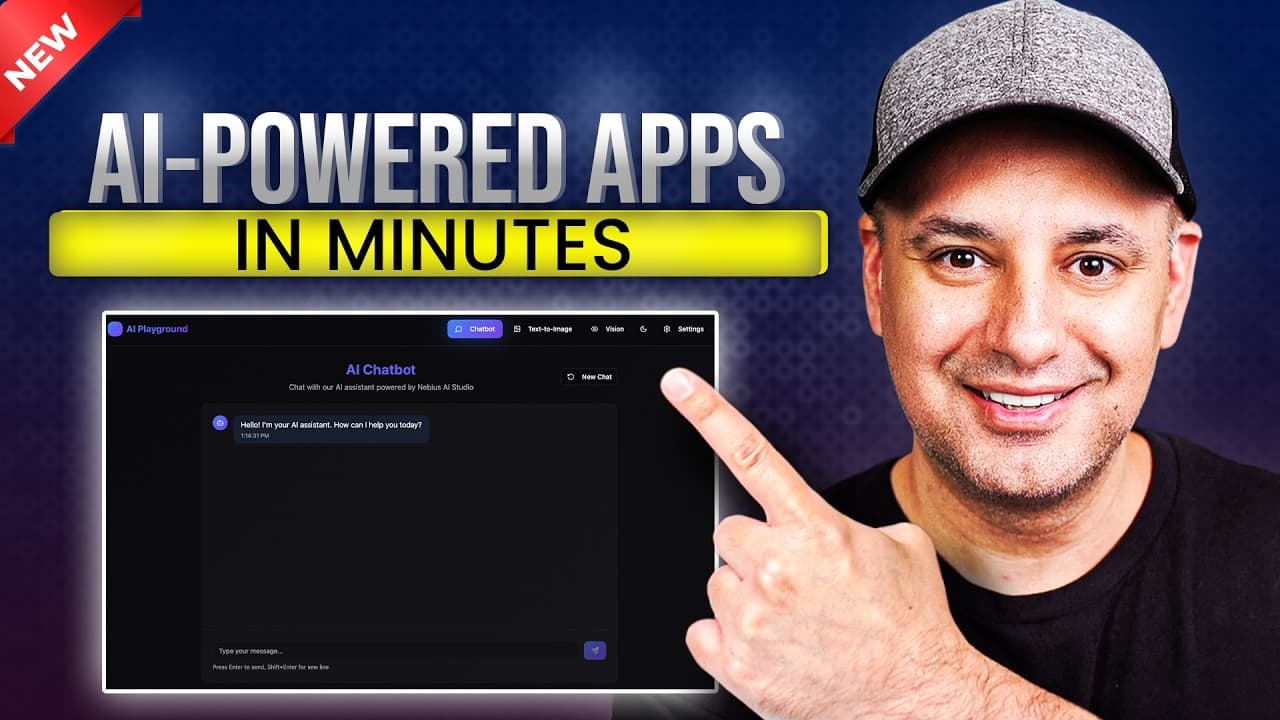
You can assemble an AI playground with a chatbot, image model, and vision model in under an hour using Nebius AI Studio and Lovable. The video shows connecting a single API key to multiple models, hiding keys with a backend, and testing each component. It also demonstrates how to test and adjust models and prompts for better responses.
Transcript
Building AI powered apps is getting easier, but it's still pretty technical and it could get pretty expensive. But in this video, I want to show you how to make an AI powered app using state-of-the-art open-source models. And I'm going to make this as non-technical as possible. Now, I'm going to build this app right here. And I actually build a ver... Read More
Key Insights
- AI playgrounds can be built quickly by combining a chatbot, text-to-image, and vision model in one app.
- Nebius AI Studio provides a unified backend to access open source models with a single API key.
- Lovable handles the front end while AI Studio powers the AI capabilities behind the scenes.
- Security note: hide API keys with a backend like Superbase to prevent exposure in the front end.
- Testing is shown step by step, including drafting emails and generating images to verify model outputs.
- A setup page lets users select models and configure a system prompt without altering the chat flow.
- System prompts guide the chatbot behavior and output format, improving consistency across interactions.
- Open source models used include GPTOSS 12B and Flux, offering cost efficiency compared to proprietary options.
Install to Summarize YouTube Videos and Get Transcripts
Explore YouTube Video Summarizer or Get YouTube Transcript Extractor
Questions & Answers
Q: What is the basic idea behind building an AI powered app in this video?
The video demonstrates creating an AI powered app by combining a chatbot, a text to image model, and a vision model using Nebius AI Studio and Lovable. It emphasizes a non technical approach, using a single API key to connect multiple models, and deploying a front end with Lovable while the AI processing runs on Nebius AI Studio.
Q: How does the video suggest handling API keys securely?
The video explains that API keys should be kept secret and not exposed in the front end. It recommends using a backend solution, such as Superbase, to store and manage API keys securely. This setup prevents users from right clicking and accessing keys directly from the client side.
Q: What role does Lovable play in the workflow shown?
Lovable is used to generate and manage the front end of the app. It takes a text prompt to build the UI, connects to AI Studio behind the scenes, and can be configured via chat to implement plans, set up pages, and integrate models. It enables rapid front end development without deep coding.
Q: Which models are highlighted as part of the AI stack?
The video mentions open source models including a GPTOSS 12B based chat model, a text to image model for generating images from prompts, and a vision model for analyzing images. These models are accessed via Nebius AI Studio and tested within the Lovable front end.
Q: What is the purpose of the setup page in the app?
The setup page is used to choose models and customize system prompts without altering the chat flow. It allows switching between different AI models pulled from AI Studio and helps tailor the chatbot behavior by adjusting the system prompt, providing a flexible configuration for different tasks.
Q: How does the video illustrate testing the AI capabilities?
Testing is demonstrated by asking the chatbot to draft an email, generating an image from a prompt, and analyzing an image with the vision model. The quick feedback loop shows model outputs, response formats, and the speed of image generation, validating the integrated pipeline.
Q: What is the benefit of using open source models in this setup?
Open source models reduce costs and provide flexibility compared to proprietary options. The video notes that models like GPTOSS 12B can offer performance close to larger systems while remaining cheaper, enabling fast iteration and deployment of AI powered apps without significant infrastructure investment.
Q: What final steps are shown to connect models securely in Lovable?
The process includes obtaining an API key in AI Studio, linking it to Lovable via a backend like Superbase, and using a chat guided implementation to create a secure flow. The plan is executed to ensure all models (chat, image, vision) work seamlessly behind a secure backend.
Summary & Key Takeaways
-
This summary paragraph outlines the core idea of building an AI powered app quickly using Nebius AI Studio and Lovable, focusing on a chatbot, image generation, and vision analysis. It emphasizes simplifying setup, securing API keys, and using a backend to keep secrets safe. The result is a deployable playground app.
-
The second point highlights the workflow: creating a front end with Lovable, connecting to AI Studio via a single API key, and testing each model. It also mentions a setup page to switch models and add system prompts for consistent behavior.
-
The third point covers testing and iterations: running prompts, tweaking with system prompts, and ensuring components like chat, image, and vision models work together in real time.
Read in Other Languages (beta)
Share This Summary 📚
Summarize YouTube Videos and Get Video Transcripts with 1-Click
Try YouTube Summary with ChatGPT & Claude or YouTube Transcript Generator
Explore More Summaries from Skill Leap AI 📚





Summarize YouTube Videos and Get Video Transcripts with 1-Click
Try YouTube Summary with ChatGPT & Claude or YouTube Transcript Generator