How to Build an Azure Data Factory Project
TL;DR
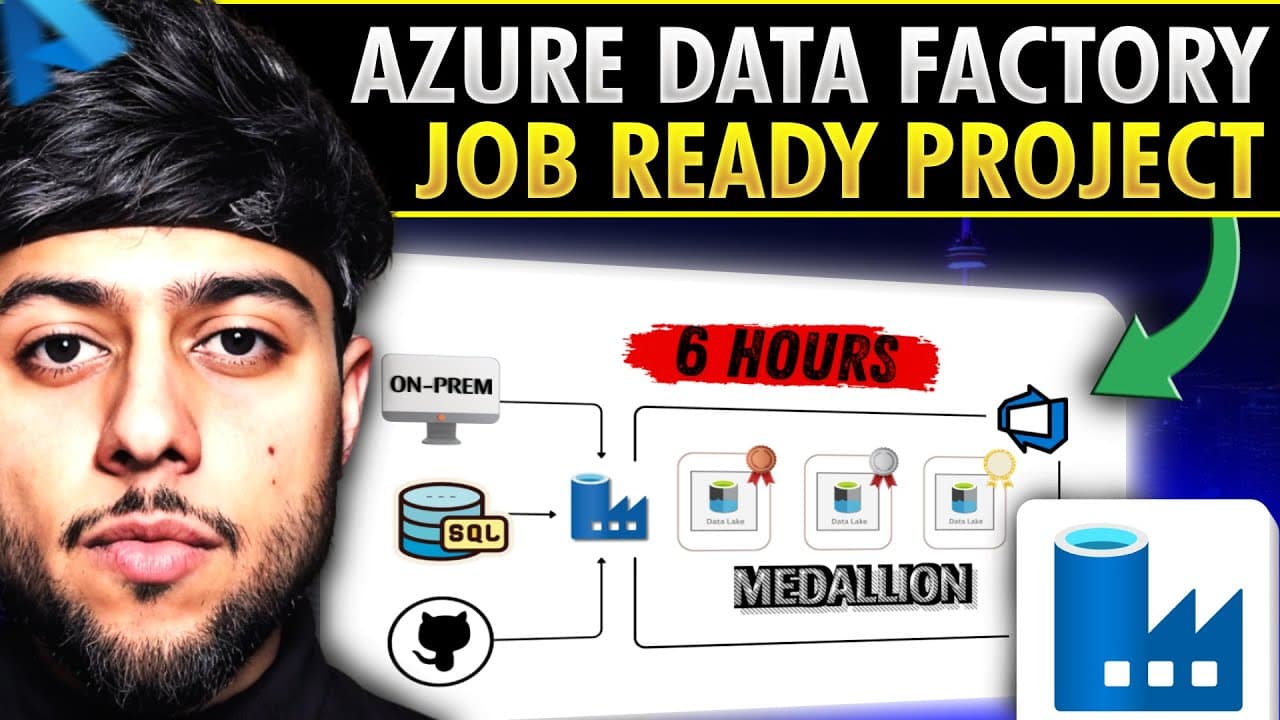
Build an Azure Data Factory project by ingesting on-premises files, SQL data, REST API data, and GitHub data into Azure storage, then transforming and organizing it through medallion architecture. The project also covers dynamic pipelines, incremental loading without watermark tables, Logic Apps failure alerts, scheduled orchestration, Git integration, feature branches, pull requests, and Azure DevOps practices.
Transcript
Azure data factory is the backbone of Azure data engineering interviews and in 2025 competition is really really high. That's why I have created this complete Azure data factory project which will cover everything you need from scratch including on-prem files migration to Azure blobs data ingestion using REST APIs data migration from SQL database t... Read More
Key Insights
- Azure Data Factory is presented as a central skill for Azure data engineering roles and interviews. The project focuses entirely on its capabilities, allowing learners to explore ingestion, migration, transformation, orchestration, monitoring, scheduling, and development workflows within one end-to-end implementation.
- The source architecture combines on-premises files, SQL databases, REST APIs, and GitHub data. Covering several source types demonstrates how Azure Data Factory can coordinate ingestion patterns for structured database records, file-based data, and externally supplied data within a unified project.
- On-premises file migration is emphasized because companies may retain invoices, financial records, and restricted information on controlled drives while still moving copies into data lakes, lakehouses, warehouses, or modeling systems. The tutorial addresses the errors and obstacles that can occur during this migration process.
- Dynamic Azure Data Factory pipelines use dynamic mapping to reduce dependence on separate, fixed pipelines for every data movement scenario. This design supports reusable ingestion logic while handling data from different sources and preparing it for downstream storage, transformation, and medallion architecture processing.
- Incremental data loading is implemented without watermark tables because the project treats that traditional method as unsuitable for its data lake and lakehouse-oriented approach. The tutorial introduces an alternative pattern associated with changes described as emerging in late 2024 and early 2025.
- Azure Logic Apps provides the project’s failure-alerting mechanism. Integrating alerts with Azure Data Factory allows failed pipeline activity to trigger notifications, adding operational monitoring to the ingestion and transformation workflow instead of limiting the project to successful data movement alone.
- PySpark Mapping Data Flows transform data stored in formats such as Parquet, JSON, and Delta. These transformations support the medallion architecture, where data progresses through processing layers before business-facing views are prepared in the gold layer.
- GitHub and Azure DevOps support controlled Azure Data Factory development through repository integration, feature branches, and pull requests. The project also configures triggers for automated execution, connecting pipeline construction with scheduling, source control, collaboration, and deployment-oriented engineering practices.
Install to Summarize YouTube Videos and Get Transcripts
Explore YouTube Video Summarizer or Get YouTube Transcript Extractor
Questions & Answers
Q: How do you build an end-to-end Azure Data Factory project?
An end-to-end Azure Data Factory project starts by creating the required Azure account and resources, then configuring Azure Data Factory. Data is ingested from on-premises files, SQL databases, REST APIs, and GitHub through dynamic pipelines. The workflow adds incremental loading, orchestration, Logic Apps failure alerts, PySpark Mapping Data Flow transformations, medallion architecture layers, scheduled triggers, Git integration, feature branches, pull requests, and Azure DevOps practices.
Q: What data sources are used in the Azure Data Factory project?
The project works with on-premises files, SQL database data, REST APIs, and GitHub. These sources represent different practical ingestion requirements, including transferring restricted file-based information into Azure, migrating relational data into a data lake, and retrieving externally available data through API calls. Azure Data Factory coordinates these inputs through pipelines that feed the broader transformation, orchestration, and medallion architecture workflow.
Q: How are on-premises files migrated to Azure storage?
The project uses Azure Data Factory to move files from on-premises storage into Azure blob storage. The scenario reflects organizations that retain invoices, financial records, and other restricted files on controlled drives but need copies for data modeling, warehousing, data lakes, or lakehouses. The tutorial covers this migration in detail, including errors and blocks that may appear while configuring and running the transfer.
Q: How does incremental loading work without watermark tables?
The project demonstrates an incremental loading method designed for a data lake or lakehouse context without using a watermark table. The presenter describes watermark tables as an older approach and introduces an alternative associated with updates from late 2024 and early 2025. The purpose remains the same: load newly available or changed data incrementally while fitting the storage architecture used by the project.
Q: How are Azure Data Factory pipeline failures reported?
Pipeline failures are reported by integrating Azure Logic Apps with Azure Data Factory. Logic Apps acts as the alerting component, allowing a failed activity or pipeline condition to initiate a notification workflow. This gives the project an operational monitoring layer alongside ingestion and transformation, helping learners understand how a real data pipeline can communicate failures instead of requiring continuous manual inspection.
Q: How is data transformed in the medallion architecture?
Data is transformed with PySpark Mapping Data Flows in Azure Data Factory and processed across medallion architecture layers. The project works with formats including Parquet, JSON, and Delta. After ingestion and transformation, the architecture produces a gold layer for business views, connecting raw source movement with structured processing and outputs intended for business-oriented consumption.
Q: How are Azure Data Factory pipelines automated and scheduled?
Azure Data Factory pipelines are automated through orchestration and triggers. The project first connects ingestion and transformation activities into coordinated workflows, then configures triggers so those workflows can execute automatically according to the intended schedule. This automation covers the movement and processing sequence while Logic Apps supplies failure alerts, creating a pipeline design that can run without every execution being started manually.
Q: How are GitHub and Azure DevOps used with Azure Data Factory?
GitHub is integrated with Azure Data Factory as a code repository, while Azure DevOps is introduced as part of the project’s development workflow. The tutorial covers Git integration, Azure DevOps account setup, feature branches, and pull requests. These practices allow pipeline changes to be developed in separate branches, reviewed through pull requests, and managed with source control rather than edited without a structured collaboration process.
Summary & Key Takeaways
-
The project begins with Azure account setup, resource creation, and foundational Azure Data Factory concepts. It then demonstrates how to migrate on-premises files into Azure, build dynamic pipelines with dynamic mapping, ingest REST API data, configure Azure SQL Database, and move SQL data into a data lake environment.
-
The processing architecture covers incremental data loading without the traditional watermark-table approach, automatic pipeline orchestration, and failure notifications through Azure Logic Apps. Data transformations use PySpark Mapping Data Flows and multiple formats, including Parquet, JSON, and Delta, before producing a gold layer containing business-oriented views.
-
The development workflow connects Azure Data Factory with GitHub and Azure DevOps. It includes repository integration, feature-branch development, pull requests, triggers, and scheduled pipeline execution. The complete project is designed for beginners and intermediate learners who want practical scenarios they can explain during Azure data engineering interviews.
Read in Other Languages (beta)
Share This Summary 📚
Summarize YouTube Videos and Get Video Transcripts with 1-Click
Try YouTube Summary with ChatGPT & Claude or YouTube Transcript Generator
Explore More Summaries from Ansh Lamba 📚






Summarize YouTube Videos and Get Video Transcripts with 1-Click
Try YouTube Summary with ChatGPT & Claude or YouTube Transcript Generator