How to master Opus 5.5 video editing in minutes
TL;DR
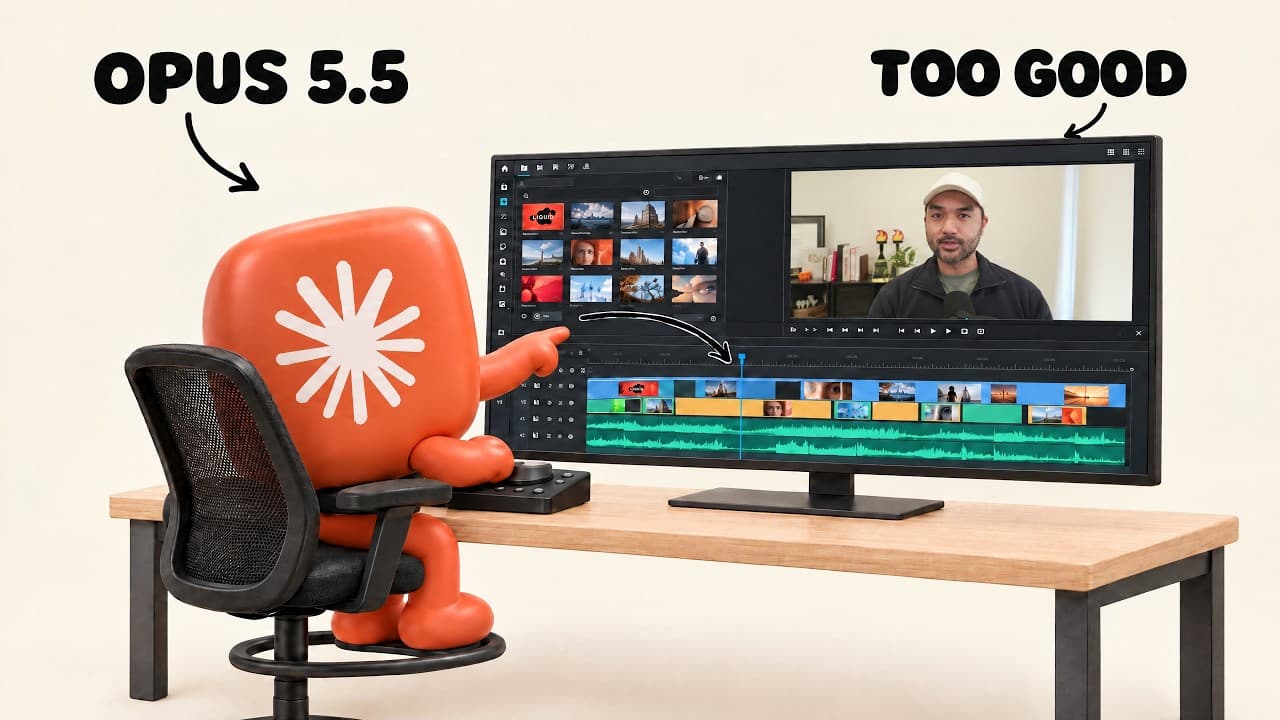
Opus 5.5 can produce dynamic motion graphics without a dedicated AI video model by using prompts and workspace prompts. The path to production quality is to start with one shot, then storyboard with Claude, and finally refine with direct feedback on the generated video. SVGs and HTML CSS JavaScript tooling are used under the hood.
Transcript
Opus 5.5 for video editing and motion graphics has gotten pretty unbelievable lately. And so these examples that you'll see are all created with Opus, and all I did is to give it access to my workspace. No generative AI video model was used, and I just sent a simple prompt like this where I asked it to make a dynamic motion graphics video that show... Read More
Key Insights
- Opus 5.5 creates motion graphics and text using code in the workspace without a separate AI video model.
- SVGs enable scalable, editable, and animatable graphics generated by Claude.
- Level one is a single prompt that yields usable results, useful for testing and portfolio building.
- Level two adds storyboard prompts to preview and steer outputs before full rendering.
- Level three uses direct feedback on the produced video to push toward polish.
- Storyboards provide frame by frame guidance with descriptions of actions and animations.
- Feedback can include frame specific comments with timestamps for precise adjustments.
- A nine page PDF of starter prompts is provided to help replicate results and test prompts quickly.
Install to Summarize YouTube Videos and Get Transcripts
Explore YouTube Video Summarizer or Get YouTube Transcript Extractor
Questions & Answers
Q: How to start creating a showreel with Opus 5.5 using a single prompt
Start by sending a simple prompt that asks Opus 5.5 to create a dynamic motion graphics video from your workspace. The video will be built using code and the elements you provide. This level one approach is useful for testing capabilities and building a quick portfolio reel that demonstrates what the model can do.
Q: What is the benefit of storyboarding before full rendering
Storyboarding helps you preview what the AI will do at a lower cost and faster turnaround. By generating screenshots and scene descriptions first, you can steer the model toward the right result, reducing wasted renders and ensuring the final video aligns with your vision before committing to full production.
Q: How does level three improve final video quality
Level three focuses on directing the AI based on the produced video with precise feedback. This approach typically gets you 80 to 90 percent of the final polish by iterating with comments on exact frames or moments, leading to a more production ready output without starting from scratch.
Q: What role do SVGs play in Claude generated graphics
SVGs allow graphics to scale to any size without blurring and are editable and animatable. Claude can animate these icons and you can manually change colors, making it easier to customize and refine visuals as part of the motion graphics workflow.
Q: What tools are mentioned as part of Opus 5.5 workflow
The workflow references HTML, CSS, JavaScript, 3.js, and FFmpeg as part of the tooling that Opus 5.5 uses to achieve motion graphics. This stack helps explain how the system renders complex visuals without relying on separate video models.
Q: Why is one-shot prompting still useful according to the video
One-shot prompts are useful for quickly generating showreels and building a portfolio, especially for video editors looking to showcase capabilities to potential clients. They provide a quick baseline to test new models and model iterations as newer versions become available.
Q: What did the creator compare to top professional services
The speaker notes that many customers expect top professional agency level motion graphics, and that the skills demonstrated with one-shot prompts and storyboarding can still deliver strong results. The implication is that AI assisted workflows can meet professional standards with the right prompting and refinement.
Q: What additional resources are offered in the description
A free nine page PDF of starter prompts is provided to help copy prompts and test quickly in Claude. The description also advertises a community and courses for building AI based businesses, including a Claude Living Masterclass and an agents as a service course.
Summary & Key Takeaways
-
Opus 5.5 can generate motion graphics using code and workspace prompts, without relying on a separate generative AI video model. This approach demonstrates the basic capability of producing videos from a single prompt and showcases the underlying tech stack in use. The speaker shares practical steps to test and extend results.
-
Level progression moves from single prompt results to storyboard driven output, and finally to direct feedback driven polishing. Storyboarding helps preview animations and descriptions before full rendering, reducing waste and guiding the model toward the desired video. Feedback is timestamped and frame-specific for precise edits.
-
A resource bundle including a nine-page starter prompts PDF is offered to accelerate testing, along with discussion of tools like SVGs for scalable graphics and a toolkit for future production level work. The content emphasizes practical, verifiable steps to improve AI assisted video creation.
Read in Other Languages (beta)
Share This Summary 📚
Summarize YouTube Videos and Get Video Transcripts with 1-Click
Try YouTube Summary with ChatGPT & Claude or YouTube Transcript Generator
Explore More Summaries from Jay E | RoboNuggets 📚
Summarize YouTube Videos and Get Video Transcripts with 1-Click
Try YouTube Summary with ChatGPT & Claude or YouTube Transcript Generator