How to boost Hermes Agent with extra skills
TL;DR
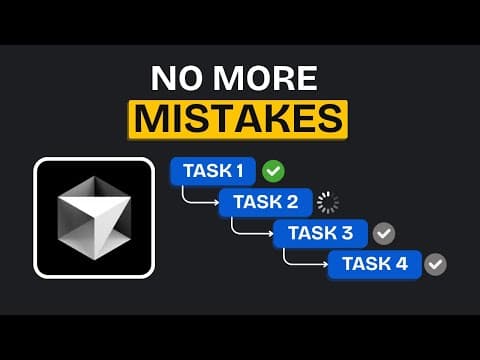
Planning with files keeps the agent from forgetting the task by inserting three files: task plan, findings, and progress. This reduces context window clutter and improves accuracy when working with multiple coding tools. Additionally, skills like RTK filter terminal outputs and delegate setup orchestrate tasks across tools for better performance.
Transcript
Ever since Hermes agent was released, people have been setting up all kinds of workflows on it. And to make an already powerful agent even better, people have also built a lot of skills for it. Some of them have even become some of the most trending projects on GitHub. Now, you might wonder why you'd need to install more skills in the first place b... Read More
Key Insights
- Planning with Files creates a persistent plan in three files to prevent task drift.
- The hook mechanism forces the agent to use the plan, keeping tasks aligned with goals.
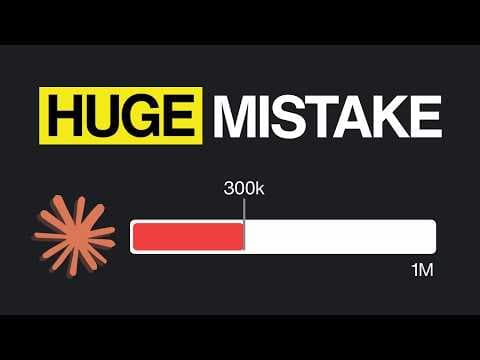
- RTK filters command outputs so agents see only relevant results in the context window.
- Delegate setup orchestrates multiple coding tools, assigning tasks to the best tool automatically.
- Mantis provides a modular set of security review skills that run with Hermes for ongoing checks.
- Agent Reach enables Hermes to access restricted sites for broader research and data gathering.
- Plugins like the 18-skill selector allow customization of installed tools to fit the task.
- The described tools are designed to work with Hermes or any AI coding agent, not just Hermes, enhancing interoperability.
Install to Summarize YouTube Videos and Get Transcripts
Explore YouTube Video Summarizer or Get YouTube Transcript Extractor
Questions & Answers
Q: A real search query question about the video (e.g. 'How to...', 'What is...', 'Why does...'). Question 1
How does Planning with Files reduce context window clutter and improve agent performance? Planning with Files creates three dedicated files in the project folder: task plan, findings, and progress. These files are inserted into the context using a hook so the agent cannot ignore them. This keeps the task structure clear, allows the agent to work on smaller subtasks, and reduces the need to replay earlier details in every message, which helps with longer conversations and model drift.
Q: What is the role of hooks in Hermes Skill Planning with Files?
Hooks in Planning with Files are special inserts that force the three files into the context window, ensuring the agent cannot ignore the plan. This prevents drift during long sessions and helps Hermes stay on track with the assigned tasks. The hook differentiates this skill from typical file storage by guaranteeing visibility of the plan throughout execution.
Q: How does RTK improve the agent’s context management?
RTK improves context management by filtering terminal command outputs before they reach the agent. It keeps only the parts the agent needs, such as failing test results, which reduces context size and increases accuracy. RTK is a separate tool that can be installed, and a skill can route commands through RTK to ensure clean, relevant information is presented to the agent.
Q: What is the purpose of the Delegate Setup skill?
The Delegate Setup skill coordinates multiple coding tools by identifying installed tools, mapping areas of responsibility, and assigning tasks to the most suitable agent. It operates without prompting for permission for each command, enabling smoother, autonomous execution. After approval of the plan, it orchestrates task delegation and aggregates findings into a single report.
Q: What is Mantis and how does it relate to Hermes?
Mantis is a set of security review skills from Google that can run with Hermes to perform security checks on apps regardless of platform. It includes planning (Mantis Plan) and reflective review (Mantis Reflect) stages. Running these reviews on Hermes helps maintain ongoing security health, leveraging Hermes long-running, scheduled tasks to reassess code and deployments.
Q: How does Agent Reach extend Hermes capabilities?
Agent Reach provides access to sites that are often restricted for models, such as Reddit and GitHub. It enables Hermes to gather real user discussions and content that can be valuable for research, while still using free methods to gain access. This expands the data scope Hermes can utilize without violating access controls.
Q: What is the purpose of combining multiple skills with Hermes during a task?
Combining multiple skills with Hermes allows orchestration and optimization of tool usage. Skills like planning, delegation, and output filtering work together to create a robust workflow where plans are persistent, communications are concise, and each task is handled by the most capable tool. This collaboration reduces miscommunication and increases task completion reliability.
Q: Are these Hermes skills limited to Hermes only, or usable with other AI agents?
While demonstrated with Hermes, these skills are designed to work with any AI coding agent. The video notes that most skills can be used with other agents, expanding the practical value beyond Hermes and enabling cross-platform workflow improvements.
Summary & Key Takeaways
-
This video introduces multiple Hermes Agent skills and explains how they integrate with existing workflows to improve reliability and performance. It emphasizes that these skills work with Hermes and other AI coding agents, and highlights key techniques such as plan persistence, output filtering, and cross-tool delegation.
-
The guide covers the Planning with Files skill in depth, detailing how it creates a structured task plan, findings, and progress files. It also explains hooks that force the agent to acknowledge the plan, reducing drift and misalignment during long sessions.
-
The video also showcases companion tools and security tools like Mantis and Agent Reach, and describes how they extend Hermes capabilities, enable secure web access, and provide automated security reviews and reach into restricted sites for research and development purposes.
Read in Other Languages (beta)
Share This Summary 📚
Summarize YouTube Videos and Get Video Transcripts with 1-Click
Try YouTube Summary with ChatGPT & Claude or YouTube Transcript Generator
Explore More Summaries from AI LABS 📚

Summarize YouTube Videos and Get Video Transcripts with 1-Click
Try YouTube Summary with ChatGPT & Claude or YouTube Transcript Generator