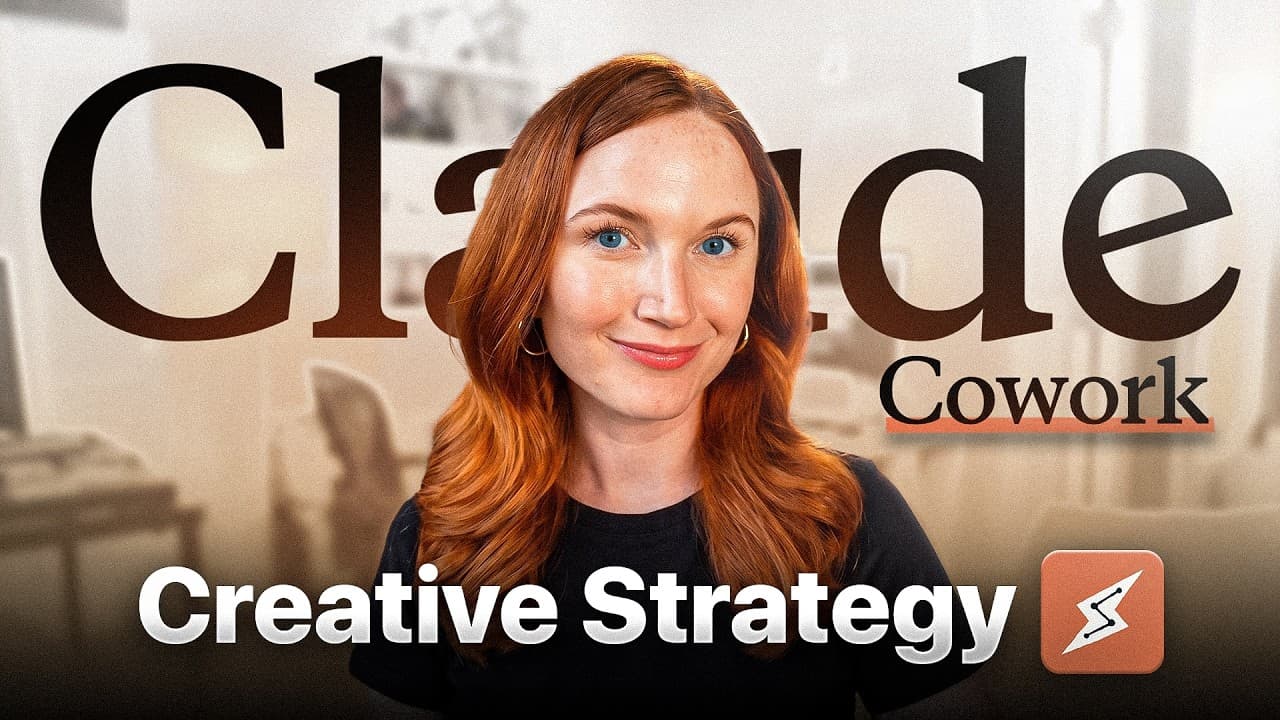
How to Use Claude Cowork for Creative Strategy
TL;DR
Treat Claude Cowork as a junior creative strategist or marketing assistant, not as a replacement for strategic judgment. Give it specific links, connected app access, clear reporting requirements, and follow-up questions so it can analyze ad libraries, summarize social performance, compare competitors, create reusable reports, and surface opportunities for human review.
Transcript
So, this is how I'm using Claude Co-work in my creative strategy workflow today. So, here's the thing. Most creative strategists and digital marketers are using AI completely wrong. And it's not necessarily because they're bad at prompting or even that they're using the wrong tools. It's because they're asking AI to do the wrong job. So, I've spent... Read More
Key Insights
- AI is most useful in creative strategy when it acts as a junior strategist or marketing assistant. The human strategist still supplies judgment, context, and direction, while Claude Cowork handles labor-intensive research, compilation, reporting, and the initial identification of patterns worth investigating.
- Claude Cowork is designed to complete tasks through connected tools rather than only generate conversational answers. It can open browser pages, read accessible files, and work through multistep assignments, while Claude Chat provides a basic chat interface and Claude Code is presented as a developer-oriented command-line tool.
- Claude Cowork requires the desktop app and, according to the presenter, at least the Pro plan. The demonstrated workflows also depend on connectors that grant access to relevant computer applications, with Chrome and Slack identified as the minimum connections needed for the examples shown.
- A direct Facebook Ad Library URL improves the reliability of an ad analysis request. The presenter reports that merely asking Claude to find a brand's library can lead it to the wrong destination, so the prompt includes the exact brand and a direct link.
- An ad-library report can organize creative activity into actionable categories. The Ridge example identified 291 active ads, four product lines, four creator partners, 94 ads launched on April 4, a longest-running ad of 150 days, an approximately even video-image split, and 4.5 percent partnership ads.
- Persona analysis becomes more useful when inferred audiences from advertising creative are compared with actual customers found in reviews. This comparison can reveal whether a brand's intended targeting matches the people purchasing and discussing its products, creating a stronger basis for persona mapping.
- A creator performance report can consolidate posting frequency and engagement across platforms. In the example, Claude reviewed LinkedIn, Instagram, YouTube, X, and TikTok, highlighted content associated with saves or impressions, identified underserved channels, and recommended reducing generic sponsored material and excessive cross-posting.
- Recurring reports can turn Claude Cowork into an ongoing monitoring assistant. The presenter schedules weekly creator analysis and monthly competitor reviews, can request delivery through Slack, and uses follow-up questions to examine the collected data after Claude produces summaries, spreadsheets, HTML reports, or presentation-style outputs.
Install to Summarize YouTube Videos and Get Transcripts
Explore YouTube Video Summarizer or Get YouTube Transcript Extractor
Questions & Answers
Q: How should creative strategists use Claude Cowork?
Creative strategists should treat Claude Cowork as a junior strategist or marketing assistant rather than a replacement for their own thinking. Claude can gather information, navigate connected sources, assemble reports, and identify possible patterns. The strategist should define the assignment, provide precise inputs, verify questionable interpretations, ask follow-up questions, and decide which opportunities deserve action.
Q: What is the difference between Claude Chat, Cowork, and Code?
Claude Chat is described as the basic conversational interface. Claude Cowork is intended for completing practical work, including opening browser pages, reading accessible files, and carrying out tasks through connected applications. Claude Code is presented as a command-line tool for developers who build applications and websites. The featured creative-strategy workflows focus specifically on Cowork because they require task execution rather than information generation alone.
Q: What is required to access and use Claude Cowork?
The presenter says Claude Cowork requires the desktop application rather than only the browser interface and requires at least the Pro plan. She personally uses the Max plan and selects Opus for some demanding reports. Cowork also needs connector permissions to reach applications and computer resources. Chrome and Slack are identified as the essential connections for the demonstrated workflows.
Q: How can Claude Cowork analyze a Facebook Ad Library?
Provide Claude Cowork with the brand name, a direct link to the brand's Facebook Ad Library, and instructions describing the desired analysis. The direct link matters because a general request to locate the library may reach the wrong page. Claude can then navigate the library and produce a report covering formats, creators, messaging, inferred personas, campaign activity, and leading ads.
Q: What information can an ad-library report contain?
An ad-library report can include active-ad counts, represented product lines, creator partners, recent launch activity, the longest-running creative, video-versus-image distribution, video-duration patterns, partnership-ad share, core messages, inferred target personas, and ads ranked by impressions. In the Ridge example, the report found 291 active ads, four product lines, four creator partners, and 4.5 percent partnership ads.
Q: How can Claude Cowork create a social media performance report?
Give Claude links to the relevant social profiles, specify the reporting period, define which engagement measures matter, and describe how detailed the recommendations should be. If access fails, explicitly instruct it to open the links through the Chrome connector. Claude can compare posting volume and performance across platforms, identify strong content themes, flag weak areas, and recommend what to do less often.
Q: How can recurring creative reports be automated?
A completed reporting workflow can be paired with scheduled tasks so the same analysis runs repeatedly. The presenter uses a weekly schedule for creator reporting and a monthly schedule for competitor monitoring. Claude can also be instructed to send the finished result through Slack. This replaces repeated manual compilation while preserving the strategist's role in reviewing findings and choosing responses.
Q: How can Claude Cowork support competitor research?
Claude Cowork can review the organic social activity of one or more competing brands and produce a summary, spreadsheet, and HTML report. The analysis can help map competitors' strengths, gaps, follower counts, content patterns, and notable collaborations. After the report is generated, the strategist can ask follow-up questions about the collected data and identify areas a client might capitalize on.
Summary & Key Takeaways
-
Claude Cowork is positioned as an execution assistant for creative strategists. Unlike the basic chat interface, it can use connected apps, open browser pages, read files, and complete assigned tasks. The recommended approach is to delegate research and reporting while retaining responsibility for strategic interpretation, validation, and follow-up decisions.
-
One demonstrated workflow analyzes a brand's Facebook ad library from a direct link. The resulting report can summarize active ads, product lines, creator partnerships, launch patterns, format distribution, video duration, messaging pillars, inferred personas, and leading ads by impressions. Follow-up prompts can investigate gaps that the initial report omits.
-
Claude Cowork can also automate weekly creator reports and monthly competitor monitoring. Reports may cover posting volume, engagement, strong content themes, weak channels, and recommendations about what to publish less often. Outputs can be delivered as summaries, spreadsheets, HTML files, or pitch decks, then sent through Slack and repeated with scheduled tasks.
Read in Other Languages (beta)
Share This Summary 📚
Summarize YouTube Videos and Get Video Transcripts with 1-Click
Try YouTube Summary with ChatGPT & Claude or YouTube Transcript Generator
Explore More Summaries from Dara Denney 📚




Summarize YouTube Videos and Get Video Transcripts with 1-Click
Try YouTube Summary with ChatGPT & Claude or YouTube Transcript Generator