How to Build Interactive Apps with Claude Artifacts
TL;DR
Claude Artifacts can turn short prompts, screenshots, PDFs, and uploaded data into interactive web apps without requiring the user to read or write code. Create the desired layout first, refine it through follow-up prompts, add real data, then publish a shareable link that others can view or remix in their own Claude account.
Transcript
from all the different AI tools that I've tested for the last 6 months I think Claude artifact might be my favorite and in this video I want to show you exactly how to use it I going to show you 15 really interesting practical examples on how to use it and it just became available completely for free to everyone starting today I think the best way ... Read More
Key Insights
- Claude Artifacts is a feature that generates code and presents the resulting interactive output in a visual preview, allowing users to build apps without examining the underlying code. Users can request revisions conversationally whenever the design or functionality needs improvement.
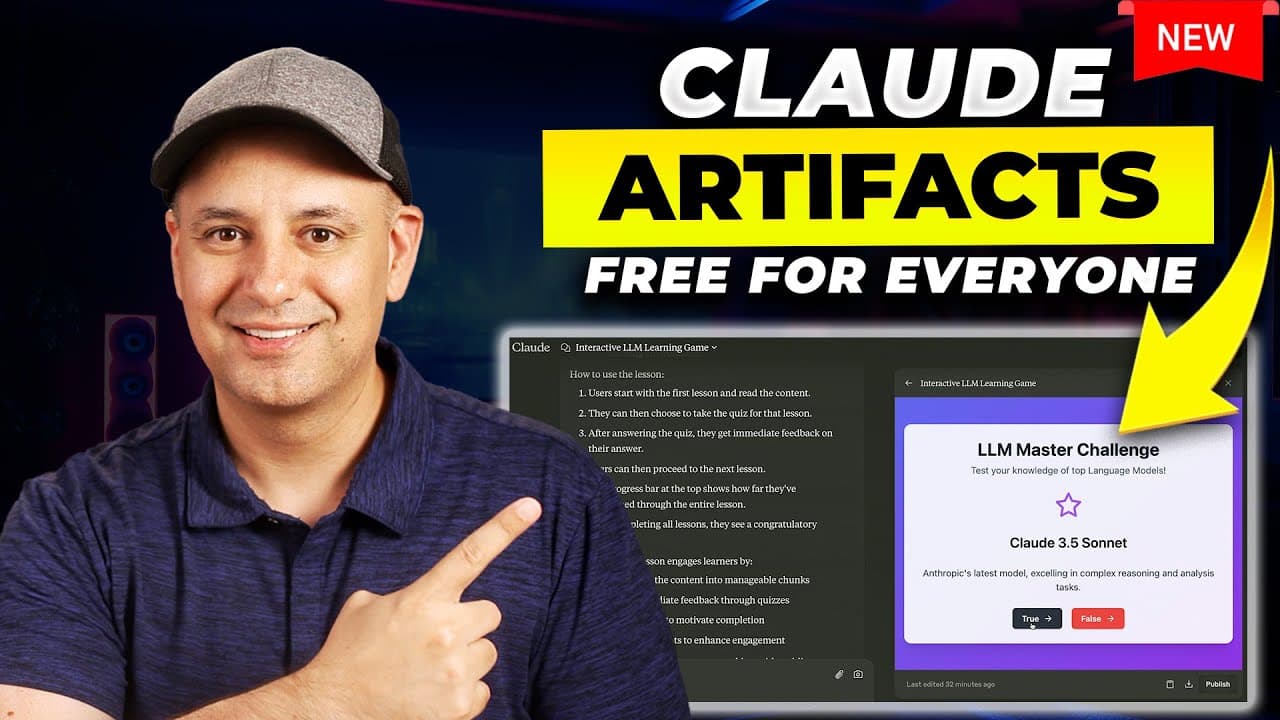
- A screenshot can serve as the starting point for a web app. The demonstrated workflow uploaded an image of the Mac App Store and used only the prompt, "create a web app using this image," after which Claude generated a visual interface based on it.
- Published Artifacts can be shared through generated links. Recipients can review the interactive output in a browser, while the remix option recreates the Artifact in their own Claude account so they can revise, expand, or customize it independently.
- Interactive dashboards can be generated from uploaded documents, CSV files, PDFs, screenshots, or sample data. Claude can visualize sales, profits, expenses, forecasts, rankings, and market share while also adding sorting controls, animations, charts, and other interactive interface elements.
- The most practical dashboard workflow is to establish the layout before inserting real data. The presenter first creates and refines the desired interface with sample information, then uses a follow-up prompt to populate the finished design with actual information.
- Educational materials can become interactive lessons with minimal prompting. A presentation drafted with ChatGPT, exported as a PDF, and uploaded to Claude was converted into lessons featuring navigation, completion progress, and a quiz associated with each section.
- Simple text prompts can produce functional tools and games. Demonstrations included a to-do list with completion and removal controls, a true-or-false quiz about large language models, and a playable Snake game created without specifying a programming language.
- Claude Projects can strengthen Artifacts by supplying a dedicated knowledge base and custom instructions. Projects can contain many PDFs with company or personal information, allowing users to combine reference material with interactive outputs for more complex practical applications.
Install to Summarize YouTube Videos and Get Transcripts
Explore YouTube Video Summarizer or Get YouTube Transcript Extractor
Questions & Answers
Q: How do you create a web app with Claude Artifacts?
Open Claude, upload a screenshot or provide a text description, and ask Claude to create the desired web app. Claude writes the code and displays a visual preview in the Artifacts panel, so you do not need to inspect the implementation. Review the result, request changes through follow-up prompts, and use Publish when the interface and functionality meet your needs.
Q: How can you share or remix a Claude Artifact?
Select Publish after Claude generates the Artifact. Claude creates a link that you can open and share with anyone who needs to review the result. A recipient can also select Remix Artifact, which recreates the same app in that person’s Claude account. They can then submit follow-up requests to edit, extend, or otherwise customize their copy.
Q: What kinds of dashboards can Claude Artifacts create?
Claude Artifacts can create sales dashboards, business intelligence displays, stock market interfaces, social media sentiment analyzers, and competitor comparison dashboards. These outputs can include sales, profit, expenses, forecasts, market share, rankings, charts, sorting controls, animations, and monthly breakdowns. The source material can come from uploaded documents, CSV files, PDFs, screenshots, or sample information provided during the conversation.
Q: How do you turn uploaded data into an interactive dashboard?
Upload a document, CSV file, PDF, screenshot, or other supported source through Claude’s content upload control. Ask Claude to turn the material into an interactive dashboard, such as an interactive sales dashboard. Review the visual structure and request formatting or functional changes. The presenter recommends refining the dashboard layout first, then adding actual data once the interface looks and behaves as intended.
Q: How can Claude Artifacts create interactive educational lessons?
Prepare the lesson content, save it as a PDF, upload it to Claude, and ask Claude to turn it into an interactive lesson. In the demonstrated example, Claude created multiple lesson sections with next-step navigation, a percentage indicator that increased toward completion, and quizzes connected to individual lessons. The finished lesson could then be published and shared through a link.
Q: Can Claude Artifacts build apps without coding experience?
Claude Artifacts allows users to build interactive outputs without reading or writing the generated code. A short instruction can produce a visual app, and follow-up prompts can change its design or behavior. Demonstrations included dashboards, a to-do list, quizzes, educational lessons, a sentiment analyzer, and a Snake game. Claude selected the coding approach while the user concentrated on the requested result.
Q: How can Claude Artifacts analyze social media content?
A social media sentiment analyzer can organize sample posts by platform and classify them as positive, neutral, or negative. The presenter also considered using this type of dashboard to determine whether YouTube comments were questions or ordinary comments, helping prioritize replies. The recommended process is to build and refine the dashboard first, then supply the actual social media data in a later step.
Q: Why combine Claude Projects with Claude Artifacts?
Claude Projects can provide a dedicated knowledge base containing many PDFs, including company or personal information, along with a separate set of instructions. Combining that stored context with Artifacts supports more complex practical applications because Claude can use the supplied reference material while creating an interactive output. The Projects feature described in the transcript is part of Claude’s paid plan.
Summary & Key Takeaways
-
Claude Artifacts generates code while displaying the resulting app in a dedicated visual preview, so users can focus on the output instead of the implementation. A screenshot and a one-sentence request can produce a working interface, which can then be revised conversationally, published through a link, and shared with other people.
-
Uploaded CSV files, documents, PDFs, screenshots, or sample information can become interactive dashboards and visualizations. Demonstrated examples include sales reporting, business intelligence, stock tracking, social media sentiment analysis, competitor comparisons, sortable charts, and task management tools. Users can finalize the layout before asking Claude to populate it with actual data.
-
Artifacts can also support education and experimentation through quizzes, interactive lessons, presentations, and games. A presentation saved as a PDF can be transformed into a lesson with navigation, progress tracking, and quizzes. Combining Artifacts with Claude Projects adds a dedicated knowledge base, company or personal documents, and custom instructions for more complex applications.
Read in Other Languages (beta)
Share This Summary 📚
Summarize YouTube Videos and Get Video Transcripts with 1-Click
Try YouTube Summary with ChatGPT & Claude or YouTube Transcript Generator
Explore More Summaries from Skill Leap AI 📚





Summarize YouTube Videos and Get Video Transcripts with 1-Click
Try YouTube Summary with ChatGPT & Claude or YouTube Transcript Generator