How to build an AI research workflow with n8n
TL;DR
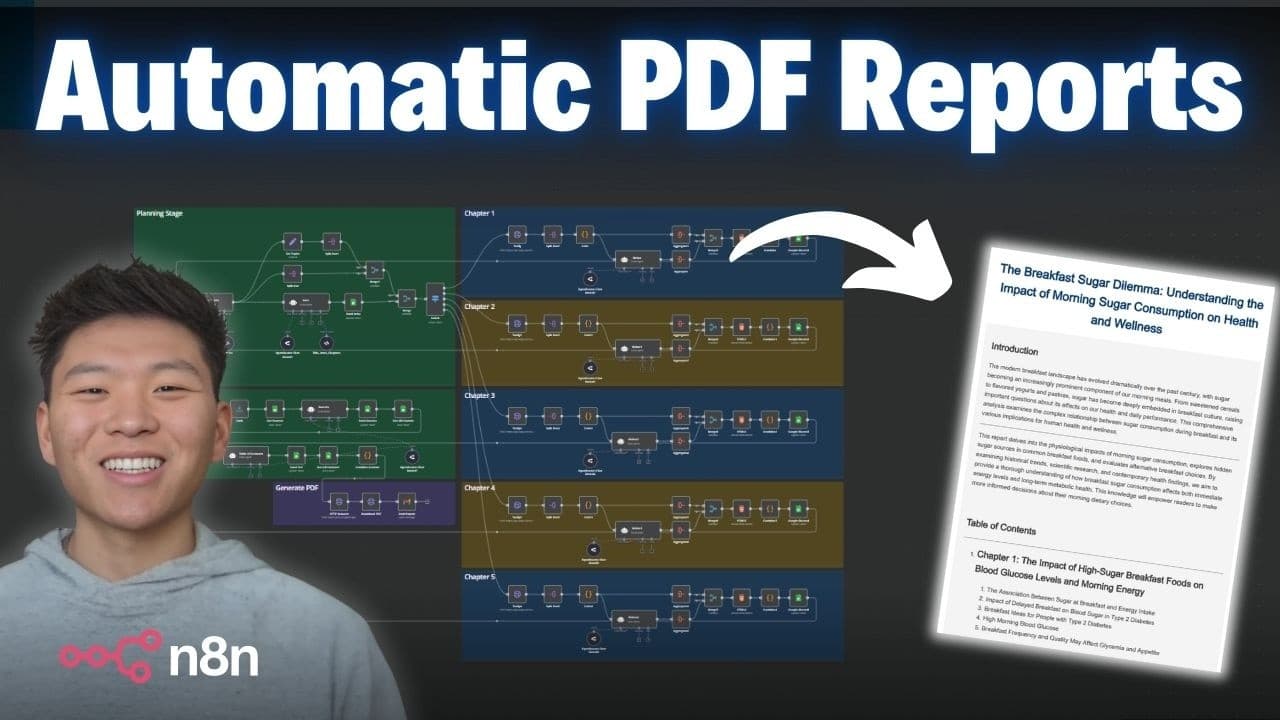
An automated AI research system can generate a 40-page PDF report with sources by using a planning stage, five chapter writers, and Google Sheets as the data backend. It assembles a table of contents, compiles sources, and emails the PDF, costing about $0.50 per report.
Transcript
all right So all we have to do is hit test workflow and this form will pop up and we just have to enter a search topic for a deep research report So here I'm typing in sugar for breakfast Just putting in an email to send the report to and we'll hit submit And now the workflow has started The first thing we're doing is we're hitting a planning topic... Read More
Key Insights
- Five chapters structure the research workflow, enabling parallel or sequential writing of content
- A planning stage is essential to convert a topic into a detailed, multi-chapter outline
- Google Sheets acts as the data backbone to store sources and content fragments
- Each chapter uses dedicated agents to gather information and draft content
- Sources are gathered and numbered, then linked in the final report
- The system compiles a table of contents from chapter contents to guide readers
- An HTML to PDF API converts the final text into a downloadable report
- The workflow can run multiple times with minimal cost per report (about $0.50)
- More videos from this channel:
- More from this channel: Nate Herk | AI Automation
Install to Summarize YouTube Videos and Get Transcripts
Explore YouTube Video Summarizer or Get YouTube Transcript Extractor
Questions & Answers
Q: How does the planning stage kick off the research workflow and what does it produce?
The planning stage is the first step after submission and is described as taking the search topic and producing five different in depth topics and an outline for introduction and chapters. This creates a framework that directs the subsequent agents to write content for each chapter and section. By establishing structure early, the workflow ensures coherent progression through the entire report.
Q: What role do Google Sheets play in the workflow?
Google Sheets serves as the data backend for the entire process. It stores the outputs from each chapter, the sources for each section, and the final assembled content. Later, the workflow pulls data from the sheets to build a table of contents, assemble the final document, and attach all sources in a numbered, clickable reference list.
Q: How are sources managed and linked in the final PDF?
Sources are collected for each section and numbered in order. The workflow ensures links to each source are preserved, so the final PDF presents a sources section with a numbered list and clickable links. This makes it easy for readers to verify and explore the cited research, maintaining transparency and traceability.
Q: What technology converts the final text into a PDF, and how is it delivered?
An HTML to PDF API is used to convert the fully assembled, structured content into a PDF. Once the document is created, the system sends it via email, delivering the finished deep research report directly to the user’s inbox, completing the end to end automation.
Q: How many chapters and sections are involved in the reported workflow, and why is this structure beneficial?
There are five chapters in the report, and each chapter contains multiple sections, typically five, corresponding to different topics within that chapter. This structured approach clarifies focus areas, enables parallel processing, improves organization, and helps ensure coverage of diverse subtopics without losing overall coherence.
Q: What is the estimated cost per report and why is the cost so low?
The workflow is advertised as costing about $0.50 per report, with the claim that it can operate for little more than a half a dollar per generation. This low cost comes from pay as you go API usage and parallel processing that minimizes compute time, making it cost effective for producing long, research heavy PDFs.
Q: How does the system handle assembly of content from multiple chapters into one document?
Content for each chapter is written by dedicated agents and stored back into the Google Sheets workspace. The workflow then pulls all chapter contents, compiles a table of contents based on the topics and sections, and finally strings the content together before sending it to the PDF API. This end to end flow preserves structure and coherence.
Q: Can the workflow be run multiple times efficiently, and what optimizations are suggested?
Yes, the workflow can be run multiple times, and optimizations include running chapters in parallel to reduce overall processing time. The presenter mentions potential improvements such as optimizing parallel execution and further tweaking the data flow to increase speed and efficiency while maintaining accuracy and source integrity.
Summary & Key Takeaways
-
The workflow starts with a planning stage that splits a topic into five chapters and outlines sections within each chapter, enabling structured deep research. This setup feeds dedicated research agents for each chapter and section, ensuring comprehensive coverage.
-
Content is gathered, sources are attached, and a table of contents is generated by an automated process that pulls data from multiple nodes and consolidates it into a coherent structure.
-
A final HTML to PDF step creates a 40-page document with linked sources and is delivered by email, demonstrating a complete end-to-end automated research report pipeline at low cost.
Read in Other Languages (beta)
Share This Summary 📚
Summarize YouTube Videos and Get Video Transcripts with 1-Click
Try YouTube Summary with ChatGPT & Claude or YouTube Transcript Generator
Explore More Summaries from Nate Herk | AI Automation 📚






Summarize YouTube Videos and Get Video Transcripts with 1-Click
Try YouTube Summary with ChatGPT & Claude or YouTube Transcript Generator