How to optimize a vector DB with n8n embeddings
TL;DR
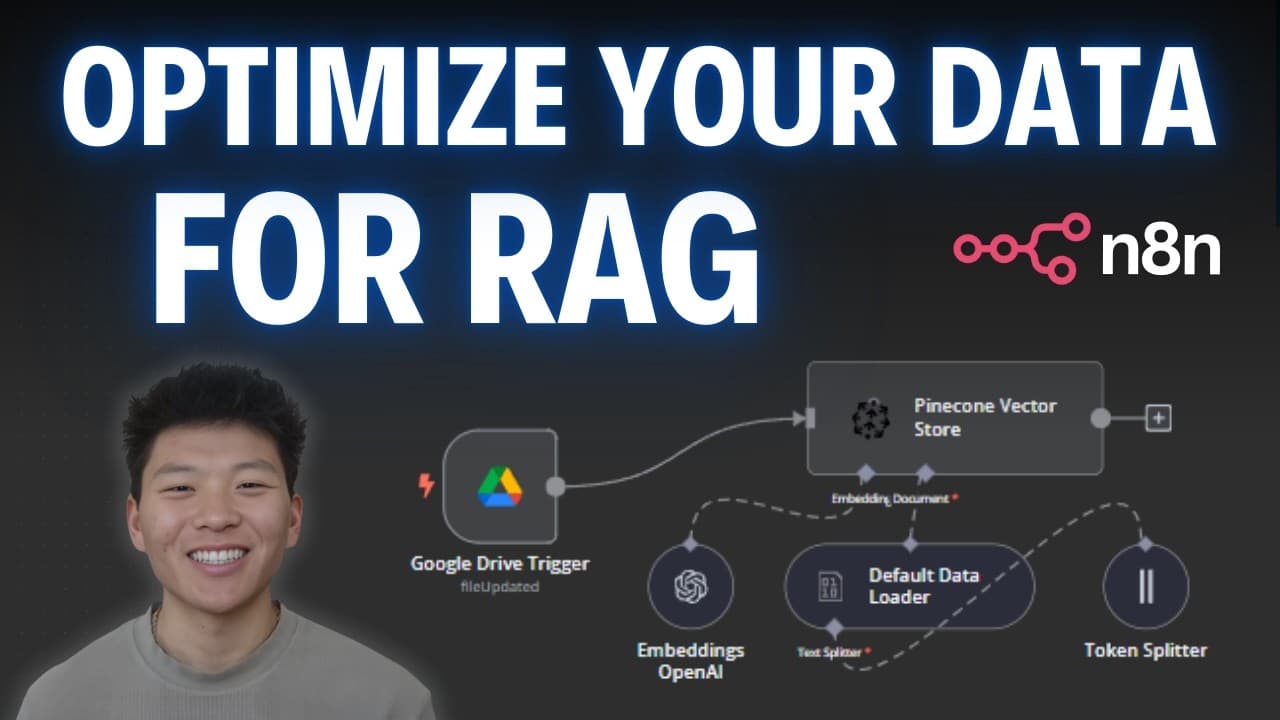
The key is to align embedding dimensions with your Pine Cone index, load only the needed content, and attach metadata for filtering. Use text or binary loading, apply recursive splitting for large documents, and verify you can query effectively with RAG using the proper workflow.
Transcript
when building out AI agents the number one most important foundational aspect is having a good knowledge base and if your knowledge base is a vector database you really need to understand how you can get your information into that knowledge base optimally so your agents are able to search through it and give you accurate answers through rag or othe... Read More
Key Insights
- Pine Cone and embedding configuration must match the intended vector dimensions to avoid embedding errors.
- Loading data into Pine Cone can be done as JSON, binary, or text, and each method yields different vector content and metadata outcomes.
- Metadata such as document ID can be attached to each vector to enable filtered searches later.
- Embedding dimension mismatches cause the loader to spin or fail, highlighting the need for consistent embedding types.
- Recursive character text splitting creates multiple vectors from large documents to improve retrieval granularity.
- Token splitting and text splitting strategies determine how content is chunked into vectors for search.
- Including only the text you need and excluding non content metadata reduces noise in the index.
- Binary loading preserves document level metadata like PDF properties while preserving content fidelity.
- More videos from this channel:
- More from this channel: Nate Herk | AI Automation
Install to Summarize YouTube Videos and Get Transcripts
Explore YouTube Video Summarizer or Get YouTube Transcript Extractor
Questions & Answers
Q: How do I start with Pine Cone and embedding three small in n8n for a vector store
To begin, set up Pine Cone and create an index, then configure the embedding to text embedding three small. This pairing ensures the vectors you generate have compatible dimensions, which prevents embedding errors. You will also obtain an API key to connect your n8n workflow to Pine Cone and start loading documents for indexing.
Q: What data loading modes are demonstrated and how do they differ in output
The video demonstrates loading as JSON, binary, and text. JSON loading preserves structured data and can include metadata like document IDs, while binary loading keeps the raw content like PDFs and may present less initial metadata. Text extraction simplifies the vector content to the usable text portion for embedding, reducing noise.
Q: Why is metadata important when indexing vectors
Metadata attaches contextual information to each vector, such as a document ID, which enables targeted filtering and retrieval later. By including metadata, you can narrow searches to specific documents or categories, improving the relevance of results returned by RAG or similar retrieval methods.
Q: What happens if embedding dimensions do not match the index
If the embedding dimensions do not match the index, embedding will fail or stall, as the system cannot correctly represent the content in the vector space. Ensuring the embedding type and size are aligned with the Pine Cone index is critical to successful ingestion and search performance.
Q: How does recursive character text splitting affect vector creation
Recursive character text splitting breaks large texts into multiple, logically sized chunks that fit the embedding model. This creates several vectors from a single document, increasing retrieval granularity and improving the chances of finding relevant information during queries, especially for long documents.
Q: What is the effect of token splitting on vector generation
Token splitting controls how the content is divided into tokens before embedding. By splitting tokens appropriately, you can balance vector size and coverage, ensuring that each vector contains meaningful content while avoiding excessively large or small vectors that could degrade search quality.
Q: How can you reduce noise in the vector store
Reduce noise by loading only the content you need, filtering out non content metadata during ingestion, and using metadata to separate meaningful vectors from peripheral data. Proper splitting strategies and consistent embedding settings also contribute to cleaner, more relevant search results.
Q: What practical steps are recommended after loading vectors into Pine Cone
After loading, refresh the Pine Cone index to reflect new vectors, verify the content of the vectors to ensure the resulting text is the desired material, and confirm metadata is present. If a mismatch occurs, adjust the embedding type or dimension and re-ingest to ensure compatibility and performance.
Summary & Key Takeaways
-
A workflow shows how to ingest data into a vector database using n8n and Pine Cone, including embedding setup, loading modes, and splitting strategies. The examples emphasize matching embedding dimensions, filtering via metadata, and reducing noise by selecting relevant text only.
-
The video demonstrates different data loading approaches (JSON, binary, text) and how each affects the resulting vectors and metadata, highlighting the impact of metadata and token splitting on retrieval quality.
-
The instructor also underlines the importance of practical setup steps, such as refreshing the Pine Cone index after loading and using recursive text splitting to manage large documents for efficient search.
Read in Other Languages (beta)
Share This Summary 📚
Summarize YouTube Videos and Get Video Transcripts with 1-Click
Try YouTube Summary with ChatGPT & Claude or YouTube Transcript Generator
Explore More Summaries from Nate Herk | AI Automation 📚






Summarize YouTube Videos and Get Video Transcripts with 1-Click
Try YouTube Summary with ChatGPT & Claude or YouTube Transcript Generator