How to Use ChatGPT Work for Everyday Tasks
TL;DR
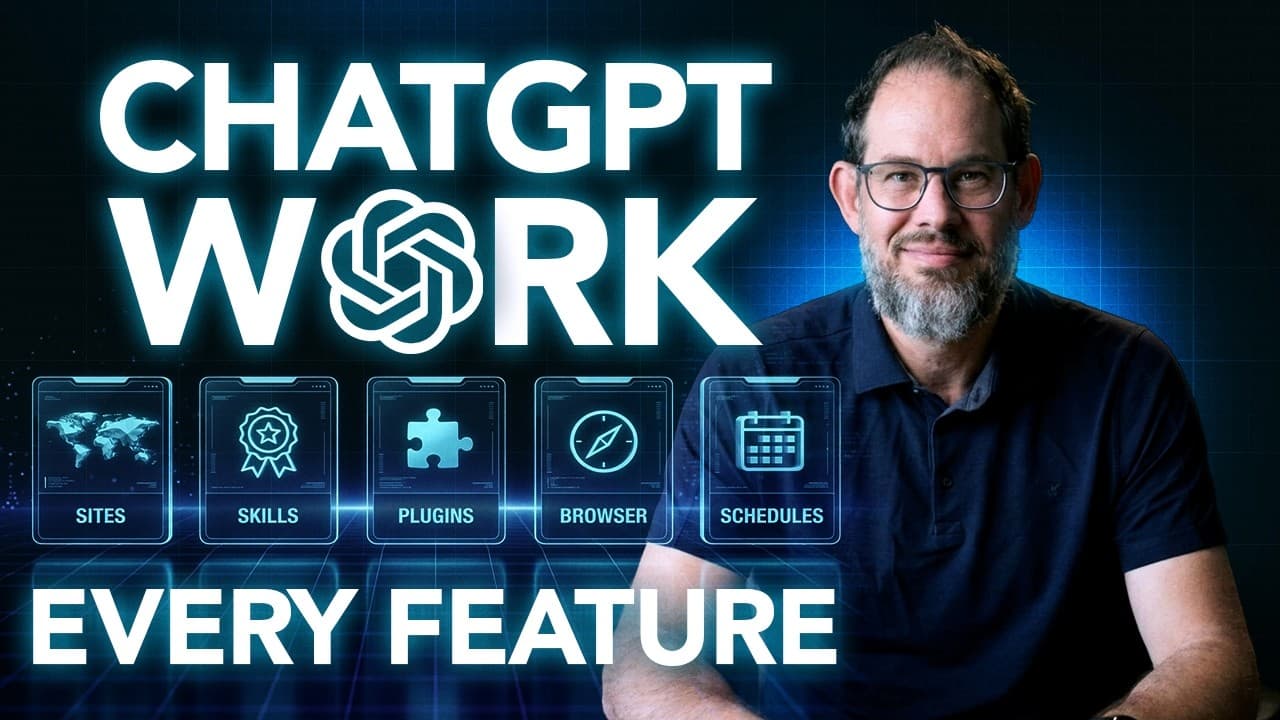
ChatGPT Work can run long tasks in the cloud or locally so you can finish reports, spreadsheets, or websites while away. It covers choosing cloud versus local tasks, editing documents surgically, talking to a running task, and scheduling recurring jobs, with practical tips for reliable file access and cross app work.
Transcript
You can now give Chad GPT a job in the cloud. Close your laptop, walk away, and come back to a finished report, a spreadsheet, or a website. And by the end of this video, you're going to know how to use ChatGpt Work, how to use codeex to edit your files, work across your apps, and run recurring jobs. That's right. This is the complete guide I am is... Read More
Key Insights
- Cloud tasks can continue running after you close the laptop if the task is set to run in the cloud.
- Local tasks can run in the background but require the machine to stay on and not go to sleep for reliability.
- Choosing between chat, codecs, and work experiences affects access to materials and the kind of work you can do.
- Codecs excels at software work but can handle research documents and multi app workflows.
- Dialogue and voice features allow starting, steering, and updating tasks without returning to the keyboard.
- Surgical edits are possible by instructing the model precisely what to modify or keep intact in a document.
- Always verify the connected files and paths before walking away to avoid missing inputs.
- Context window and screen context can enhance accuracy by letting the model see the active workspace and relevant text.
- More videos from this channel:
- More from this channel: AI News & Strategy Daily | Nate B Jones
Install to Summarize YouTube Videos and Get Transcripts
Explore YouTube Video Summarizer or Get YouTube Transcript Extractor
Questions & Answers
Q: How to decide when to run a task in the cloud vs locally with ChatGPT Work
To decide between cloud and local execution you first evaluate whether the job can complete with online resources and connected services. If the content lives in a connected location and needs persistent access while the computer is off, choose cloud. If the job relies on local folders, applications, or machine specific capabilities, choose local and keep the device on. This planning avoids missing file access and ensures a smooth handoff between environments.
Q: What is meant by surgical edits in ChatGPT Work and how to request them
Surgical edits refer to making precise changes to a document without rewriting it entirely. You should specify exactly what changes to make, which sections to modify, and what should stay the same. For example, instruct the model to keep headings and links, replace explanatory content in a given section, and add targeted comments. This approach preserves formatting and structure while achieving the desired revision.
Q: How can voice chat enhance task management in ChatGPT Work
Voice chat enables starting a task, checking progress, and steering the work without returning to the keyboard. You can use dictation for quick prompts or engage in live voice conversations to clarify context and make rapid decisions. Implementing voice helps you coordinate multiple tasks, validate outputs, and adjust instructions while the workflow continues, increasing responsiveness.
Q: What should you check before starting a recurring or cloud task
Before starting a recurring or cloud task you must verify that the task can access the required sources and files in the cloud environment. Confirm the agent can reach the necessary materials, attach any needed data, and understand whether the cloud task will inherit local files or require them to be moved to a connected location. This prevents failures and missing inputs.
Q: How does the guide describe choosing the right model and settings
The guide explains selecting a model and setting a level of reasoning appropriate to the task. It notes that not every button is identical across experiences but emphasizes picking the option that can reach the material and perform the job as intended. This helps manage token usage and ensures the task aligns with user needs.
Q: Can ChatGPT Work edit documents inside existing apps like Google Docs or Word
Yes, with the right connection you can edit inside existing documents such as Google Docs or Word. The system can also create and revise doc files in other programs. This capability allows surgical edits and iterative revisions without creating new copies, provided you authorize the correct file access and share links to the target documents.
Q: What is the difference between dictation and live voice in ChatGPT Work
Dictation converts speech to text for quick prompt input, while live voice chat offers a continuous conversation with more fluid back and forth and the ability to steer the task dynamically. Dictation is useful for fast prompts, but voice chat provides richer context and helps coordinate complex tasks and provide ongoing guidance while work proceeds.
Q: What practical tips help prevent sleep interruptions during long local tasks
To prevent interruptions, ensure the computer remains awake during long local tasks and, where available, enable a setting to prevent sleep. This ensures background execution continues without the machine pausing due to sleep mode. You should also verify that the local task can access needed resources and that the right folder paths are established before starting the job.
Summary & Key Takeaways
-
ChatGPT Work offers cloud and local task execution so long tasks keep running even when your computer is off, provided you set up the correct environment and file access.
-
You can edit documents surgically rather than rewriting, by giving specific change instructions and keeping essential elements like headings and links intact.
-
The guide emphasizes practical prompts, voice interactions, and choosing the right model to balance capability, reasonableness, and token usage for everyday work.
Read in Other Languages (beta)
Share This Summary 📚
Summarize YouTube Videos and Get Video Transcripts with 1-Click
Try YouTube Summary with ChatGPT & Claude or YouTube Transcript Generator
Explore More Summaries from AI News & Strategy Daily | Nate B Jones 📚


Summarize YouTube Videos and Get Video Transcripts with 1-Click
Try YouTube Summary with ChatGPT & Claude or YouTube Transcript Generator