How to Extend GPT-6 Astra Usage Quickly
TL;DR
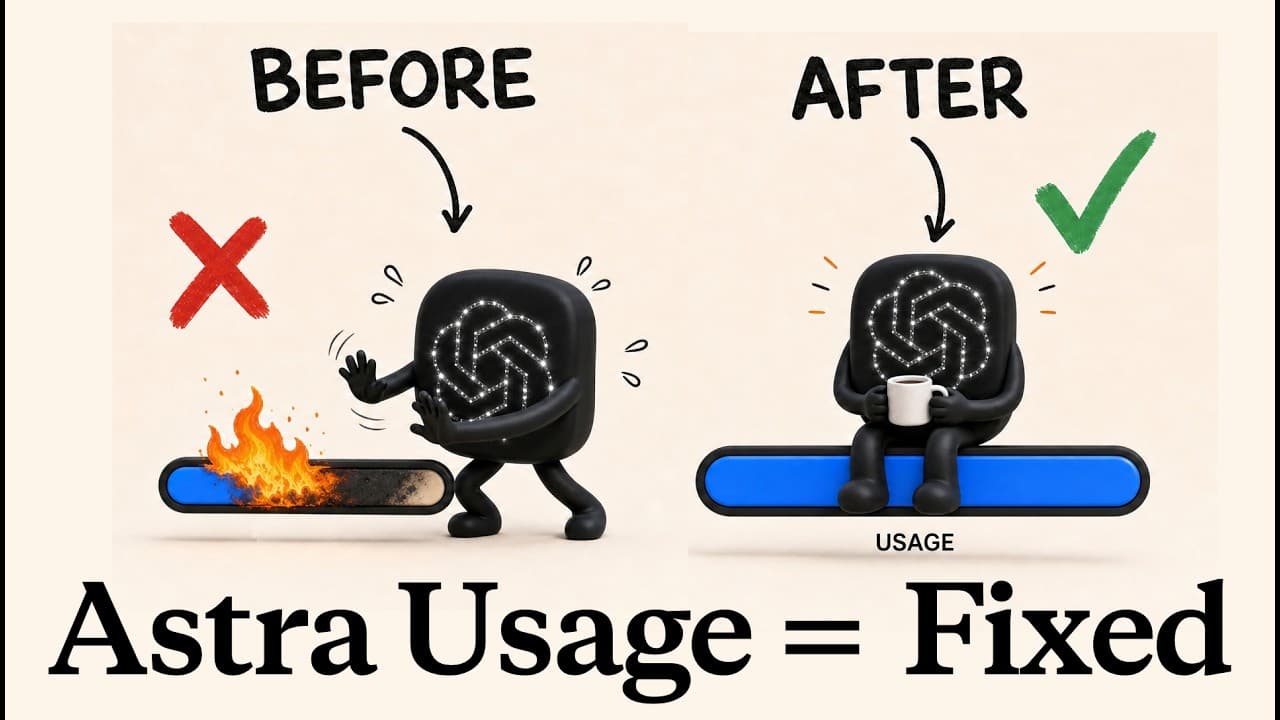
The video outlines practical steps to save GPT-6 Astra usage, starting with adjusting effort levels and avoiding max effort, then using scheduling tricks and preselected models. It also covers plugins, connectors, image sources, and lightweight summarization to stretch your limit before a reset. Follow these methods for measurable token savings.
Transcript
GPT6 Astra is incredible, but it has one big problem. It drains your usage limit faster than any other model, and you get locked out of your work until your next reset. So, here are 24 tricks to help you with that problem, plus two bonus ones that I haven't heard anyone else talk about. We're going from quick setting changes and free plugins you ca... Read More
Key Insights
- Effort level is a cost driver and should be kept at light initially, then raised only if results are insufficient.
- Max effort offers diminishing returns; avoid it unless you have unlimited budget, as it consumes more without proportional gains.
- Ultra mode combines reasoning with sub agents, so reserve it for very large tasks and use extra high effort for standard work.
- The 6 a.m. refresh trick extends the active window by scheduling a prompt at a time that resets usage sooner.
- Set the model before starting to preserve a cached conversation and prevent re-reading the entire chat.
- Fast mode increases token spend, so keep it off by default and enable only when in a rush.
- Midrun steering lets you correct direction during a task, saving tokens from wasted work.
- Caveman and I have ADHD plugins reduce verbosity and token usage while maintaining helpful answers.
- Second brain systems index information for quick lookups, cutting down on file searches and token waste.
- Switching off unused connectors lowers per chat token consumption and keeps usage focused on needed tools.
- Monthly cleanups prevent accumulation of outdated or duplicative instructions and plugins, reducing future token waste.
- Images generated in codecs use separate pools; linking an external image provider can save Astra usage.
Install to Summarize YouTube Videos and Get Transcripts
Explore YouTube Video Summarizer or Get YouTube Transcript Extractor
Questions & Answers
Q: How can I immediately start saving Astra usage on my first session?
Begin with the lowest reasonable effort setting, avoid enabling max effort, and select a cheap model if Astra is not necessary. This minimizes the amount of thinking and processing done by the AI, which directly reduces token usage from the start of the session.
Q: What is the impact of turning on fast mode and when should I use it?
Fast mode speeds up responses but consumes more tokens per task. Use it rarely and only when you are in a rush; otherwise, keep it off to preserve usage for longer tasks and larger projects.
Q: Why should I set my model before starting a task, and what happens if I switch later?
Setting the model upfront preserves the chat cache and prevents re-reading the entire conversation at full price. Switching models mid task forces a read of the entire chat, increasing token consumption and cost.
Q: How does midrun steering help reduce usage and improve results?
Midrun steering changes the current task direction as you chat, avoiding completing work that you would later discard. This reduces wasted tokens and aligns the output with your evolving requirements.
Q: What is caveman mode and how does it affect token usage?
Caveman mode forces short, blunt sentences with minimal fluff, which lowers the number of output tokens per response by about half in some cases, saving overall usage while keeping answers concise.
Q: Can you explain the value of a map of my workspace and router files?
A workspace map and router files let the agent locate files quickly without scanning many locations, reducing token spend per search and speeding up task completion, especially in large projects.
Q: What role do second brain systems play in Astra usage efficiency?
A second brain acts as a centralized index of decisions and resources. It lets the agent retrieve relevant information in one step, cutting multiple file lookups and long prompts, which saves tokens over time.
Q: When should I disable connectors and plugins to save tokens?
Disable unused connectors and plugins when not needed because every active connector is read and can drain tokens in each chat, even if not used directly in the task.
Summary & Key Takeaways
-
The video presents a structured set of quick, intermediate and advanced tips to reduce usage drain on GPT-6 Astra, including setting lower effort, avoiding high speed, and using midrun steering and caveman style prompts.
-
It explains how to optimize workflow with router files, workspace maps, and second brain systems to minimize unnecessary prompts and file scans, thus saving tokens over time.
-
Advanced users are guided through image management, compact summaries, and coding style tips like ponytail to further reduce token consumption and improve response efficiency.
Read in Other Languages (beta)
Share This Summary 📚
Summarize YouTube Videos and Get Video Transcripts with 1-Click
Try YouTube Summary with ChatGPT & Claude or YouTube Transcript Generator
Explore More Summaries from Jay E | RoboNuggets 📚



Summarize YouTube Videos and Get Video Transcripts with 1-Click
Try YouTube Summary with ChatGPT & Claude or YouTube Transcript Generator