How to automate 4K AI motion graphics with Seedream 4.0
TL;DR
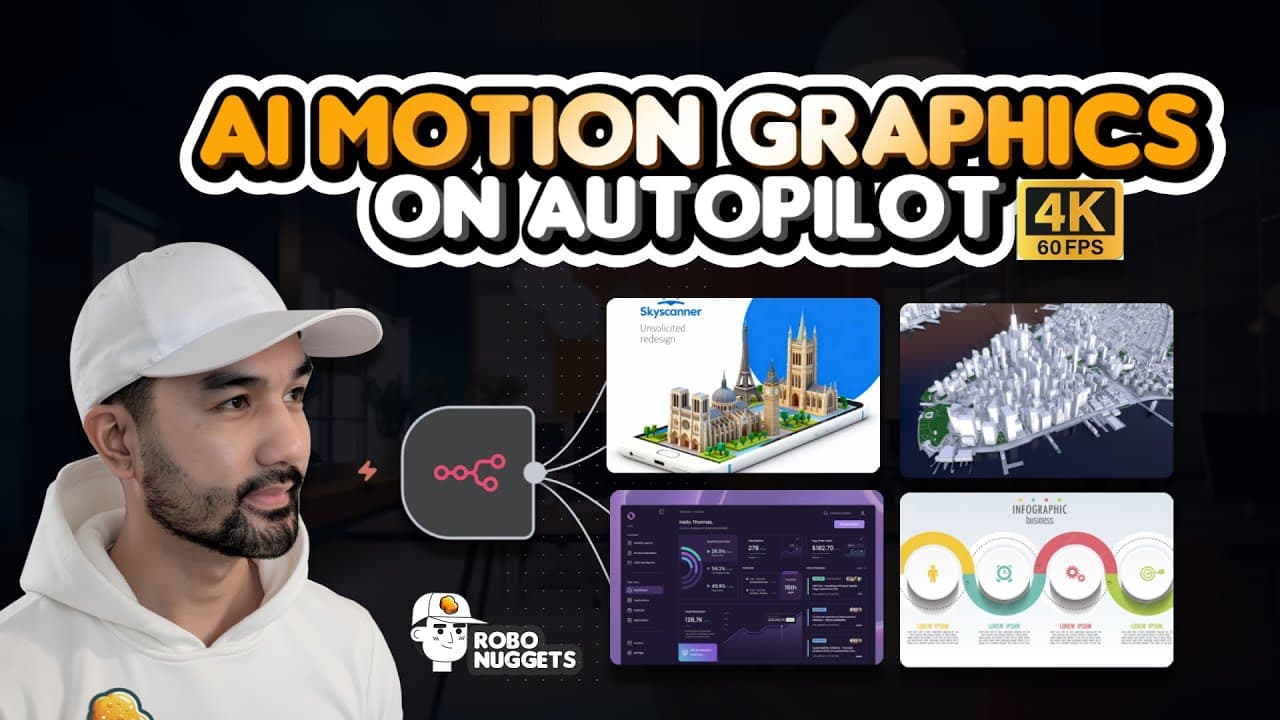
Seedream 4.0 enables AI driven motion graphics creation, which can be automated using n8n. The workflow uses Cream images, KAI and other tools to generate frames, then animates them into 4K 60fps clips and upscales as needed. This approach can be wrapped into no code automations for client work.
Transcript
Cream 4.0, the new state-of-the-art image model by the team behind Tik Tok, just unlocked motion graphics made with AI. And in this video, you will learn how to automate this with N8N, where we will use Cream to create 4K 60fps motion graphics for dashboard and website visualizations, name card animations, infographic explainers, logo animations, m... Read More
Key Insights
- Seedream 4.0 is capable of producing AI driven motion graphics with controllable aspect ratios
- n8n is used as the no code automation layer to stitch together image to video pipelines
- Cream and Nano Banana are both available in model aggregators for image generation
- KAI provides a playground and API access to Cream with direct image URLs
- A workflow can transform image A to B and B to C to craft a sequence
- The process uses generation then upscaling to 4K 60fps for smoother outputs
- The pipeline supports optional cloud storage like Cloudinary for assets
- The creator frames this as a scalable skill for freelancers and AI agencies
- More videos from this channel:
- More from this channel: Jay E | RoboNuggets
Install to Summarize YouTube Videos and Get Transcripts
Explore YouTube Video Summarizer or Get YouTube Transcript Extractor
Questions & Answers
Q: How to set up Seedream 4.0 with n8n for motion graphics automation?
To set up Seedream 4.0 with n8n, use a model aggregator like KAI to access Cream 4.0 for generating frames with consistent aspect ratios. Connect n8n to a Google Sheet to pull inputs, map the data to the Cream generation steps, and then pass the generated frames to a video model such as Hiluo via an HTTP request node. This creates a repeatable pipeline that can output multiple scenes in sequence. The key is to orchestrate generation, transition prompts, and output handling inside n8n so that each scene flows into the next without manual intervention.
Q: What role do KAI and Cloudinary play in the workflow?
KAI acts as an AI model aggregator that hosts Cream 4.0 and Nano Banana, providing direct image URLs and aspect ratio controls which are essential for consistent motion graphics. Cloudinary is mentioned as a place to upload and host assets; you can upload images there and copy their URLs to feed into the Google sheet automation. Using these services simplifies input management and ensures reliable asset delivery for the n8n workflow.
Q: What is the advantage of using Cream 4.0 in this setup?
Cream 4.0 offers controllable aspect ratios and strong consistency across transformed images, enabling reliable frame sequences for animation. This makes it possible to animate between image references A, B, and C while maintaining a similar look throughout the sequence. The consistency is crucial for cohesive motion graphics when generating multiple scenes.
Q: Can the pipeline generate 4K 60fps motion graphics automatically?
Yes, the pipeline can automate the generation and upscaling to 4K 60fps by chaining a sequence of AI models and a video enhancer. After creating the frame sequences with Cream, a video model like Hiluo via an HTTP node in n8n is used to convert frames to video, then upscaling is applied to reach 4K resolution and 60 frames per second as needed.
Q: What are the alternatives if Cream does not render text well?
If Cream does not render text well, Nano Banana from the same model aggregator is suggested as an alternative because it can render text more reliably in some cases. The decision between Cream and Nano Banana depends on the specific visual requirements and whether text accuracy is critical for the project. You can test both to compare results.
Q: How does the workflow handle inputs and scene tracking?
Inputs and scene tracking are managed through a Google Sheet where each row corresponds to a scene. Columns include image references, transitions, and a production status. The automation reads rows marked for creation, generates the corresponding scenes, and updates the status to done when the scene is created, allowing batch processing of multiple scenes.
Q: What is the practical value of learning this AI motion graphics setup?
Learning this AI motion graphics setup provides a marketable skill for freelancers and agencies, enabling them to offer automated, AI driven visual content for dashboards, logos, infographics, and promos. The workflow demonstrates how no code automation can orchestrate AI models to deliver consistent, scalable motion graphics, which aligns with growing demand in AI empowered design.
Q: What future trend does the creator hint at regarding AI models?
The creator notes that AI models will improve over time and produce better outputs, suggesting that the current examples are likely to be surpassed as models progress. This implies that early adopters who learn to automate these pipelines will stay ahead, while clients increasingly seek AI powered visual content and automation expertise.
Summary & Key Takeaways
-
This video introduces Seedream 4.0 as a tool to generate consistent AI based graphics and explains how to orchestrate it with n8n for automated motion graphics workflows. The method includes generating frames with Cream, converting to video with Hilo, and upscaling to 4K 60fps. Practical setup details and placeholders are shown.
-
The workflow relies on model aggregators like KAI and file.AI to access Cream and Hiluo like video models, and demonstrates mapping inputs from Google Sheets into an n8n automation for batch scene creation.
-
The creator emphasizes that AI generated visuals will improve over time and positions this setup as a marketable skill for freelancers and agencies, with references to Fiverr and community templates.
Read in Other Languages (beta)
Share This Summary 📚
Summarize YouTube Videos and Get Video Transcripts with 1-Click
Try YouTube Summary with ChatGPT & Claude or YouTube Transcript Generator
Explore More Summaries from Jay E | RoboNuggets 📚
Summarize YouTube Videos and Get Video Transcripts with 1-Click
Try YouTube Summary with ChatGPT & Claude or YouTube Transcript Generator