How to Build Grok Bots for Work and Personal Life
TL;DR
Build separate Grok Bots for specific jobs, then equip each one with relevant plugins, a cloud computer, and scheduled routines. A chief-of-staff bot can monitor multiple inboxes, calendars, and Slack workspaces, while specialized agents can handle engineering, compliance, customer support, family projects, and personal tasks. The main limitation is that bots remain single-player rather than shared participants in group chats.
Transcript
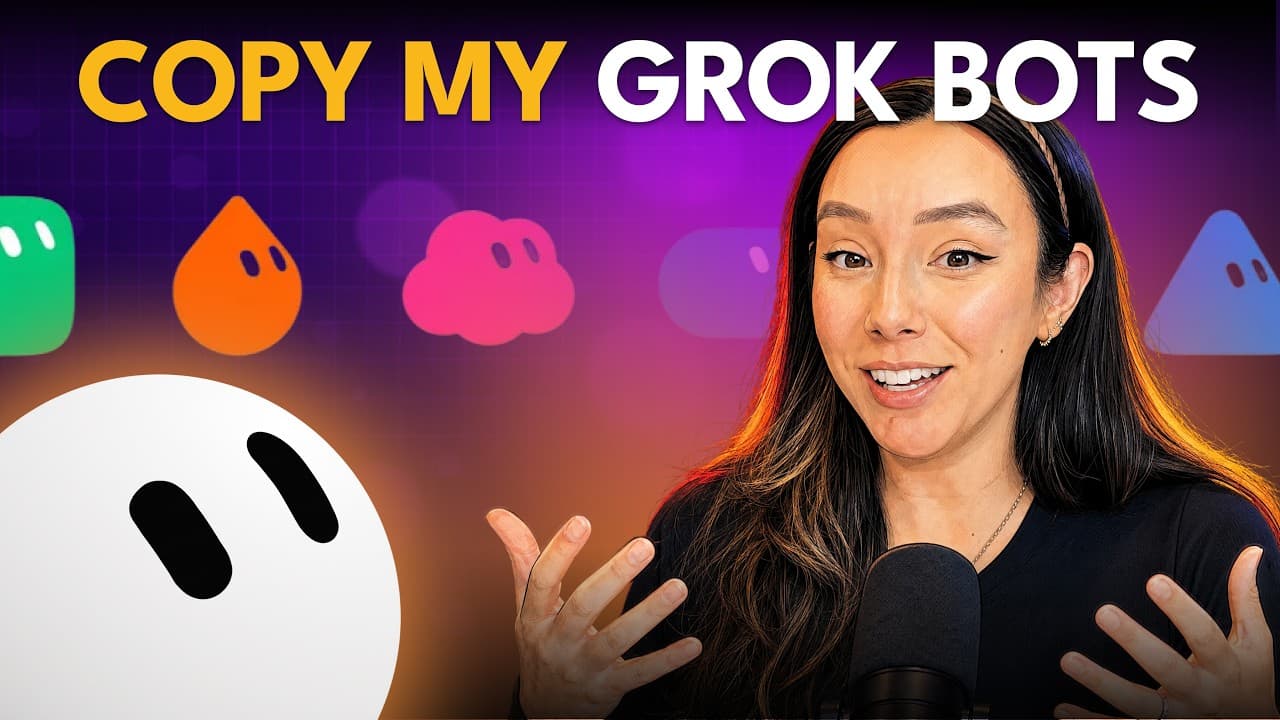
Today I'm going to talk about what everybody else is talking about these days. Grockbot. Yes, I did an episode lovingly entitled Grock Grock Grock where I gave you my highle overview of Grockbot, the new Grock models and origin cursor's new GitHub replacement. But today I'm going to talk specifically about Grockbot. After several weeks of working w... Read More
Key Insights
- Grok Bot is a multi-agent platform built around individually defined bots that act like specialized AI coworkers. Each bot can receive a name, job, scope, context, instructions, and recurring work, supporting an organizational model in which separate agents are assigned to separate responsibilities.
- Plugins are combinations of skills and connectors that let bots interact with services such as Gmail, Calendar, Google Drive, Granola, GitHub, Sentry, chat tools, and PRD-related systems. Bots can prompt users to connect required plugins through a simple authorization flow instead of requiring extensive manual setup.
- Multiple accounts can be connected through the same plugin, allowing one bot to work across several email addresses, calendars, Slack workspaces, and other business systems. This capability is particularly useful for an entrepreneur managing multiple businesses and maintaining separate accounts for different areas of work.
- Every Grok Bot has a cloud-based virtual computer that can log into websites, install software, generate code, and run repositories locally. Because the computer runs in the cloud, tasks can continue across devices, including when the user switches from a desktop interface to a phone.
- Routines are scheduled instructions that cause a bot to perform work automatically at designated times. The chief-of-staff bot uses routines for hourly inbox, calendar, and Slack sweeps, a morning briefing, and a weekend plan that previews upcoming professional commitments.
- The chief-of-staff bot is designed to reduce noise by archiving work that can remain silent and alerting the user only when attention is needed. Its hourly sweeps cover six inboxes, multiple Slack workspaces, and many calendars during business hours from 6:00 a.m. to 9:00 p.m.
- Writing style requires deliberate training because the Grok model can produce language that is overly compressed, clipped, and difficult to understand. Reviewing existing emails allowed the bot to identify a short, warm, funny voice, preferred greetings and sign-offs, scheduling links, and the instruction never to use an em dash.
- Group collaboration is Grok Bot's major limitation because a bot cannot yet join a group chat as a shared participant. Bot templates can be shared with teammates, including their instructions and routines, but each person receives the setup rather than jointly conversing with one common agent.
Install to Summarize YouTube Videos and Get Transcripts
Explore YouTube Video Summarizer or Get YouTube Transcript Extractor
Questions & Answers
Q: What is Grok Bot and how does it organize AI agents?
Grok Bot is a multi-agent platform positioned as a way to create AI teammates and assign them real work. Users define individual bots with specific names, jobs, scopes, and contexts. A bot's name can help the system infer its likely role. The recommended organizational approach is to treat each bot like a colleague hired for one particular job rather than using one undifferentiated assistant for everything.
Q: What are the main building blocks of a Grok Bot setup?
A Grok Bot setup centers on individually defined bots, plugins, a cloud-based computer, and routines. Bots hold the role and context for a particular job. Plugins combine skills and connectors for external systems. The computer lets an agent operate websites, install tools, generate code, and run repositories. Routines schedule recurring work, such as inbox sweeps, briefings, or planning tasks.
Q: How do Grok Bot plugins connect agents to work tools?
Grok Bot plugins combine skills and connectors that provide access to services such as Gmail, Calendar, Google Drive, Granola, GitHub, Sentry, chat systems, and PRD-related tools. Users rarely need to configure every connection from a central plugin screen. A bot can request the access it needs during a task, after which the user completes a connection flow and allows the work to continue.
Q: Can Grok Bot manage multiple accounts for the same service?
Grok Bot can connect multiple accounts through a single type of plugin and move among them while completing work. The demonstrated setup includes six email addresses, with the speaker noting that the actual total may be closer to ten, along with multiple Slack workspaces and calendars. This makes the platform useful for managing separate businesses and accounts without creating an entirely isolated workflow for each one.
Q: How does the chief-of-staff Grok Bot manage daily work?
The chief-of-staff bot sweeps inboxes, calendars, and Slack workspaces every hour during configured business hours, which run from 6:00 a.m. to 9:00 p.m., seven days a week. It is instructed to archive material that can remain silent, leave appropriate items unread, and send focused alerts only when attention is required. It also prepares a morning briefing and a weekend plan.
Q: How can a Grok Bot be trained to write in a personal voice?
A bot can analyze a user's existing emails and convert recurring style patterns into explicit writing instructions. In the demonstrated setup, the resulting profile calls for short, warm, funny emails, commonly opening with “Hey,” signing off with a small “C,” using established scheduling links, and never using an em dash. The speaker still avoids extensive delegated writing but considers the result suitable for lower-stakes messages.
Q: What work can Grok Bot's virtual computer perform?
Each Grok Bot has a virtual machine that operates in the cloud. It can log into websites, install software, generate code, and run repositories locally within its environment. The user can also open and operate that computer directly. Cloud execution provides continuity between devices, so an ongoing task remains available when the user moves from a desktop workflow to using Grok Bot on a phone.
Q: What is the biggest limitation of Grok Bot for teams?
The principal limitation is that Grok Bots remain single-player agents and cannot participate as shared members of a group chat. The platform does offer bot-template sharing, which lets teammates reproduce a bot's instructions, routines, and related setup. However, that does not create one common agent that two people can converse with together, so alternatives such as an EVE agent or OpenClaw retain an advantage for shared interaction.
Summary & Key Takeaways
-
Grok Bot is a multi-agent platform designed around AI teammates that can receive defined roles and real work. Its main primitives are individual bots, plugins combining skills and connectors, cloud-based computers, and scheduled routines. Naming each bot for a specific job helps establish its intended scope, context, responsibilities, and working relationship.
-
The chief-of-staff bot performs hourly sweeps across multiple inboxes, calendars, and Slack workspaces during configured business hours. It archives low-priority material, preserves items that may need attention, and sends high-signal alerts when human input is required. Additional routines create a morning briefing and a weekend plan for upcoming work.
-
The broader setup includes a family agent, engineering bots for pull requests and SOC 2 compliance monitoring, a customer-support bot, and personal agents. Grok Bot can also inherit identities and schedules exported from OpenClaw. Its major unresolved limitation is collaboration because one shared bot cannot yet participate directly in a group chat.
Read in Other Languages (beta)
Share This Summary 📚
Summarize YouTube Videos and Get Video Transcripts with 1-Click
Try YouTube Summary with ChatGPT & Claude or YouTube Transcript Generator
Explore More Summaries from How I AI 📚
Summarize YouTube Videos and Get Video Transcripts with 1-Click
Try YouTube Summary with ChatGPT & Claude or YouTube Transcript Generator