How to Build AI Agent Loops in Coding Tools
TL;DR
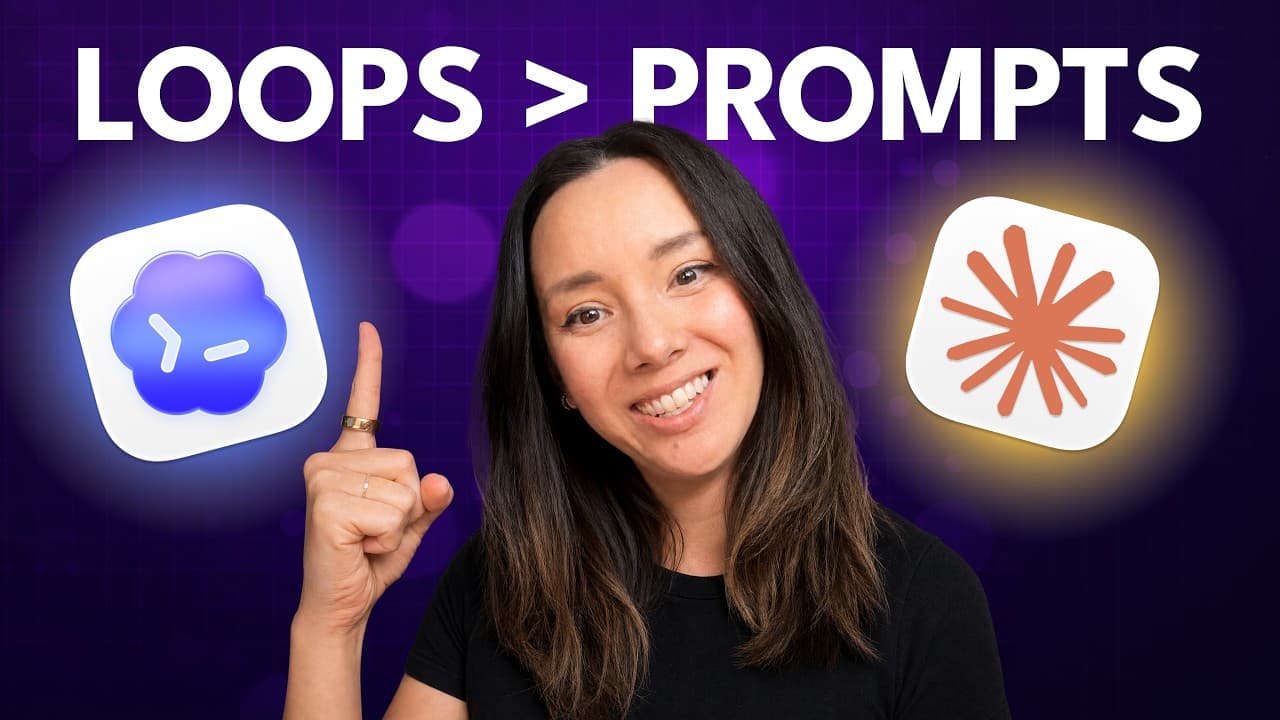
An AI agent loop automatically triggers prompts on a schedule, in response to an event, or until a measurable goal is reached. Effective loops pair a clearly defined job with isolated worktrees, reusable skills, tools, subagents, and state tracking, while goal loops need especially precise completion criteria to avoid wasted effort and unnecessary token use.
Transcript
Prompts are out and loops are in. If your agent isn't able to prompt itself through an automation, what are you even doing? In today's episode, I'm going to teach you what a prompt is in normal person speak, how to write one, when it's useful, and some pitfalls to watch out for. We will be doing this in Codeex and in Claude Code. And at the end of ... Read More
Key Insights
- A loop is an automated prompting workflow that starts an agent on a schedule, after an event, or against a continuing goal, removing the need for a person to type every instruction while still giving the agent a defined job and stopping condition.
- A heartbeat is a loop that checks or performs work at a regular interval, such as every five minutes or every hour. One example is repeatedly checking for a new Jira ticket, then starting a coding agent to triage and address it.
- A cron is a loop tied to a defined time or calendar schedule, such as 9:00 a.m. or every Sunday night. It suits recurring work that must begin at predictable times rather than merely running after a fixed interval.
- A hook is an event-triggered loop that responds to an internal lifecycle event or an external webhook. Triggers can include a tool call, a new or reset session, or an incoming email that starts an agent workflow automatically.
- A goal loop is an automation that runs an agent toward a measurable outcome until the result is validated or the agent becomes blocked. In coding work, it can keep improving a pull request until defined standards, lint checks, and other checks are clean.
- The employee-onboarding model is a practical way to design loops because it frames the automation as a job. The designer specifies responsibilities, timing, expected outputs, standards, and follow-up behavior just as a manager would when assigning recurring work to an employee.
- Effective loops require worktrees, skills, plugins or connectors, subagents, and state tracking. These components isolate work, preserve repeatable procedures, provide system access, delegate focused tasks such as validation, and record outstanding work in a markdown list or task tracker.
- Goal-based loops are difficult to write well because the agent needs clear, measurable completion criteria. Poorly defined goals can keep the agent iterating without useful progress, which the description identifies as a common source of wasted tokens and unnecessary expense.
Install to Summarize YouTube Videos and Get Transcripts
Explore YouTube Video Summarizer or Get YouTube Transcript Extractor
Questions & Answers
Q: What is an AI agent loop in plain English?
An AI agent loop is an automated workflow that prompts an agent without requiring a person to type every instruction. It can start on a schedule, recur at regular intervals, respond to an internal or external event, or continue working toward a goal. The loop ends when its scheduled window finishes, its measurable outcome is validated, or the agent becomes blocked.
Q: What is the difference between heartbeat, cron, hook, and goal loops?
A heartbeat starts work repeatedly at a regular interval, while a cron starts it at a defined time or calendar schedule. A hook starts work when an event occurs, such as a tool call, session change, webhook, or incoming email. A goal loop instead continues working until a specified outcome is measured and validated, or until the agent cannot proceed.
Q: How should an AI agent loop be designed?
An AI agent loop should be designed like a job assigned to a newly onboarded employee. Define when the work begins, what responsibility the agent owns, which systems and standards apply, what output it must produce, and how completion is measured. This approach turns a vague request into a repeatable workflow with clear responsibilities, boundaries, reporting expectations, and stopping conditions.
Q: What components does an effective AI agent loop need?
An effective loop needs five supporting components: worktrees, skills, plugins or connectors, subagents, and state tracking. Worktrees isolate coding changes, skills capture repeatable procedures, and plugins or connectors give the agent access to systems. Subagents can perform focused tasks such as validation, while a markdown to-do list or a task tracker such as Linear records progress and remaining work.
Q: How can AI agent loops help with software engineering?
AI agent loops can monitor engineering work and act when attention is needed. An hourly loop can check for a GitHub issue, triage it, write code, and submit the result for review. A goal loop can iterate on a pull request until defined code standards, lint checks, and other checks are clean. Worktrees help isolate this work from changes made by other agents.
Q: How do Claude Code and Codex support agent loops?
Claude Code and Codex both support several forms of automation described in the source. Codex can define scheduled work through its automations tab, while Claude Code provides scheduled tasks. Both include slash goal functionality, hooks, integrations, and the ability to start subagents. Claude Code also has the stated benefit of GitHub Actions for engineering workflows, while both tools offer comparable automation types.
Q: Why are goal-based agent loops difficult to write well?
Goal-based loops are difficult because the agent needs an outcome that can be measured and validated. If the stopping condition is vague, the agent may continue iterating without proving that the job is complete. The description warns that this is where people can burn tokens without useful results, so the loop should specify standards, checks, blockers, and an observable definition of completion.
Q: What are practical examples of AI agent loops?
Practical examples include an executive assistant reviewing a calendar every Friday, identifying cancellations and follow-ups, and sending a Slack message. An engineering loop can check hourly for GitHub issues, then triage and address them. The demonstrated routines also include a daily aging pull request reviewer in Claude Code and a weekly skills-identification workflow in Codex with validating subagents.
Summary & Key Takeaways
-
AI agent loops replace repeated human prompting with automated instructions. A heartbeat runs tasks at regular intervals, a cron follows a defined schedule, a hook responds to internal or external events, and a goal loop continues until an outcome is validated or the agent encounters a blocker during its assigned work.
-
A useful loop can be designed like an employee’s job. Define when the agent begins, what task it owns, which tools and standards it should use, how completion will be measured, and what it should report. Examples include calendar reviews, issue triage, pull request checks, and recurring skills identification routines.
-
Reliable loop execution depends on supporting infrastructure. Worktrees isolate concurrent coding tasks, skills encode repeatable procedures, plugins and connectors provide access to required systems, subagents handle focused work such as validation, and state tracking preserves progress. Together, these elements improve consistency, reduce conflicts, and help autonomous work remain organized over repeated runs.
Read in Other Languages (beta)
Share This Summary 📚
Summarize YouTube Videos and Get Video Transcripts with 1-Click
Try YouTube Summary with ChatGPT & Claude or YouTube Transcript Generator
Explore More Summaries from How I AI 📚
Summarize YouTube Videos and Get Video Transcripts with 1-Click
Try YouTube Summary with ChatGPT & Claude or YouTube Transcript Generator