How to Use Claude AI Effectively as a Beginner
TL;DR
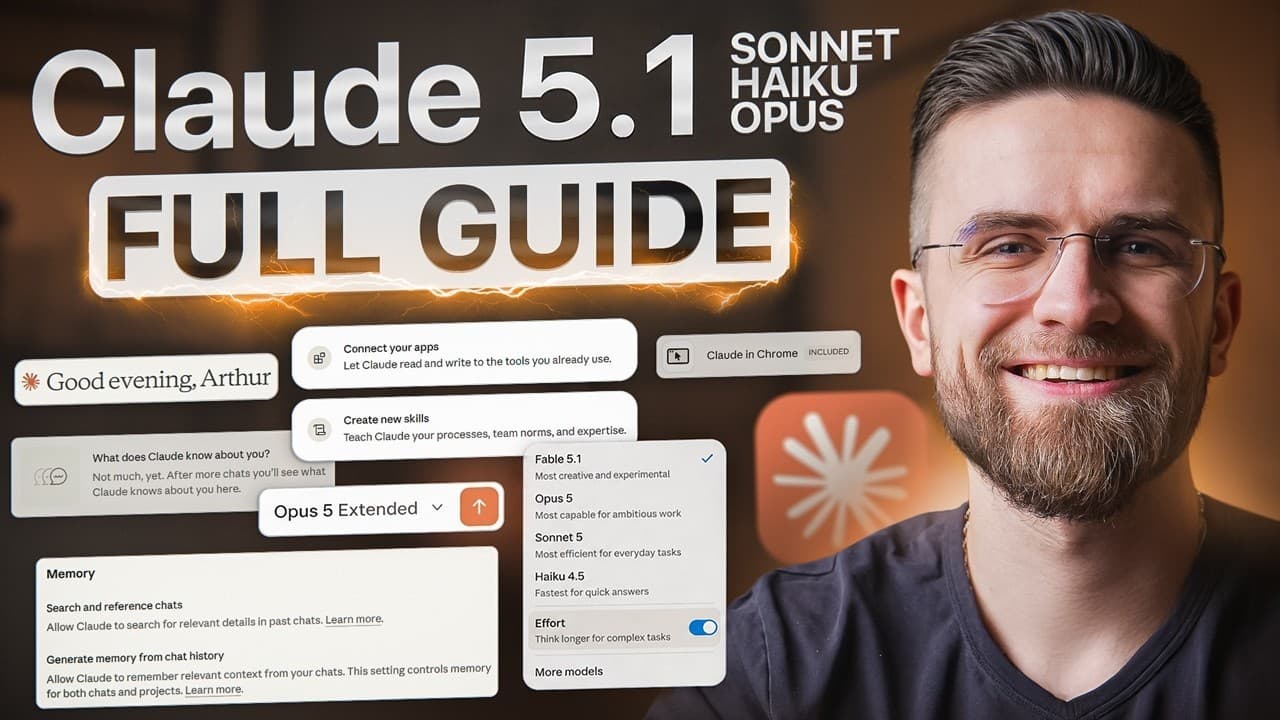
Start with Sonnet 4.6 for most work, switch to Haiku 4.5 for fast, simple tasks, and reserve Opus 4.6 for difficult reasoning, debugging, architecture, or refactoring. Improve results by adding custom instructions, organizing related chats into Projects, enabling memory, and turning on extended thinking only when a consequential or multivariable problem requires deeper analysis.
Transcript
Most people open Clawude, see three different models and get paralyzed. They don't know whether to use Haiku, Sonnet or Opus. They miss powerful features hiding in the interface. Let me show you exactly how to use Claude like a pro. First, let's get you set up properly. Head to claude.ai and create your account can start free. And honestly, the fre... Read More
Key Insights
- Sonnet 4.6 is the recommended default model for most tasks, including writing, coding, analysis, and research. The suggested decision framework is to begin with Sonnet, then change models only when the task clearly requires either greater speed or substantially deeper reasoning.
- Haiku 4.5 is designed for quick, simple, and high-volume work. Appropriate uses include reformatting text, producing basic summaries, and answering straightforward questions when fast responses matter more than depth or complex analysis.
- Opus 4.6 is suited to difficult problems that demand the deepest reasoning. The cited use cases include challenging debugging, system architecture, complex refactoring, multilayered analysis, understanding large amounts of context, and tasks that other models cannot resolve adequately.
- Extended thinking improves analysis by considering multiple angles, questioning assumptions, and exploring edge cases before producing an answer. It is especially appropriate for pricing, business models, technical choices, marketing prioritization, and other decisions where mistakes can cost time or money.
- Extended thinking is unnecessary for simple requests such as reformatting a list or summarizing a paragraph. It takes longer and uses more of the available message allowance, so the recommended practice is to reserve it for roughly the 20% of queries where depth matters.
- Memory carries useful information across conversations, including communication preferences, professional context, active projects, and goals. Once enabled in settings, it can help a fresh chat match the user's audience, tone, and knowledge level without requiring those instructions to be repeated.
- Custom instructions provide stable context about how Claude should respond. Useful details include the user's field, technical familiarity, preferred response format, and emphasis on practical applications, allowing future answers to begin from an informed baseline.
- Projects organize related conversations, allow chats to share context, and build knowledge over time. A practical setup is to create a project around a continuing area of work, such as marketing strategy or code reviews, rather than treating every conversation as an isolated exchange.
- More videos from this channel:
- More from this channel: AI Master
Install to Summarize YouTube Videos and Get Transcripts
Explore YouTube Video Summarizer or Get YouTube Transcript Extractor
Questions & Answers
Q: Which Claude model should beginners use for most tasks?
Beginners should start most tasks with Sonnet 4.6. It is presented as the general-purpose workhorse for writing, coding, analysis, and research, and it can handle about 90% of tasks effectively. Switch to Haiku 4.5 when speed and low-cost bulk processing matter, or to Opus 4.6 when Sonnet does not provide enough depth for a genuinely difficult problem.
Q: When should I use Haiku, Sonnet, or Opus in Claude?
Use Haiku 4.5 for fast, straightforward jobs such as reformatting text, basic summaries, quick questions, and high-volume processing. Use Sonnet 4.6 as the default for everyday writing, coding, research, and analysis. Use Opus 4.6 for demanding debugging, architecture, refactoring, multilayered analysis, massive context, or problems that require the strongest available reasoning.
Q: When should I turn on extended thinking in Claude?
Turn on extended thinking when a problem has meaningful consequences, multiple variables, dependencies, uncertainty, or important tradeoffs. Examples include selecting a pricing model, comparing business strategies, choosing between technical approaches, or prioritizing marketing channels under budget constraints. Leave it off for quick summaries, text reformatting, rapid brainstorming, and other situations where speed matters more than analytical depth.
Q: Why should extended thinking not be used for every prompt?
Extended thinking takes more time and uses more of the available message allowance, so it is inefficient for requests that do not need substantial reasoning. Simple questions, paragraph summaries, list reformatting, and quick back-and-forth brainstorming generally benefit more from speed. The recommended approach is to use it selectively, especially when an initial response feels superficial or overlooks important nuance.
Q: How do I make Claude remember my preferences across chats?
Open settings, find capabilities, and enable the option to generate memory from chat history. Then explicitly tell Claude what should remain useful, such as your work, audience, communication preferences, projects, and goals. The demonstrated approach records a preference for direct, practical language, a beginner audience, and a specific business context, which then influences responses in a completely new conversation.
Q: What should I put in Claude custom instructions?
Custom instructions should contain recurring context that would otherwise need to be repeated in every conversation. Include what kind of work you do, how familiar you are with technical concepts, which response style you prefer, and whether you value practical examples over theory. For example, the transcript describes an AI education creator who understands technical concepts but wants concise, real-world guidance.
Q: How should a beginner set up Claude memory during the first week?
Have three intentional conversations during the first week. Use one to explain your work context, another to describe your communication and formatting preferences, and a third to outline your current projects and goals. This gives Claude a foundation for later chats, allowing it to tailor explanations, tone, examples, and recommendations without requiring a full background briefing each time.
Q: How do Claude Projects improve ongoing work?
Projects group related conversations, share relevant context between chats, and let knowledge accumulate over time. A beginner can create a project for a continuing responsibility such as marketing strategy or code reviews. This structure reduces fragmentation and makes follow-up work easier because connected discussions remain organized around the same purpose instead of being scattered across unrelated conversations.
Summary & Key Takeaways
-
Claude beginners should create an account, retain Sonnet 4.6 as the default model, and add custom instructions describing their background, work, preferred style, and desired level of explanation. Projects can organize related conversations and preserve shared context, while separate browser tabs make it practical to compare approaches or run conversations in parallel.
-
The three Claude models serve different purposes. Haiku 4.5 prioritizes speed for reformatting, short summaries, and quick questions. Sonnet 4.6 is the recommended starting point for writing, coding, analysis, and research. Opus 4.6 is reserved for deep reasoning, difficult debugging, system architecture, complex refactoring, and large-context analysis.
-
Extended thinking is most useful for consequential decisions and problems involving several dependent variables, but it takes longer and consumes more usage. Memory can retain preferences, work context, projects, and goals across conversations. Intentional onboarding conversations about these areas help Claude produce responses tailored to the user without repeating the same background in every chat.
Read in Other Languages (beta)
Share This Summary 📚
Summarize YouTube Videos and Get Video Transcripts with 1-Click
Try YouTube Summary with ChatGPT & Claude or YouTube Transcript Generator
Explore More Summaries from AI Master 📚





Summarize YouTube Videos and Get Video Transcripts with 1-Click
Try YouTube Summary with ChatGPT & Claude or YouTube Transcript Generator