How to Build Full-Stack Apps Without Coding
TL;DR
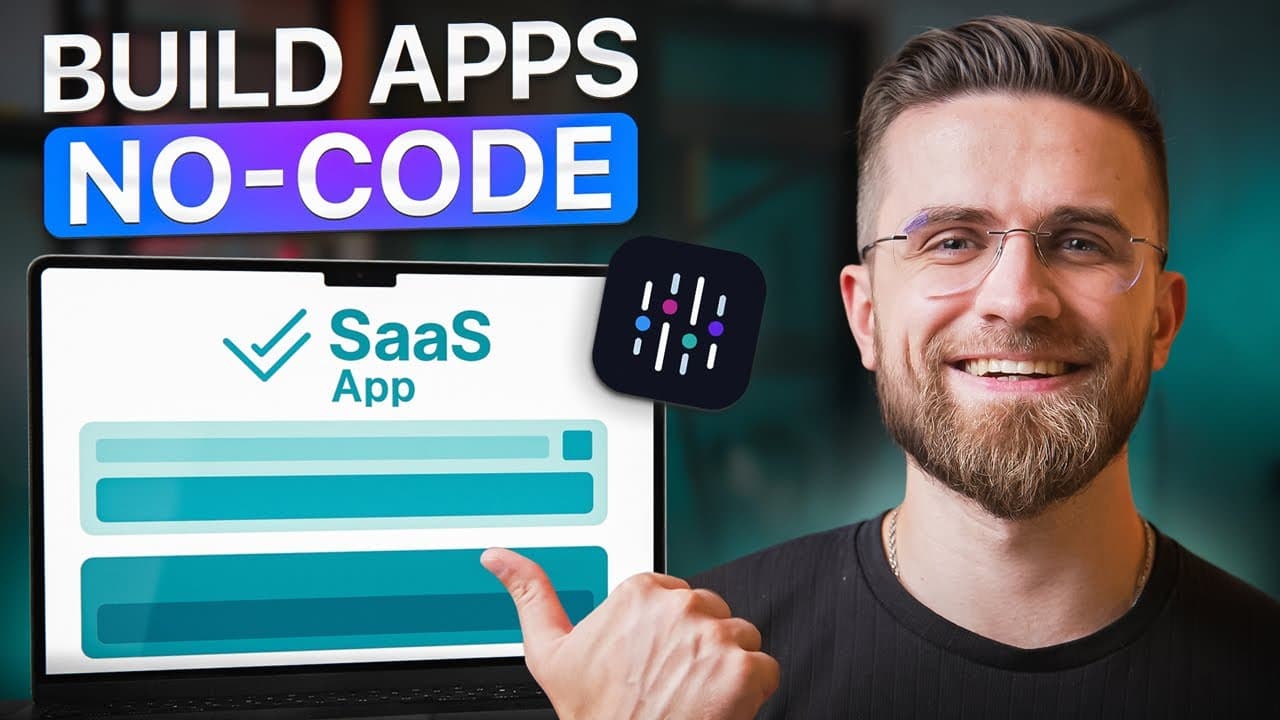
Abacus Deep Agent turns plain-English prompts into hosted full-stack applications with integrated interfaces, databases, authentication, and business logic. A user can generate an initial product, inspect its live preview, request fixes, and add features through the same project chat, making it useful for rapidly creating and sharing functional MVPs without manually configuring code, servers, or separate tools.
Transcript
You ever tried building a SAS app without writing code? I have. And let me tell you, it's a nightmare. One moment I'm copy pasting code from chat GPT. The next I'm deep in five different no code tools trying to glued together login page, database, and workflow. Everything's in a different tab. Nothing plays nicely and I've got a halfbroken Franken ... Read More
Key Insights
- Abacus Deep Agent is a prompt-based app builder that creates a database, business logic, front-end interface, and cloud-hosted preview from a plain-English description. Users do not need to select a database, configure a server, or write boilerplate code before beginning a project.
- The initial CRM build is presented as a roughly two-minute process. A single prompt produces contacts, leads, pipelines, multi-user functionality, a generated product name, a dummy logo, and a shareable live preview that appears polished enough to use as an MVP.
- Application development remains conversational after the first build. Follow-up prompts inside the same project can add features because ChatLLM treats them as continuations, modifies the back end, and updates the front end without requiring the user to write code or manage database migrations.
- The marketplace example includes user registration, login, advertisements with pictures, category browsing, and listing search. Deep Agent also handles supporting structures such as category data, image uploads, search logic, lists, and pages as parts of one integrated application.
- The social application demonstrates persistent and interconnected product logic. Users can post, like content, follow or unfollow other users, open linked profiles, and see the feed update appropriately, while likes remain recorded after the page is refreshed.
- The platform can generate business software from short requirements. The HR example supports employee records, roles, dashboards, forms, and paid-time-off tracking, while the recruitment example includes job listings, candidate application forms, and an administrative panel for reviewing submissions.
- The collaborative document example shows that Deep Agent can attempt more demanding application behavior. A single request produces a hosted Notion-style product with workspaces, pages, and collaborative use, although its build takes longer because the platform is handling real-time editing logic.
- ChatLLM combines application building, access to popular language models, and team collaboration within one ecosystem. Teams can share project conversations, AI memory, documents, and data in a common workspace, while Abacus routes tasks to different models based on the work involved.
Install to Summarize YouTube Videos and Get Transcripts
Explore YouTube Video Summarizer or Get YouTube Transcript Extractor
Questions & Answers
Q: How do you build a full-stack app with Abacus Deep Agent?
Open a new project in the Deep Agent interface and describe the desired application in plain English. The platform then works through the build in its log panel, creating the database structure, back-end logic, and front-end interface. When the process finishes, it provides a link to a live, cloud-hosted preview that can be opened and shared without separately configuring servers or deployment services.
Q: How can you add features to an existing Deep Agent app?
Continue writing requests in the same project chat and describe the additional features in plain English. ChatLLM recognizes that the new request belongs to the existing application, returns to the project, updates its back-end components, and adjusts the front-end interface. This conversational workflow avoids manually writing new code, migrating a database, or switching among multiple service dashboards.
Q: What should you do if Deep Agent encounters a build error?
Use the available fix option when something goes wrong during the build. In the demonstration, selecting the option labeled for asking the platform to fix the problem usually makes the error disappear in about 15 seconds. The user can monitor the AI's steps in the log panel rather than opening the generated code and attempting to diagnose the problem manually.
Q: What features can Deep Agent create for an online marketplace?
Deep Agent can create a Craigslist-style marketplace where users register, log in, post advertisements with pictures, browse listings by category, and search across available items. The platform sets up the required category database structures, image-upload handling, search logic, lists, and pages. The resulting product is delivered as a functioning, hosted application rather than only a static interface demonstration.
Q: Can Deep Agent build a functional social media MVP?
Deep Agent can build a simplified social application in which users publish posts, like content, follow or unfollow other users, and navigate through linked profiles. The generated logic updates the feed after relationship changes and keeps likes recorded after page refreshes. The result does not match the infrastructure of X, but the demonstration presents it as a usable MVP with connected functionality.
Q: What business applications were created with Deep Agent?
The demonstrated business applications include a mini CRM, an HR management system, and a recruitment platform. The CRM contains contacts, leads, and pipelines. The HR product includes employee records, role assignment, dashboards, leave-request forms, and paid-time-off tracking. The recruitment product provides job listings, candidate application forms, and an administrative area where submitted applications can be reviewed.
Q: How does Abacus choose AI models for different tasks?
Abacus routes different steps to models it considers suitable for the task, so the user does not need to select the underlying model manually. The transcript names GPT 4.1 for work requiring precision, DeepS for heavy data work, and Gemini for logic-driven work. From the user's perspective, the workflow remains a plain-English conversation that produces a working application.
Q: How does ChatLLM support collaboration and tool consolidation?
ChatLLM offers a teams mode where colleagues can join a shared workspace, view the same project conversations, and use shared AI memory for documents and data. The team can brainstorm, build applications, and generate content within one environment, with one bill instead of separate personal tool collections. It also provides access to popular language models for cross-checking results and tailoring workflows.
Summary & Key Takeaways
-
Abacus Deep Agent builds complete applications from plain-English descriptions. The demonstration begins with a mini CRM containing contacts, leads, and pipelines. After roughly two minutes, the platform provides a polished live preview with an integrated database, business logic, front-end interface, generated identity, cloud hosting, and support for multiple users.
-
Existing projects can be expanded through follow-up prompts in the same chat. Deep Agent interprets each request as a continuation, updates the back end, and adjusts the front end accordingly. If a build encounters a problem, the user can select the fix option and let the platform attempt to resolve the error automatically.
-
The demonstrations include a marketplace, social network, HR system, collaborative document tool, and recruitment platform. Each example combines data structures, interfaces, and application logic in a hosted artifact. ChatLLM also offers access to multiple language models and a team workspace for sharing projects, memory, documents, data, and billing.
Read in Other Languages (beta)
Share This Summary 📚
Summarize YouTube Videos and Get Video Transcripts with 1-Click
Try YouTube Summary with ChatGPT & Claude or YouTube Transcript Generator
Explore More Summaries from AI Master 📚

Summarize YouTube Videos and Get Video Transcripts with 1-Click
Try YouTube Summary with ChatGPT & Claude or YouTube Transcript Generator