Transform Photos into Art Using Midjourney AI
TL;DR
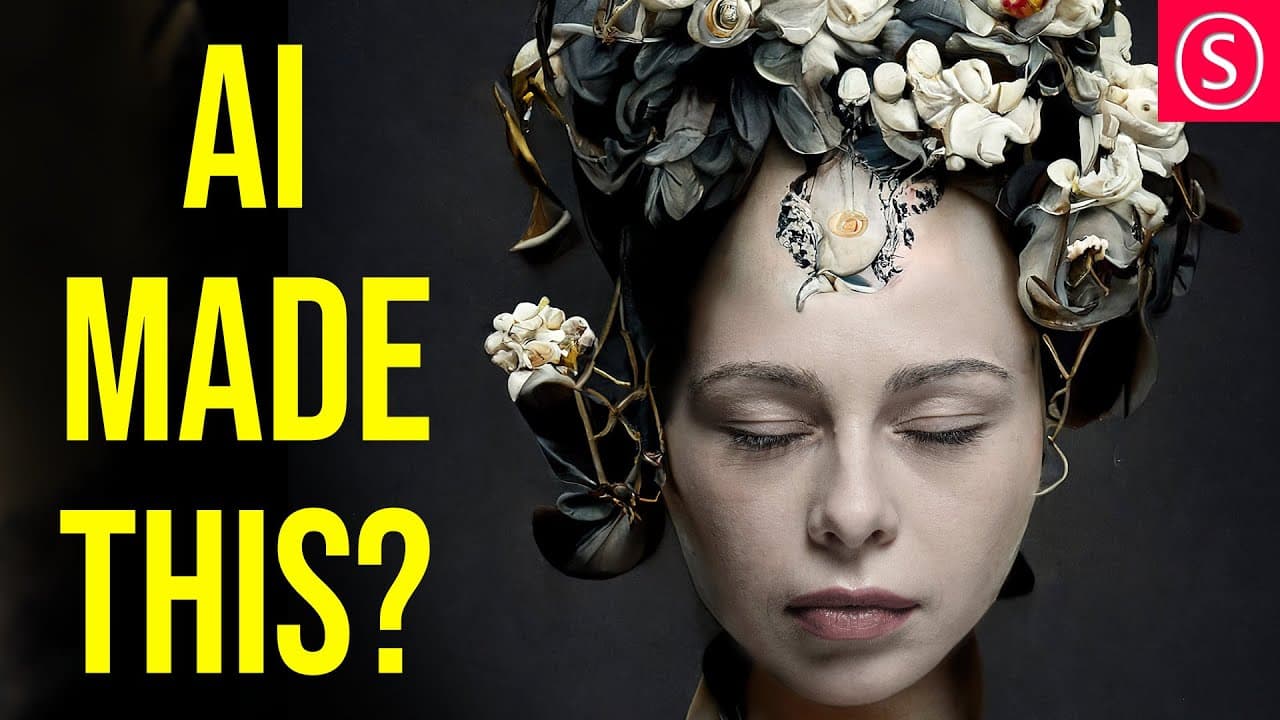
Transforming photos into stunning portraits is possible with Midjourney AI and Affinity Photo. This tutorial guides you through blending digital art with real images, utilizing methods like face replacement and color adjustments for seamless integration. Save time and enhance your creative projects effortlessly.
Transcript
let me show you how to save thousands of dollars on your photo shoots and supercharge your creativity with mid journey ai hello my friends how are you doing my name is olivia i'm a professional artist let's get started so first let's talk about the use case here you are a very ambitious photographer and want to make the most amazing art but you can... Read More
Key Insights
- 💡 Mid journey AI allows photographers to explore and combine creative ideas without the need for expensive equipment or extensive teams.
- 🫀 Combining digital art with photos can create unique and visually appealing compositions.
- 🌛 Focusing on the face when blending digital art with a photo helps create a more convincing and aesthetically pleasing result.
- 😠 Adjustments to color, brightness, and contrast are essential for blending the replacement face seamlessly with the photo.
Install to Summarize YouTube Videos and Get Transcripts
Explore YouTube Video Summarizer or Get YouTube Transcript Extractor
Questions & Answers
Q: What is mid journey AI and how can it benefit photographers?
Mid journey AI is a technology that allows photographers to create variations of their ideas and combine them with photos, saving time and money on 3D art, props, and studio rentals.
Q: How can you replace a face in a photo using mid journey AI and Affinity Photo?
To replace a face, you need to rasterize the image layer, make a selection of the face, copy it to a new layer, and delete the original. Adjust the opacity and size of the new layer to fit the face, and use a mask to blend it with the photo.
Q: Why is it important to focus on the face when combining digital art with a photo?
Our eyes are naturally drawn to the face and assume that if the face has detailed elements, the rest of the picture does too. This trick is used by classic painters to save time on details and create a more appealing composition.
Q: How can you make the replacement face blend seamlessly with the photo in terms of color and brightness?
After replacing the face, adjustments can be made using vibrance, curves, and color balance adjustment layers to match the colors and brightness of the face with the rest of the photo.
Key Insights:
- Mid journey AI allows photographers to explore and combine creative ideas without the need for expensive equipment or extensive teams.
- Combining digital art with photos can create unique and visually appealing compositions.
- Focusing on the face when blending digital art with a photo helps create a more convincing and aesthetically pleasing result.
- Adjustments to color, brightness, and contrast are essential for blending the replacement face seamlessly with the photo.
- Affinity Photo provides powerful tools and features for working with mid journey AI creations and enhancing portrait photos.
Summary & Key Takeaways
-
Mid journey AI allows ambitious photographers to create hundreds of variations of their ideas and combine them with photos of models, saving time and money.
-
The tutorial showcases how to use Affinity Photo to replace a face in a photo with a mid journey AI creation and make it look natural.
-
Adjustments are made to the color, brightness, and contrast to blend the digital art with the photo seamlessly.
Read in Other Languages (beta)
Share This Summary 📚
Summarize YouTube Videos and Get Video Transcripts with 1-Click
Try YouTube Summary with ChatGPT & Claude or YouTube Transcript Generator
Explore More Summaries from Olivio Sarikas 📚



Summarize YouTube Videos and Get Video Transcripts with 1-Click
Try YouTube Summary with ChatGPT & Claude or YouTube Transcript Generator