How to use Copilot Pro in Microsoft 365 apps?
TL;DR
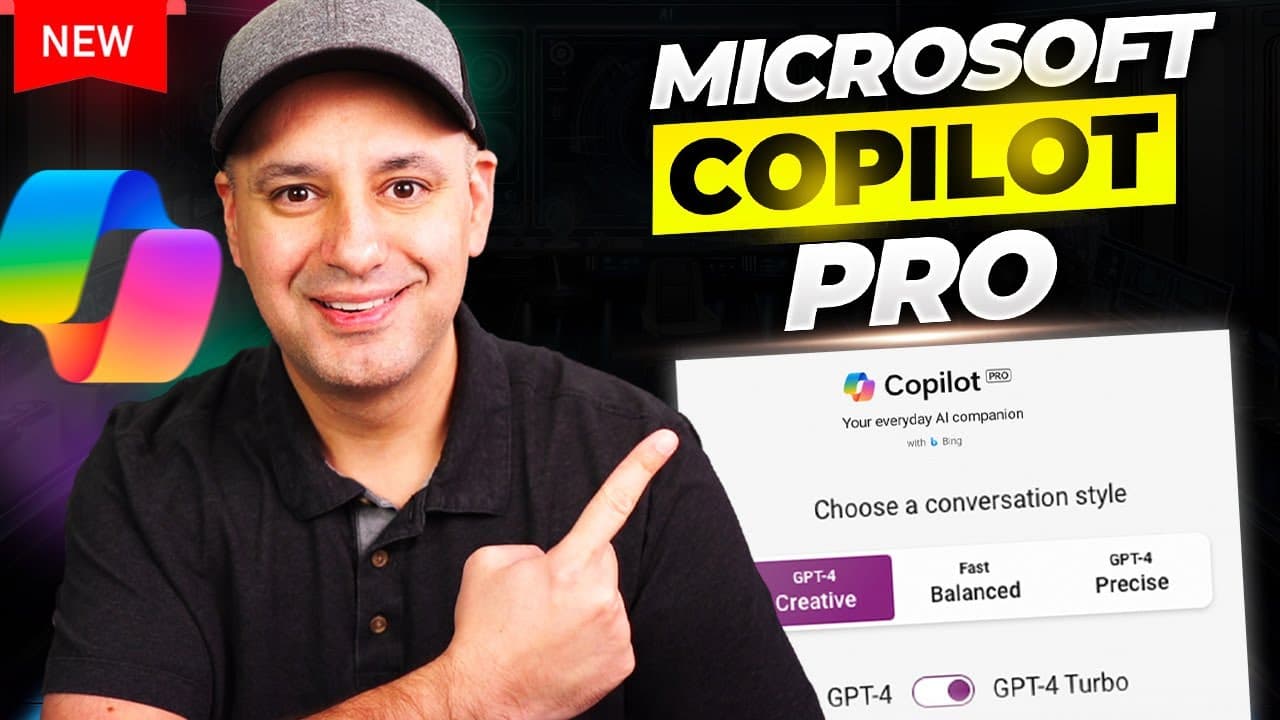
Copilot Pro unlocks GPT 4 and GPT 4 Turbo during peak hours, increases image generation via Dolly, and integrates directly into Word, Excel, PowerPoint, and Outlook for individual users. You sign up individually, choose a conversation style, and access copilot inside your apps to summarize, create, or rewrite content with prompts and prompts gallery. This video explains access, pricing, and practical workflows.
Transcript
Microsoft just released a brand new version of co-pilot it's called co-pilot Pro it's a paid subscription from Microsoft and in this video I want to show you exactly what this co-pilot Pro is exactly how to access it some hidden things that I found through reading the fine prints and some practical ways of using it so if you go to C- pilot. microso... Read More
Key Insights
- Copilot Pro provides access to GPT 4 and GPT 4 Turbo during peak hours, expanding capabilities beyond the free or standard versions.
- Copilot Pro offers a higher daily allowance for image generation, enabling faster creative outputs within the Dolly tool.
- The main value proposition is Copilot integrated inside Microsoft Word, Excel, PowerPoint, and other 365 apps for individual users.
- Copilot Pro inside Word can summarize documents and rewrite text, improving editing efficiency and clarity.
- PowerPoint with Copilot Pro can create complete slideshows from prompts and auto-embed speaker notes.
- There are multiple conversation styles available in Copilot Pro, allowing users to switch between creative and precise modes.
- Prompts and a dedicated prompts gallery help users craft effective requests and discover new workflows.
- Copilot Pro requires a Microsoft 365 personal or family subscription for access, with different paths for business or enterprise usage.
Install to Summarize YouTube Videos and Get Transcripts
Explore YouTube Video Summarizer or Get YouTube Transcript Extractor
Questions & Answers
Q: How does Copilot Pro differ from the standard Copilot in terms of access and features
Copilot Pro gives individual users access to GPT 4 and GPT 4 Turbo during peak hours, a higher limit for image generation via Dolly, and the Copilot experience directly inside Microsoft 365 apps like Word, Excel, and PowerPoint. The standard version may have more limited access to GPT models and features, and the Pro plan emphasizes app integration and richer creative tools for personal use.
Q: What are the main apps where Copilot Pro is integrated
Copilot Pro is integrated into Microsoft Word, Excel, PowerPoint, and Outlook. This means you can summarize documents, rewrite text, convert content to tables, generate entire presentations, and draft or summarize emails all from the Copilot interface within these apps. The integration aims to streamline workflows across typical office tasks.
Q: What is required to sign up for Copilot Pro
To sign up for Copilot Pro you need a Microsoft 365 personal or family subscription. After subscribing you can access Copilot Pro inside the Office apps. If you sign up under a different account you may not receive app access, so it is important to use the same account that holds your 365 plan.
Q: Can Copilot Pro create an entire PowerPoint presentation from a single prompt
Yes, Copilot Pro can generate an entire PowerPoint presentation from a simple text prompt. It creates slides based on the input and can add notes. You can then use the built in designer to refine layouts and visuals, making it easier to produce professional slides quickly.
Q: What kind of prompts or modes does Copilot Pro offer
Copilot Pro offers different conversation styles such as creative and precise modes. In creative mode you can choose GPT 4 or GPT 4 Turbo, while in other modes you may rely on default models. It also provides a prompts gallery and prompts view to help craft useful requests and prompt ideas.
Q: What limitations were mentioned about Excel in Copilot Pro during the demo
During the demo, Excel usage was described as more limited and in a beta stage on the web version, with some features not fully implemented yet. The focus of Copilot Pro is stronger in Word and PowerPoint, while Excel is improving but may lack full functionality in some scenarios.
Q: How does the video suggest users access Copilot Pro on signing up
The video suggests visiting the Copilot Pro product page to sign up, then linking the purchase to a Microsoft account that has the 365 plan. After payment, Copilot Pro appears in the account and inside Word, Excel, and PowerPoint. Selecting a conversation style and GPT model is part of the setup process.
Q: What is the role of prompts and prompts gallery in Copilot Pro
Prompts and the prompts gallery provide ready made ideas and examples to help users craft effective requests. The prompts library helps users explore different ways to ask questions, summarize content, draft text, or create presentations, making the tool easier to use even if you do not know the exact phrasing.
Summary & Key Takeaways
-
Copilot Pro is a paid personal plan that adds GPT 4 access and faster image generation for single users, with integration into Microsoft 365 apps. It contrasts with enterprise levels that require many licenses and different pricing.
-
In Word you can summarize documents, rewrite text, and convert content to tables, all via a side panel powered by Copilot Pro. You can also explore prompts and prompts libraries for guided drafting.
-
PowerPoint support includes generating entire presentations from simple prompts, adding slides and speaker notes, and using design suggestions to tweak layouts and visuals within the app.
Read in Other Languages (beta)
Share This Summary 📚
Summarize YouTube Videos and Get Video Transcripts with 1-Click
Try YouTube Summary with ChatGPT & Claude or YouTube Transcript Generator
Explore More Summaries from Skill Leap AI 📚





Summarize YouTube Videos and Get Video Transcripts with 1-Click
Try YouTube Summary with ChatGPT & Claude or YouTube Transcript Generator