How to build AI agents with Chatbase on your site?
TL;DR
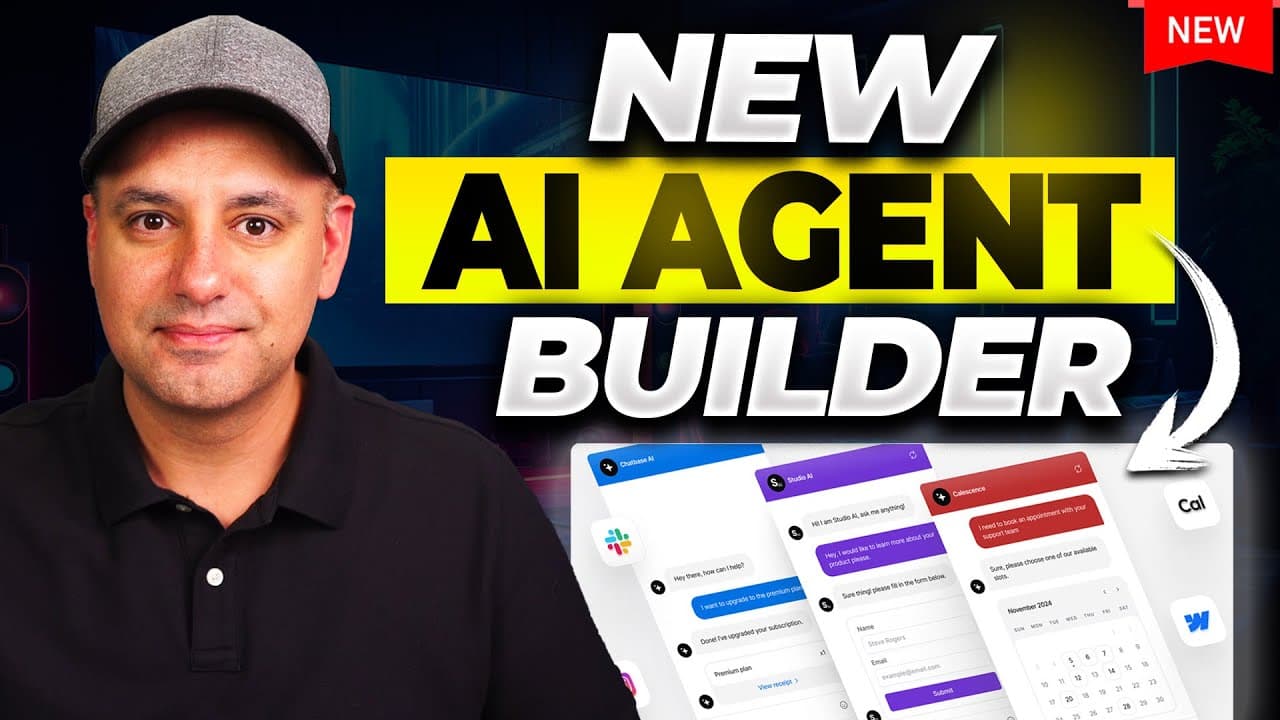
You can build a website chatbot with Chatbase and add AI actions to collect leads, search the web for up-to-date info, and book appointments via Calendly. Train it on documents, websites, or Notion data, embed the chatbot on your site, and customize actions and system behavior. A free plan is available to test features.
Transcript
I just got access to a brand new way to build custom AI agents using a platform called chatbase and with this platform you could create a chatbot and add it to your website with all your knowledge base but you could also now add these things called actions these are the little AI agents that could do different things for you I'm going to show you s... Read More
Key Insights
- AI agents on Chatbase are modular actions that extend a chatbot beyond answering questions.
- Data sources can include PDFs, Word documents, website content, and Notion databases, enabling tailored knowledge.
- The platform supports linking to calendars like Calendly and Slack to automate scheduling and reminders.
- Web search actions allow real time information retrieval when the knowledge base lacks current data.
- Custom actions can link to specific pages on your site, enabling guided user journeys.
- Embeddable options include full page embeds and chat bubble widgets for flexible site integration.
- The system allows model selection between GPT 4 0 and Claude with adjustable system instructions.
- A free plan exists, offering a lower character limit to test and experiment with features before upgrading.
Install to Summarize YouTube Videos and Get Transcripts
Explore YouTube Video Summarizer or Get YouTube Transcript Extractor
Questions & Answers
Q: How do AI actions extend a Chatbase chatbot beyond answering questions?
AI actions provide specific, goal oriented capabilities that the chatbot can perform on user request. Examples include collecting lead information through forms, scheduling appointments via Calendly integration, performing live web searches to fetch up to date information, and guiding users to relevant pages on a website. These actions turn passive chats into interactive, productive experiences and can be customized for different business needs.
Q: What primary data sources can be used to train a Chatbase chatbot?
The chatbot can be trained from various data sources including PDFs, Word documents, and any text content pasted into the training area. It can also crawl a linked website to fetch information and can connect to Notion to pull data from a database. This flexibility allows the bot to answer questions using the user’s own documents, site content, or database entries.
Q: How can Calendly be integrated to automate scheduling in Chatbase?
Calendly integration lets the chatbot access the user’s available time slots and suggest or book meetings automatically. You can configure which events are available, connect calendars like Google Calendar, and define availability windows. When a user asks to schedule, the agent searches for matching slots and directs the user to a booking page with an email and name collected as needed.
Q: What is the purpose of the web search action in Chatbase?
The web search action is used when a user asks about topics outside the chatbot’s built knowledge base. It searches the web for current information, optionally restricting results to chosen domains and including images in search results. This enables the bot to provide up to date information and expand its usefulness beyond its initial data sources.
Q: Can you customize the behavior of the AI agents in Chatbase?
Yes, you can customize agent behavior using system instructions and by configuring prompts. This allows you to set tone, rules for responses, and how the agent should respond to user inputs. You can switch between different models and adjust settings to tailor responses to the intended use case.
Q: What are the embedding options for deploying a Chatbase chatbot on a website?
You can embed the chatbot as a full page widget for a comprehensive experience or as a chat bubble that sits at the bottom of the page. Both options are designed to be easy to install on a website, making the chatbot accessible to visitors without needing complex programming.
Q: What is the advantage of using a free plan with Chatbase?
The free plan provides a lower character limit for training data and usage, allowing you to test the platform and its AI actions without upfront cost. It offers a practical way to explore features like data sourcing, web search, lead collection, and scheduling before committing to a paid plan.
Q: How do you test and retrain a Chatbase chatbot after adding new data sources?
After integrating new data sources, you can retrain the chatbot from the chatbase playground where you test its knowledge. You can also add more sources under the sources tab and retrain, ensuring the bot reflects the latest information. This iterative process helps maintain accuracy and relevance as your data grows.
Summary & Key Takeaways
-
This video demonstrates creating a Chatbase chatbot and training it on multiple data sources such as PDFs, websites, and Notion to deliver useful responses. It then shows how to enable AI actions like lead capture, web search, and calendar scheduling to extend functionality. The process includes embedding the bot on a site and testing its performance.
-
The presenter highlights integration options with Calendly and Slack, the option to set up web search domains for live information, and the ability to tailor agent behavior with system instructions. The tutorial emphasizes starting with a free plan and upgrading for higher limits.
-
The walkthrough covers managing sources, testing in a playground, and exporting leads to a CRM. It also demonstrates custom buttons and links that direct users to specific site sections, illustrating practical ways to convert interactions into tangible outcomes.
Read in Other Languages (beta)
Share This Summary 📚
Summarize YouTube Videos and Get Video Transcripts with 1-Click
Try YouTube Summary with ChatGPT & Claude or YouTube Transcript Generator
Explore More Summaries from Skill Leap AI 📚





Summarize YouTube Videos and Get Video Transcripts with 1-Click
Try YouTube Summary with ChatGPT & Claude or YouTube Transcript Generator