How to Build a SaaS App with Lovable AI
TL;DR
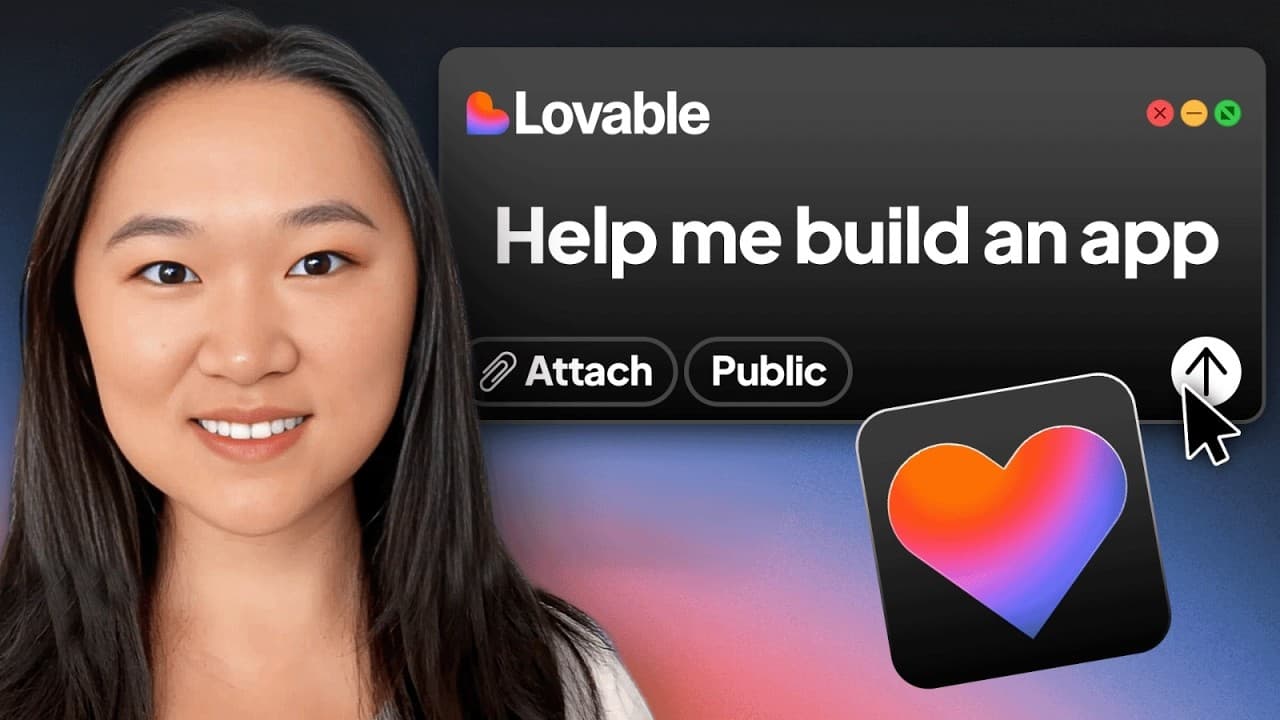
Start by identifying an inefficient task in daily life, turn the desired solution into a detailed prompt, and give that prompt to Lovable to generate a web app prototype. Test each version, describe required fixes and features, connect Supabase for authentication and stored registration data, then publish through a default Lovable address or a purchased custom domain.
Transcript
Have you ever had a brilliant idea for an app, but you have no idea how to bring it to life because you don't know how to code? Well, in 2025 and beyond, there's a emergence of vibe coding platforms that can do most of the coding for you using AI. So, this means that you only need to describe to the AI what it is that you want to create and the AI ... Read More
Key Insights
- Successful app ideas can emerge from inefficient or expensive activities in daily life. The Shirley concept arose after independently planned cruise excursions saved hundreds of dollars per day compared with the shore excursions offered during a Mediterranean cruise through Greece and Italy.
- A detailed build prompt can be written manually or generated with AI. The creator asked ChatGPT to describe an application that could analyze camera images or uploaded photographs, explain visible sites and monuments, and generate travel itineraries based on a user's destination and available time.
- Lovable generates an initial web application from a natural-language description. After the detailed prompt was submitted, the first preview appeared within a minute or two, providing an interface that already included photo uploading even though some requested functionality was missing.
- Iterative prompting is the primary method for refining a Lovable project. The creator requested an itinerary tab, removal of unwanted API-key and group-size fields, and login and logout controls, then reviewed each regenerated version to determine what still needed correction.
- Build errors can sometimes be addressed directly inside Lovable. When the initial preview displayed an error, selecting the fix option caused the platform to repair it, allowing feature development and interface revisions to continue without the creator manually changing the underlying code.
- Supabase provides backend database and authentication capabilities for the Lovable application. After connecting a separate Supabase account and granting access, the project could store user registrations, display signed-up users in the database, and support the requested login and logout experience.
- Version history and code access provide additional control over generated projects. Users can return to previous versions when a revision is unsuitable, while technical users can switch to the code view to make direct modifications. Team members and GitHub can also be connected.
- Lovable primarily targets web applications rather than native iOS or Android applications. The creator noted that a web app might be placed inside a wrapper for mobile deployment, but also stated that she had not successfully completed that process herself.
Install to Summarize YouTube Videos and Get Transcripts
Explore YouTube Video Summarizer or Get YouTube Transcript Extractor
Questions & Answers
Q: How do you build a SaaS app prototype with Lovable?
Begin with a clear problem and describe the application, its users, and its required features in a detailed prompt. Paste that specification into Lovable and wait for the first web application preview. Test every visible feature, report errors or missing elements through follow-up prompts, connect Supabase if authentication or registration data is needed, and publish only after the generated result matches the intended workflow.
Q: How can you find a practical idea for a new app?
Look for an activity in your daily life, job, or industry that is expensive, repetitive, or less efficient than it could be. The featured idea came from using ChatGPT to replace costly cruise shore excursions with custom walking or taxi itineraries and on-demand landmark explanations. Turning an existing personal workaround into a simpler product can provide both a problem and a concrete feature set.
Q: How can ChatGPT help prepare a Lovable app prompt?
ChatGPT can turn a plain description of an app concept into a more detailed build specification. In the demonstrated process, it received requirements for camera access, photograph uploads, image recognition, explanations of scenery and monuments, and custom travel itinerary generation. The resulting prompt was copied into Lovable, giving the coding platform a fuller description of the desired interface and behavior.
Q: How do you improve the first app version generated by Lovable?
Review the first preview and identify each error, missing feature, unnecessary field, or incorrect behavior. Then give Lovable direct follow-up instructions describing the desired changes. The creator asked it to repair a build error, add an itinerary tab, remove the user-facing OpenAI key and group-size controls, and add login and logout functionality. Each regenerated version was tested again before further revisions.
Q: What does Supabase add to a Lovable application?
Supabase adds a backend database and supports user registration and authentication for the generated application. It requires a separate account, which must be connected to Lovable and granted the requested access. A successful connection is shown with a green indicator. After the integration and an authentication prompt, the creator could inspect the database and see people who had signed up for the app.
Q: Can Lovable fix errors and restore earlier app versions?
Lovable can assist with both error correction and revision management. In the demonstration, the first generated application showed a build error, and selecting the fix option repaired it automatically. Lovable also provided a history view, allowing the creator to return to a previous version if later changes were unsuitable. Technical users could additionally open the code view and modify the generated code directly.
Q: How do you publish a completed Lovable web app?
Once testing and revisions are complete, use the publish control in the Lovable project. The platform provides a default Lovable domain for the application. A purchased custom domain can also be connected by opening the custom-domain settings and changing that domain's DNS records so they point back to the Lovable account. The custom domain must already have been purchased before making the connection.
Q: Can a Lovable web app be released on iOS or Android?
Lovable and similar vibe coding platforms were described as being focused on web applications, not specifically on native iOS or Android development. The creator found information suggesting that a wrapper could be placed around a web application so it could be deployed to mobile devices. However, she explicitly said she had not successfully completed that process, so the demonstration did not establish a working mobile release method.
Summary & Key Takeaways
-
The app idea came from avoiding expensive cruise shore excursions by using ChatGPT to create walking or taxi itineraries and interpret photographs of landmarks. That experience inspired Shirley, an AI travel companion intended to identify sites, explain monuments, and create personalized shore itineraries for cruise passengers seeking a more affordable alternative.
-
A detailed app specification was drafted with ChatGPT and pasted into Lovable. The first generated version supported photo uploads but lacked the itinerary feature and contained a build error. Lovable fixed the error, then regenerated the interface after receiving instructions to add itinerary inputs, authentication controls, and several requested field changes.
-
Lovable supports repeated prompt-based revisions, code access, project collaboration, version history, GitHub integration, and publishing. Connecting Supabase adds a backend database for registrations and authentication. Finished web applications can use a default Lovable address or a purchased custom domain, although direct mobile deployment was not demonstrated successfully by the creator.
Read in Other Languages (beta)
Share This Summary 📚
Summarize YouTube Videos and Get Video Transcripts with 1-Click
Try YouTube Summary with ChatGPT & Claude or YouTube Transcript Generator
Explore More Summaries from Helena Liu 📚


Summarize YouTube Videos and Get Video Transcripts with 1-Click
Try YouTube Summary with ChatGPT & Claude or YouTube Transcript Generator