How to Run VibeVoice Locally and Clone Voices
TL;DR
Run a preserved community version of VibeVoice locally to generate subscription-free AI speech, multilingual audio, and podcasts with as many as four speakers. Install the repository and either the 1.5B or 7B model, launch a local server, then add a quiet voice recording of at least 30 seconds as a WAV file to create a custom voice.
Transcript
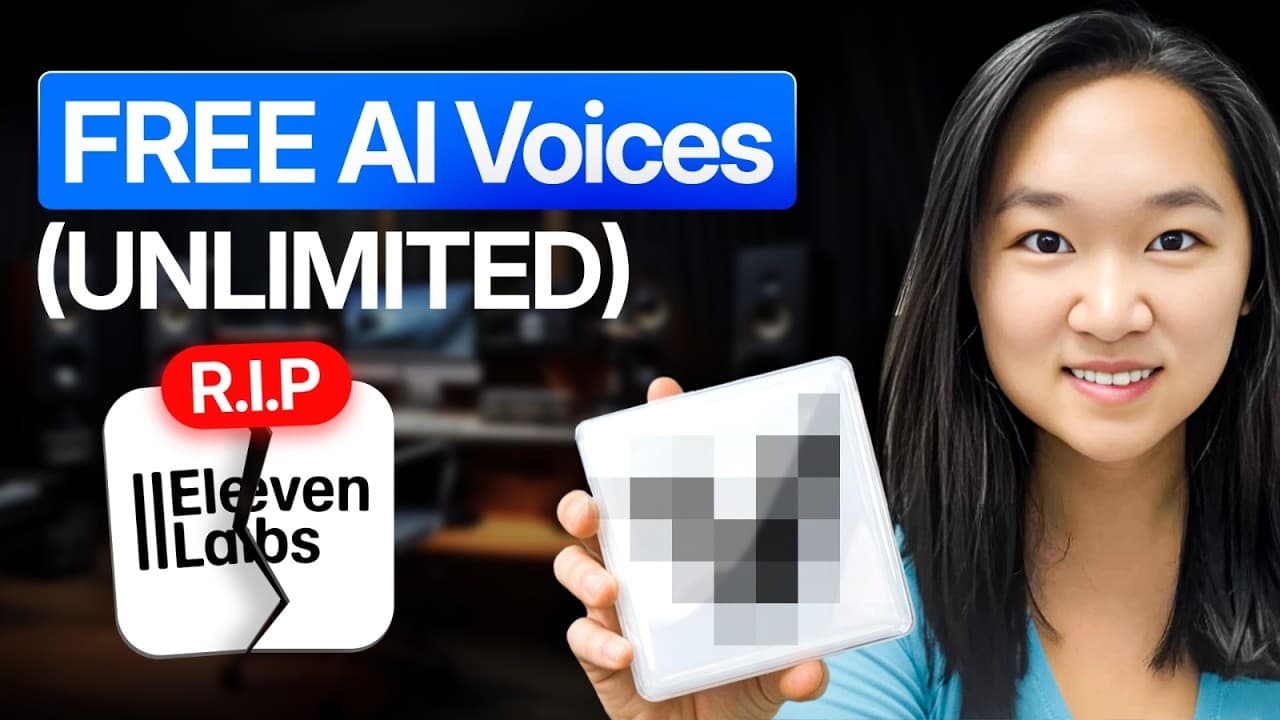
Forget 11 laps. Microsoft just released a free voice calling tool so good that they actually had to take it off of the market three weeks after it was released. Okay, here's the tea, guys. So, over a year ago, Microsoft developed Vibe Voice, but they were too afraid to release it because the voices that it was able to generate were too realistic an... Read More
Key Insights
- VibeVoice is presented as a locally runnable text-to-speech model that can generate AI audio without recurring subscription fees. The demonstrated workflow uses a preserved community repository because the official Microsoft version reportedly retains transcription but no longer includes its original text-to-speech functionality.
- The installation process is assisted by Claude Code on a desktop computer. The presenter supplies a command that clones the selected community repository, waits for installation to finish, downloads the chosen model, and then asks Claude Code to launch a local server for testing.
- Two VibeVoice model sizes are available in the demonstrated setup: 1.5B and 7B. The presenter installs the smaller 1.5B version, while noting that the 7B option occupies more computer storage and can be selected by changing the model name in the command.
- The local VibeVoice interface supports as many as four speakers and includes about a dozen preloaded voices. Users can assign a voice to each speaker, insert suitable dialogue, and generate a customizable podcast-style conversation without relying on NotebookLM for that particular workflow.
- Generated speech includes audible expression, pauses, intonation, and rhythm in the samples presented. A random example using the Alice voice produces natural-sounding narration, although generation takes a couple of minutes in the demonstrated local setup rather than completing immediately.
- VibeVoice can generate multilingual audio from text containing more than one language. The demonstration combines English and Chinese within one example, showing how the local model can be used for multilingual narration or conversations without switching to a separate workflow.
- Voice cloning requires a clean recording of at least 30 seconds from the target speaker. The presenter records in a quiet room, transfers the file to a computer, converts it to WAV, places it in the appropriate VibeVoice folder, and restarts the server.
- Potential uses include customer purchase messages, audio versions of blog posts, audiobooks, multilingual content, and full podcast episodes. The presenter also identifies Qwen as another favored open-source voice-generation model, while emphasizing VibeVoice for customizable voices and multi-speaker output.
Install to Summarize YouTube Videos and Get Transcripts
Explore YouTube Video Summarizer or Get YouTube Transcript Extractor
Questions & Answers
Q: How do you install VibeVoice for local text-to-speech?
Use the preserved community repository described in the presentation rather than the official Microsoft version, which reportedly has its text-to-speech functionality removed. Open Claude Code on the desktop, provide a command that uses Git to clone and install the repository, then download either the 1.5B or 7B VibeVoice model. After installation, ask Claude Code to launch a local server and open its address in Chrome.
Q: Which VibeVoice model size should you install?
The demonstrated setup offers a smaller 1.5B model and a larger 7B model. The presenter chooses 1.5B and says the 7B model takes up more space on the computer. To use the larger option, change the model designation in the supplied command from 1.5B to 7B. The source does not provide a detailed quality comparison or specific hardware requirements.
Q: How do you clone your voice with VibeVoice?
Record yourself speaking for at least 30 seconds in a quiet room, then transfer that recording to the computer running VibeVoice. The presenter uses an iPhone voice memo and asks Claude Code to convert the downloaded sample into a WAV file and place it in the correct VibeVoice folder. Restart the server, add the custom voice as an interface option, enter text, and generate the audio.
Q: What audio format does VibeVoice need for voice cloning?
The demonstrated voice-cloning workflow requires a WAV file. The presenter's Mac voice memo is described as producing a different file format by default, so Claude Code is instructed to find the sample in the downloads folder, convert it to WAV, and move it into the appropriate VibeVoice directory. The server is then restarted so the newly cloned voice appears in the voice selection menu.
Q: Can VibeVoice generate podcasts with multiple speakers?
VibeVoice can generate podcast-style audio with multiple speakers, and the demonstrated browser interface permits as many as four. Users choose a voice for each speaker and supply dialogue for the model to render. One sample features two hosts debating the greatest basketball player. Unlike the NotebookLM workflow mentioned by the presenter, this setup also allows customized voices, including a cloned personal voice.
Q: Can VibeVoice generate speech in multiple languages?
VibeVoice is shown generating audio from text that combines English and Chinese. The resulting sample demonstrates that multiple languages can be included in one audio-generation workflow. The presentation characterizes the multilingual output as working well, but it does not provide a complete list of supported languages, standardized evaluation results, or detailed comparisons of pronunciation quality across different languages.
Q: What can locally generated VibeVoice audio be used for?
The suggested uses include customized audio when a customer makes a purchase, spoken versions of blog posts, audiobooks, multilingual material, and podcast episodes with multiple speakers. Because the model runs locally in the demonstrated setup, the presenter positions it as a way to replace subscription-based voice-generation tasks. The source does not discuss commercial licensing terms, deployment limits, or production security requirements.
Q: How long does VibeVoice installation and generation take?
The presenter says the model download took about 30 minutes in the demonstrated setup. Once the local server is running, generating a sample usually requires a couple of minutes, and the custom voice test also takes about a minute or so. These are observations from the presented computer and workflow, not guaranteed performance figures, and no hardware specifications are provided for comparison.
Summary & Key Takeaways
-
A community repository preserves VibeVoice text-to-speech capabilities that the official Microsoft version reportedly removed. The presenter uses Claude Code to clone and install that repository, downloads the 1.5B model to a local computer, and asks Claude Code to launch a server that provides a browser-based interface for generating speech.
-
The local interface includes about a dozen preloaded voices, supports as many as four speakers, and can generate expressive audio with pauses, rhythm, and intonation. Demonstrations include a single-speaker sample, a conversation between two podcast hosts, and text containing both English and Chinese, illustrating multilingual and multi-speaker generation.
-
Custom voice cloning requires at least 30 seconds of speech recorded in a quiet room. The presenter records a voice memo, transfers it to the computer, asks Claude Code to convert it into a WAV file and place it in the correct folder, then restarts the server to expose the cloned voice.
Read in Other Languages (beta)
Share This Summary 📚
Summarize YouTube Videos and Get Video Transcripts with 1-Click
Try YouTube Summary with ChatGPT & Claude or YouTube Transcript Generator
Explore More Summaries from Helena Liu 📚



Summarize YouTube Videos and Get Video Transcripts with 1-Click
Try YouTube Summary with ChatGPT & Claude or YouTube Transcript Generator