How to use Artcraft open-source Photoshop like apps
TL;DR
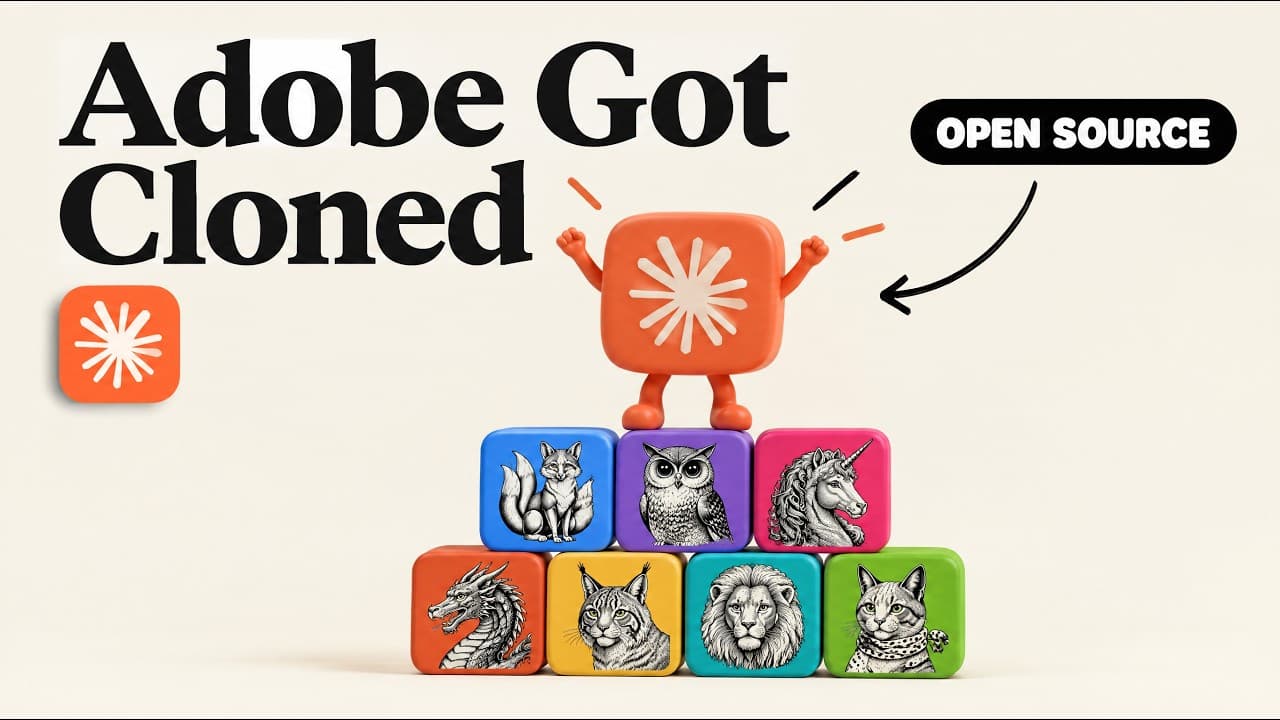
Photocraft, Filmcraft and the other Artcraft tools are open-source replacements for Adobe products that run free. The project uses clean-room reimplementation in Rust and can be driven by Claude via an included CLI and agents.md. You can download ready builds or pull the code from GitHub to drive automation and editing tasks.
Transcript
Someone just used Claude to rebuild all of Adobe's products and open sourced it for free for anyone to use. So they have a version of Photoshop called Photocraft. Adobe Premiere is Filmcraft. Adobe After Effects is effect. And then they also have open- source versions for Lightroom, Inesign, Adobe Acrobat, and Illustrator. And this is all coming fr... Read More
Key Insights
- Photocraft is a Photoshop like clone that supports editing text and applying layer effects, providing a familiar workflow for users switching to open source software.
- Filmcraft replicates many Premiere features including timeline zoom and key controls, enabling similar project organization and basic video editing tasks.
- Effect, the After Effects clone, aims to reproduce motion graphics workflows with support for adding sparks, lens flares and other effects.
- Vector Craft serves as an Illustrator replacement focused on scalable vector graphics, emphasizing design workflows with vectors and scalable layouts.
- Design Craft is positioned as the InDesign equivalent, optimized for magazine spreads and layout oriented tasks.
- Light Craft mirrors Lightroom style image management and editing, highlighting photo workflow parity with a lightweight, free alternative.
- PDF acts as an Acrobat alternative, covering document reading and basic editing capabilities in the open source suite.
- Artcraft uses a clean room reimplementation approach in Rust to avoid reverse engineering, ensuring legality while delivering functional parity.
Install to Summarize YouTube Videos and Get Transcripts
Explore YouTube Video Summarizer or Get YouTube Transcript Extractor
Questions & Answers
Q: What is Artcraft and what does it aim to replace?
Artcraft is a group releasing open source, clean room reimplementations of Adobe software like Photoshop, Premiere, After Effects, Illustrator, InDesign, Lightroom, and Acrobat. The goal is to provide free, legally compliant alternatives that replicate core features, enabling users to perform common creative tasks without paid licenses.
Q: How many open source Adobe replacements are discussed, and what are they called?
The video discusses seven open source replacements under the Artcraft umbrella. They are Photocraft (Photoshop clone), Filmcraft (Premiere clone), Effect (After Effects clone), Vector Craft (Illustrator clone), Design Craft (InDesign clone), Light Craft (Lightroom clone), and PDF (Acrobat clone). Each aims to mirror core capabilities in a free, open source package.
Q: What technology underpins these open source Adobe replacements?
The replacements are built as clean room reimplementations from scratch using the Rust programming language. This approach avoids direct copying of proprietary code, aiming to provide legally clear, functionally similar software that interfaces well with AI tools and automation workflows.
Q: How can users access and run these Artcraft apps?
Users can download current versions from getartcraft.com/apps or access the open source code on GitHub at github.com/stold. The distribution includes a CLI and a markdown agent handbook (agents.md) to help AI agents drive the apps, facilitating automation and guided use.
Q: What role do Claude and other AI agents play in using these apps?
Claude can drive the Artcraft apps to perform tasks such as editing text and applying effects, acting as an automation partner. The included CLI and agents.md handbook provide guidance for agents to install, configure, and operate the tools effectively, enabling layer by layer editing and workflow automation.
Q: Are these tools a perfect substitute for all Adobe features right away?
The video notes that while many features and shortcuts are available and the clones are fairly capable, they may not be perfect replicas yet, especially given the rapid early release. The clone projects are still developing, but they already demonstrate significant parity for common creative workflows.
Q: What is the potential benefit of using these open source tools for creators?
The open source Artcraft suite offers free access to professional style tools, enabling broader experimentation and iteration without licensing costs. Because the code is public, contributors can improve features over time, and AI assisted workflows may become more capable as integration with agents like Claude evolves.
Q: What is the main takeaway about the project’s impact on the creative industry?
The main takeaway is that free, open source, Claude driven clones of major Adobe products exist and are growing quickly, offering accessible alternatives for editing, design, and publishing tasks. Their open source nature invites community contribution, which can accelerate feature parity and polish over time.
Summary & Key Takeaways
-
Photocraft appears as a Photoshop like clone with many familiar features and layer styles, suggesting substantial parity for everyday editing tasks. The video emphasizes free access and open source development that mirrors Photoshop workflows. The result is a ready to use, open alternative for creative work.
-
Filmcraft mirrors Premiere style timeline editing and basic effects, allowing clip movement, zooming and basic color controls. It is presented as a free, open source option that can be explored via Artcraft’s apps and documentation.
-
Light craft and PDF are positioned as Lightroom and Acrobat style tools respectively, completing a suite of open source equivalents that cover a broad range of creative and document tasks, all accessible for free through Artcraft resources.
Read in Other Languages (beta)
Share This Summary 📚
Summarize YouTube Videos and Get Video Transcripts with 1-Click
Try YouTube Summary with ChatGPT & Claude or YouTube Transcript Generator
Explore More Summaries from Jay E | RoboNuggets 📚
Summarize YouTube Videos and Get Video Transcripts with 1-Click
Try YouTube Summary with ChatGPT & Claude or YouTube Transcript Generator