How Do You Build a Real-Time Miro Clone With Nextjs, React, and Tailwind in 2024?
TL;DR
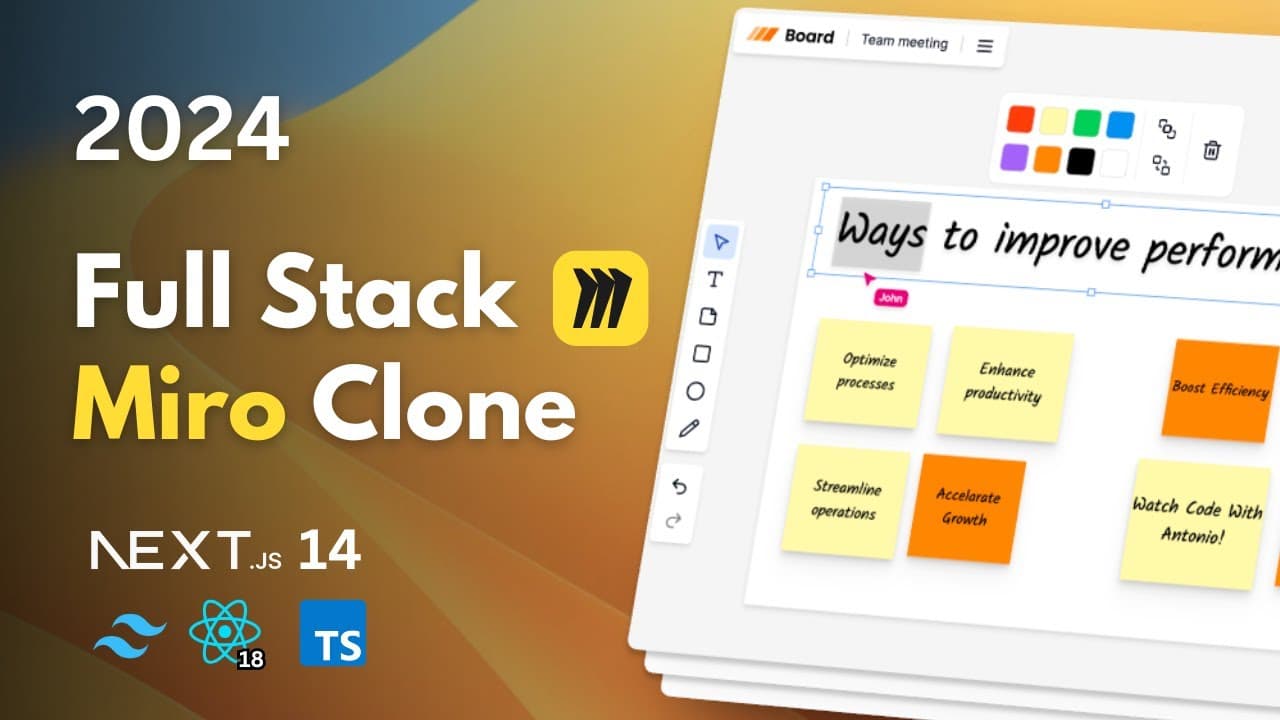
Build a real-time Miro clone with Nextjs 14, React, Tailwind, ShadcnUI, Convex, Liveblocks, and Clerk. The whiteboard synchronizes drawing, board creation, title updates, and deletions across users without refreshing or delays, while supporting sticky notes, layering, organizations, invitations, and favoriting. Read on to see what the tutorial builds, which tools it uses, and how to configure the initial project.
Transcript
hey there my name is Antonio and today we're diving into the world of realtime collaboration with a project built using the newest nextjs 14 as you can see we have two browsers side by side both interacting with the same content in real time no delays no waiting let's jump right in and see exactly what we are going to build imagine a digital whiteb... Read More
Key Insights
- Next.js 14 is used for building the real-time collaborative whiteboard, leveraging its latest features for optimal performance.
- The project simulates a digital whiteboard, allowing users to brainstorm and collaborate on ideas in real-time, akin to a physical meeting room.
- Tailwind CSS and ShadcnUI are employed for styling, providing a modern and responsive design.
- Clerk is integrated for authentication, enabling user and organization management, including invites and role assignments.
- Convex is used as the backend and real-time database, facilitating live updates and data synchronization across users.
- The whiteboard supports various tools like sticky notes, drawing, and shape manipulation, enhancing creativity and collaboration.
- Layer management features, such as move-to-back and bring-to-front, help organize complex projects visually.
- Liveblocks is integrated for real-time presence and collaboration, ensuring smooth interaction without delays.
- "today we're creating a mirror clone a realtime collaborative whiteboard" (0:27)
- "you can move ideas around add new ones and watch as everything updates instantly for everyone" (0:40)
- "we can draw layer reposition elements everything you need for a dynamic planning session" (1:06)
- "you can set up different boards invite collaborators and manage everything seamlessly" (2:44)
- "this means no refreshing no delays just smooth continuous collaboration" (3:27)
Install to Summarize YouTube Videos and Get Transcripts
Explore YouTube Video Summarizer or Get YouTube Transcript Extractor
Questions & Answers
Q: How do you build a real-time Miro clone with Nextjs 14?
Start a Nextjs 14 project with TypeScript, ESLint, Tailwind CSS, and the App Router, while declining the source directory option. The tutorial then uses React, ShadcnUI, Convex, Liveblocks, and Clerk to create the collaborative whiteboard.
Q: Which technologies power the real-time whiteboard?
The project uses Nextjs 14, React, Tailwind, ShadcnUI, Convex, Liveblocks, and Clerk. Together, they support the interface, whiteboard tools, organizations, and live synchronization described in the tutorial.
Q: What can users do on the collaborative whiteboard?
Users can move and add sticky notes, draw, use different colors, reposition elements, and visually brainstorm with their team. They can also create different boards, favorite items, form organizations, and invite collaborators.
Q: How does collaboration update in real time?
Drawing and CRUD operations happen live across users. Adding a board, updating its title, or deleting something synchronizes without refreshing or delays.
Q: How do move-to-back and bring-to-front controls work?
These controls change the order of elements on the board. A drawing can be sent to the background, while a sticky note can be brought to the foreground to organize diagrams and prioritize elements.
Q: How should the Nextjs project be configured?
Select yes for TypeScript, ESLint, Tailwind CSS, and the App Router. Select no for the source directory, and leave the import alias unchanged unless you know how you want to customize it.
Q: Why does the project use the Nextjs App Router?
The App Router option should be enabled because the tutorial uses React Server Components and the new App Router. The generated project should contain an app folder with favicon, globals, layout, and page.tsx files.
Q: What does the tutorial say about ShadcnUI?
ShadcnUI is described as a collection of reusable components that can be copied and pasted into the application, rather than a component library in the usual sense. The project needs only a few of those components and modifies them to fit its design.
Summary & Key Takeaways
-
This tutorial guides you through building a real-time Miro clone using Next.js 14, React, and Tailwind. It covers features like sticky notes, drawing tools, and real-time updates for seamless collaboration. The project includes authentication and organization management using Clerk and Convex.
-
The whiteboard application supports various tools for creativity, such as sticky notes, shapes, and a pencil for drawing. Layer management features are also implemented to help organize complex projects visually.
-
Real-time collaboration is a key focus, achieved through integration with Liveblocks and Convex, ensuring live updates and data synchronization across all users without delays.
Read in Other Languages (beta)
Share This Summary 📚
Summarize YouTube Videos and Get Video Transcripts with 1-Click
Try YouTube Summary with ChatGPT & Claude or YouTube Transcript Generator
Explore More Summaries from Code With Antonio 📚





Summarize YouTube Videos and Get Video Transcripts with 1-Click
Try YouTube Summary with ChatGPT & Claude or YouTube Transcript Generator