How to use OpenAI image API with n8n for LinkedIn
TL;DR
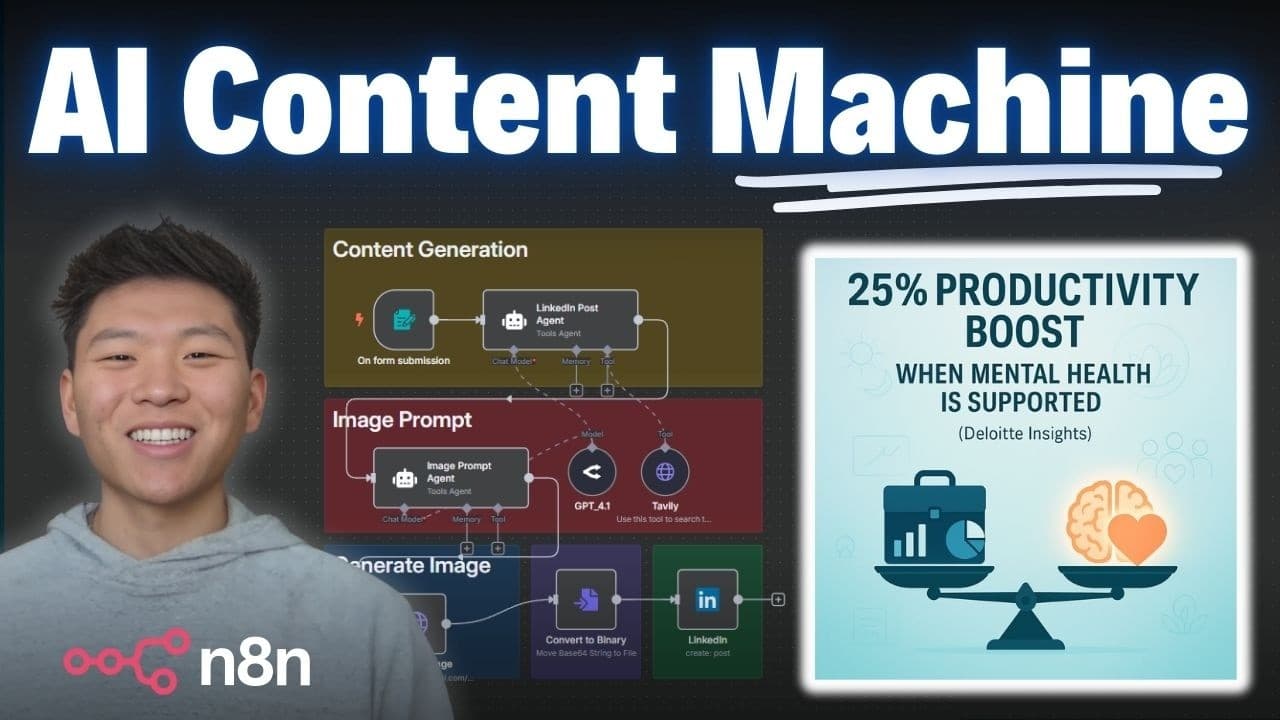
The video demonstrates building a workflow that generates LinkedIn posts and corresponding images using OpenAI's image generation API and the n8n automation platform. It shows how to set up HTTP requests, fetch research, and produce ready-to-post graphics, saving hours each week by automating marketing visuals.
Transcript
So, this workflow right here, all I had to do was enter in ROI on AI automation and it was able to spit out this LinkedIn post for me. And if you look at this graphic, it's insane. It looks super professional. It even has a little LinkedIn logo in the corner, but it directly calls out the actual statistics that are in the post based on the research... Read More
Key Insights
- The workflow begins with a form submission to collect topic and audience for the LinkedIn post.
- The system uses Tavali for web research to back the post with citations and data.
- An AI agent formats the post and system prompts steer it to create a professional, educational LinkedIn update.
- An image prompt agent converts the post into a visual prompt suitable for OpenAI image generation.
- The video shows configuring an HTTP request to OpenAI for image generation within the n8n workflow.
- A downloadable JSON template is provided to speed up setup and replication of the process.
- The method aims to save hours by posting in minutes rather than minutes per post.
- The workflow can output the post, image, and attachment via email or direct LinkedIn posting if desired.
- More videos from this channel:
- More from this channel: Nate Herk | AI Automation
Install to Summarize YouTube Videos and Get Transcripts
Explore YouTube Video Summarizer or Get YouTube Transcript Extractor
Questions & Answers
Q: How does the OpenAI image API integration with n8n start in the workflow?
The workflow starts with a form submission that captures the post topic and target audience. This triggers a LinkedIn post agent that uses a research tool to gather data, then passes the content to an image prompt agent. The image prompt agent converts the post into a prompt for the OpenAI image generation API, producing a base64 image that is converted to a binary format for posting or emailing. This sequence allows automated creation of both text and visuals from a single input.
Q: What role does Tavali play in the workflow?
Tavali is used as a research tool within the LinkedIn post agent to search the web and gather accurate information related to the topic. It can be configured with a placeholder search term that the model fills based on the user input. The results from Tavali provide the factual basis and source citations included in the generated LinkedIn post, helping ensure the content is informative and credible.
Q: How is the JSON template used in this setup?
The presenter explains that a JSON template can be downloaded and imported into n8n. This template includes the workflow structure and setup guides, allowing users to plug in their own API keys and prompts. By importing the template, users can quickly replicate the process, reducing manual configuration and accelerating deployment of the automation.
Q: What are the benefits highlighted for marketers using this automation?
The main benefits are saving hours per week by turning an idea into a fully researched LinkedIn post with a corresponding image in minutes. The automation ensures posts are backed by research, avoids low-quality AI outputs, and enables rapid, scalable posting to reach a broader audience with consistent visuals and copy.
Q: How does the image generation component get linked to the post content?
The system feeds the posts produced by the LinkedIn post agent into an image prompt agent. The image prompt agent analyzes the post content and creates a tailored image prompt for OpenAI’s image generation API. The resulting image is then converted from a base64 string to binary, ready to attach to the post or email, enabling seamless visual content generation.
Q: What setup steps are demonstrated for running the live workflow?
The video demonstrates setting up a form for input, configuring API keys for OpenAI and Tavali, importing the JSON template in n8n, and running a test workflow. It also shows how to monitor outputs, view the generated LinkedIn post, and inspect the produced image, ensuring everything works end to end before posting.
Q: Can this automation be used to post directly to LinkedIn?
Yes, the workflow is designed to output a complete LinkedIn post and its accompanying image, which can be posted directly. The presenter notes that you can also choose to email the results or post manually, but the automation is capable of direct posting if integrated with the correct endpoints or plugins.
Q: What is emphasized about reliability and accuracy in the content produced?
The key emphasis is that the post content is backed by research using Tavali, with explicit citations and factual support embedded in the output. This reduces the risk of misinformation and helps ensure the graphics and text align with credible data, contributing to more trustworthy marketing materials.
Summary & Key Takeaways
-
A workflow is started by a form submission to collect post topic and audience, then it generates a researched LinkedIn post and an image prompt, which produces a ready-to-share graphic.
-
The presenter demonstrates exporting a JSON template, importing it into n8n, and running a live test to generate content and visuals.
-
The video emphasizes saving time and ensuring graphics are backed by research, with a step-by-step setup that includes API calls, prompts, and how to post or email results.
Read in Other Languages (beta)
Share This Summary 📚
Summarize YouTube Videos and Get Video Transcripts with 1-Click
Try YouTube Summary with ChatGPT & Claude or YouTube Transcript Generator
Explore More Summaries from Nate Herk | AI Automation 📚






Summarize YouTube Videos and Get Video Transcripts with 1-Click
Try YouTube Summary with ChatGPT & Claude or YouTube Transcript Generator