How to use Midjourney to create stunning AI art?
TL;DR
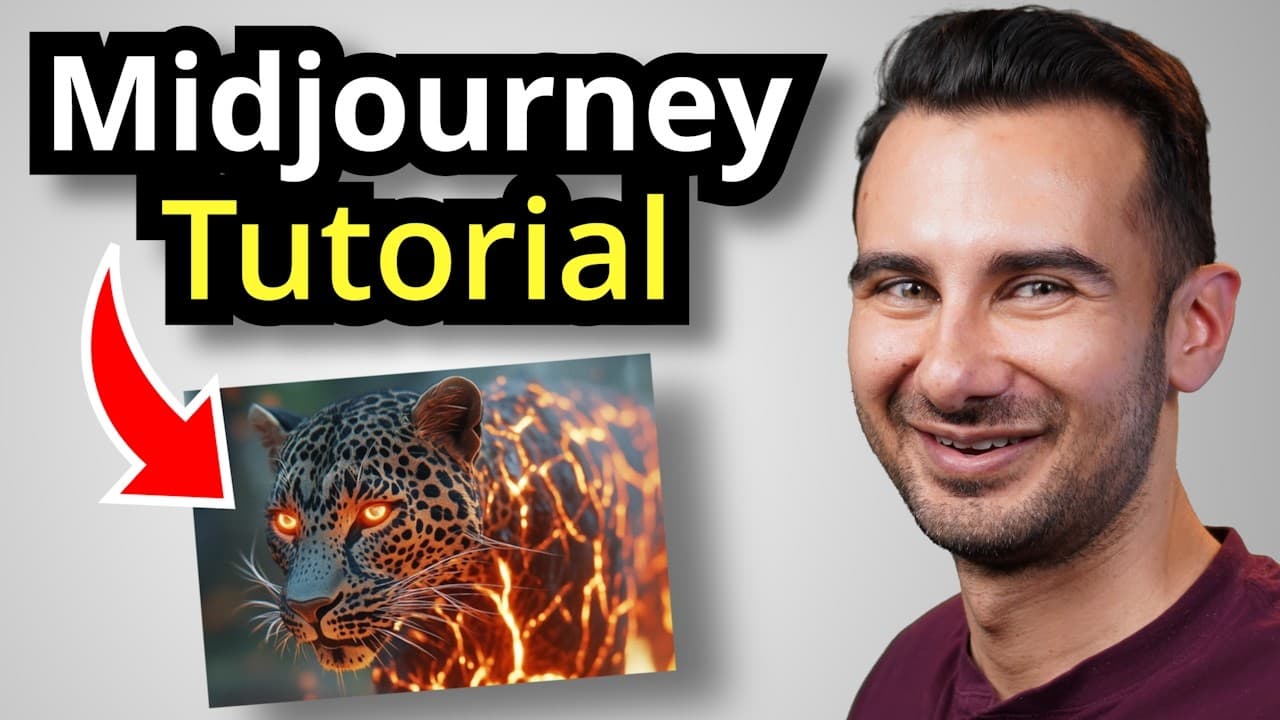
Midjourney offers a web-based workflow to sign up, explore prompts, and generate images, with plans that affect speed and quotas. You’ll learn to craft beginner prompts, adjust settings like image size and stylization, and use features such as weirdness, variety, image prompts, and remix to shape outputs.
Transcript
Midjourney is one of the most popular AI image generators, and you can use it to create incredible artwork in just seconds. In this video, I'll show you how to get started, craft the perfect prompts, and unlock advanced options for your dream designs. Let's dive in. Now to access Midjourney, go to the following website. You can click on the car... Read More
Key Insights
- Midjourney has a web-based workflow covered in this tutorial, with the video focusing on the web experience rather than Discord.
- As of late 2024 there are four plans that differ mainly in the number of images you can generate and the speed of generation.
- Every prompt submission generates four image options, enabling quick comparison and selection for refinement.
- You can adjust image size to control aspect ratio, such as portrait or landscape, for different output needs.
- The mode parameter lets you choose standard or raw, with raw better for highly specific prompts but potentially less predictable results.
- Stylization controls how artistic the output feels, ranging from minimal to highly artistic representations.
- Weirdness and variety settings alter how much the results diverge, with higher values producing more varied and unusual images.
- Advanced prompting includes using image prompts, style references, and subject references to influence the final design.
- More videos from this channel:
- More from this channel: Kevin Stratvert
Install to Summarize YouTube Videos and Get Transcripts
Explore YouTube Video Summarizer or Get YouTube Transcript Extractor
Questions & Answers
Q: How do I start using Midjourney on the web, and what is required to sign up?
To start using Midjourney on the web you go to the official site, click signup, and sign in with Google if you prefer. The video walks through the signup flow and emphasizes that you can access the Explore tab to view existing prompts and options before starting a new image. This setup is intended to get you ready to generate images quickly.
Q: What is the Explore tab used for in Midjourney, and what can you learn there?
The Explore tab shows inspiration by displaying images created by others and allows you to click an image to see its prompt and options. You can study the prompts used to recreate or adapt designs, helping you understand how the system interprets instructions and how to craft your own prompts for desired results.
Q: How do the different Midjourney plans affect your workflow and output.
Plans differ mainly in how many images you can generate and how fast you can generate them. The video explains that fast generations are quicker but may require subscribing for faster access, while relaxed generations wait in a queue. If you run out of fast hours, you can purchase more or earn fast hours through tasks.
Q: What happens after you submit a prompt in Midjourney, and how can you iterate?
Each prompt submission creates four images for you to choose from, giving you multiple directions to refine. You can vary results with settings like image size, mode, and stylization, and you can upscale, remix, or adjust elements to steer the final artwork toward your goal.
Q: What is the difference between standard and raw mode, and when should you use each?
Standard mode applies Midjourney’s built-in opinions about what looks good and optimizes the image, while raw mode leaves the image untouched and uses highly specific prompts with potentially different outcomes. Use raw mode when you need precise control and a highly tailored result based on your exact description.
Q: How does stylization affect Midjourney outputs, and how can you test its impact?
Stylization determines how artistic the image appears. You can set it to zero to produce a more literal result, or increase it to 1000 to see more artistic interpretations. Testing different values by prompt variation helps you compare how style choices shift the final look.
Q: What roles do image prompts and references play in Midjourney prompts?
Images can be included in prompts to guide the generation, either as direct prompts, style references, or subject references. You can combine multiple images with text prompts, or use a reference image to influence the aesthetic or approach, enabling more cohesive or themed outputs.
Q: What advanced techniques are demonstrated for refining images in Midjourney?
The video demonstrates tools like vary, upscale, remix, pan, and editor mode for editing specific parts of an image. These features let you adjust content, shift composition, or regenerate areas of the image, enabling iterative refinement toward the desired result.
Summary & Key Takeaways
-
This overview explains how to start with Midjourney on the web, choose a plan, and navigate the Explore and Create tabs to generate images. It covers prompt basics, image sizing, and mode options, plus how to compare standard and raw modes for different goals.
-
It highlights practical prompting strategies from novice prompts to detailed prompts, showing how to tweak stylization, weirdness, and variety to influence artistic results while using tools like upscaling and remix.
-
The guide ends with advanced techniques including image prompts, style references, and combining multiple images to guide the final artwork, emphasizing experimentation and iteration.
Read in Other Languages (beta)
Share This Summary 📚
Summarize YouTube Videos and Get Video Transcripts with 1-Click
Try YouTube Summary with ChatGPT & Claude or YouTube Transcript Generator
Explore More Summaries from Kevin Stratvert 📚
Summarize YouTube Videos and Get Video Transcripts with 1-Click
Try YouTube Summary with ChatGPT & Claude or YouTube Transcript Generator