How to test n8n native AI builder for AI agents
TL;DR
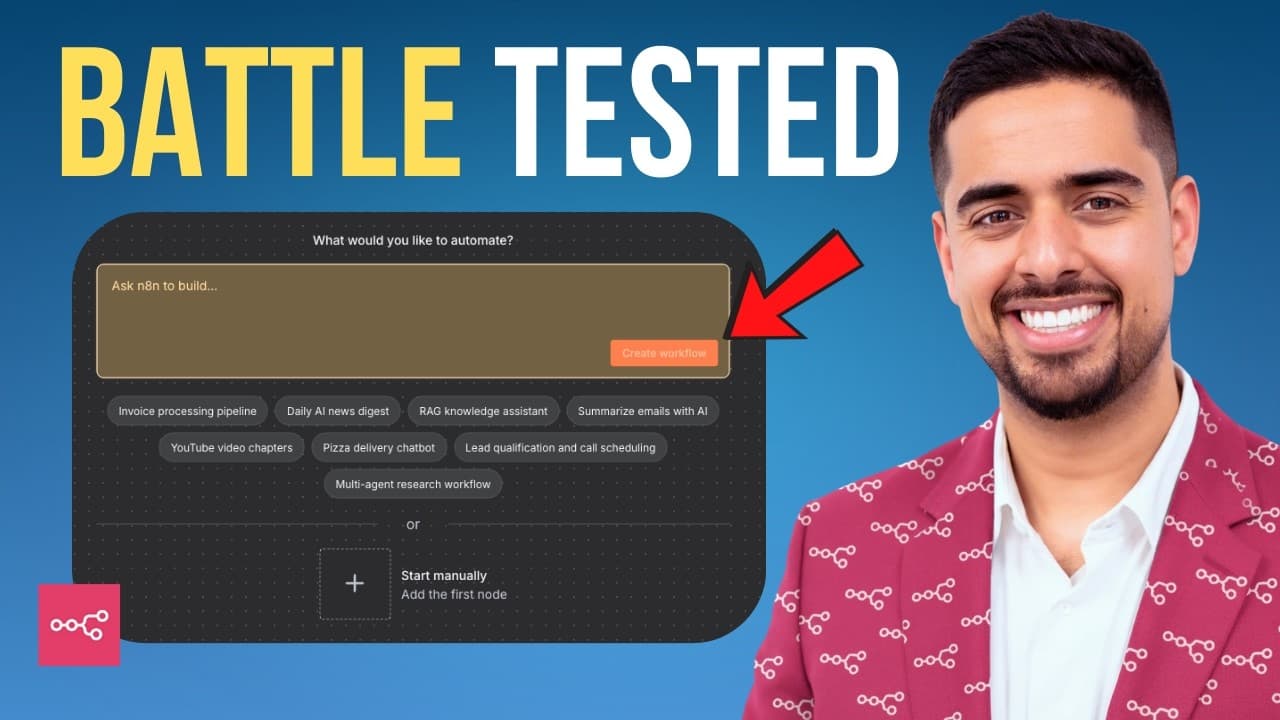
The video demonstrates hands on testing of n8n's native AI assistant builder across multiple cases, including RSS triggered content workflows and multi agent support desks, then compares it to a Claude MCP setup. It emphasizes that the feature offers a 60–70% head start and is released in phases, with room for optimization.
Transcript
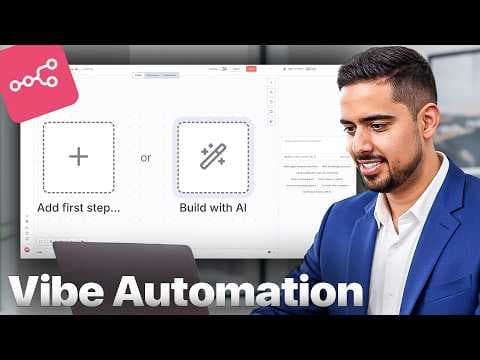
In this video, I'm going to be diving a bit deeper on the NADN AI assistant builder feature. If you have no idea what I'm referring to, I released a video a few days ago about this new feature in very early beta in Naden that basically allows you to create workflows from normal text prompts. And not surprisingly, I received a lot of comments, many ... Read More
Key Insights
- N8n's native AI assistant builder converts text prompts into draft workflows with visible nodes and prompts in real time.
- The first test uses an RSS feed to generate platform specific content, demonstrating tone variation and multi platform publishing flow.
- The user notes integration choices such as 11 Labs for audio and Blot as a community node, with troubleshooting when certain services do not connect automatically.
- The second test builds a multi agent support desk that routes inquiries to specialized sub agents and uses notions like Stripe and Salesforce in the workflow.
- Each sub agent requires a language model attachment and careful model selection, highlighting a common pitfall in initial setup.
- The test reveals that sharing a single model across sub agents can be challenging and may demand architectural adjustments for efficiency or isolation.
- The video emphasizes the need to specify the exact model to avoid automatic default choices like GPT4 Turbo, influencing reliability and cost.
- The session ends with a comparison to an MCP plus Claude Code setup, framing the native builder as a 60–70% head start co pilot rather than a full replacement.
- More videos from this channel:
- More from this channel: Mark Kashef
Install to Summarize YouTube Videos and Get Transcripts
Explore YouTube Video Summarizer or Get YouTube Transcript Extractor
Questions & Answers
Q: A real search query about the video: How to use n8n native AI builder to create workflows from prompts?
The video demonstrates building workflows directly from prompts, starting with a blog RSS trigger and expanding to multi platform content generation. It shows drafting nodes such as triggers, OpenAI interactions, and HTTP or sheet actions, all updated in real time as prompts are refined. The approach highlights rapid iteration and visual feedback as you prompt the bot to construct the workflow skeleton.
Q: What is the tested use case for social content generation?
The tested use case triggers on RSS feed updates from a blog and asks the builder to extract content, adapt it with OpenAI into five Twitter threads, three LinkedIn posts, and one email newsletter. It also includes producing an audio version via 11 Labs and publishing to Buffer, then storing versions in Google Sheets for performance tracking.
Q: Which tools are mentioned for posting and storage in the first test?
Buffer is used for scheduling posts, Blot is mentioned as an alternative posting service, and Google Sheets is used to store all generated content versions with performance tracking columns. The test notes the need to ensure compatibility of tools like Blot and to adjust API calls when swapping services.
Q: What challenge is highlighted when configuring sub agents in the multi agent desk test?
The challenge highlighted is that sub agents initially lack attached language models, requiring the user to attach a chat model to each sub agent. The video discusses the risk of mis configuration and the importance of specifying the exact model due to defaults like GPT4 Turbo that can affect results.
Q: How does the video suggest optimizing model usage across agents?
The video suggests ensuring each sub agent has a language model attached and discusses whether multiple sub agents should share a single model or use separate models. It emphasizes clearly naming the model and the potential downsides of shared models, encouraging thoughtful architecture choices for efficiency and reliability.
Q: What is the stated outcome of the native AI builder in terms of head start?
The video frames the native AI builder as a strong co pilot that provides a 60–70% head start in building automations, indicating it speeds up the process but is not claimed to be a complete replacement for traditional workflow design, especially during rolling out phases.
Q: What is compared head to head with the native builder in the video?
The native builder is compared head to head with an n8n MCP plus Claude Code setup, allowing viewers to assess relative strengths and weaknesses in building automations, importing templates, and optimizing workflows, with practical notes on when to choose one approach over the other.
Q: What scalability or rollout note is given for the feature?
The video notes that the NADN native AI assistant builder is rolling out in phases, so some users may not see the feature yet. This implies potential variability in availability and compatibility across accounts, encouraging viewers to stay tuned for phased access and ongoing improvements.
Summary & Key Takeaways
-
The video introduces the NADN native AI assistant builder and shows how prompts generate a workflow draft with nodes like triggers, prompts, and actions, all updated in real time as the user edits. This illustrates a rapid, prompt driven workflow assembly process that can be trialed immediately.
-
The test snippets cover RSS to social content and multi agent support, including prompts for tone variation, platform specific outputs, and integration with external services like 11 Labs and Blot. The session highlights practical limitations and iterative fixes.
-
The conclusion frames the native builder as a strong co pilot that speeds up automation but is not a complete replacement for traditional workflow design, noting the current rollout phase and the need for model and integration tuning.
Read in Other Languages (beta)
Share This Summary 📚
Summarize YouTube Videos and Get Video Transcripts with 1-Click
Try YouTube Summary with ChatGPT & Claude or YouTube Transcript Generator
Explore More Summaries from Mark Kashef 📚

Summarize YouTube Videos and Get Video Transcripts with 1-Click
Try YouTube Summary with ChatGPT & Claude or YouTube Transcript Generator