10 Best AI Coding Tool Videos on YouTube

Jul 27, 2026
11 min read
141 views
Last updated: July 2026
This is a curated path through the tools and habits behind AI assisted coding, built for founders who want to ship software with AI rather than just read about it. It moves from terminal tools and vibe coding basics to production discipline and where the field is heading.
The full set runs about six hours across ten videos, from short field notes to multi hour walkthroughs. It is canonical because it pairs hands on tool tutorials from working practitioners with guidance straight from Anthropic, Y Combinator, and Andrej Karpathy.
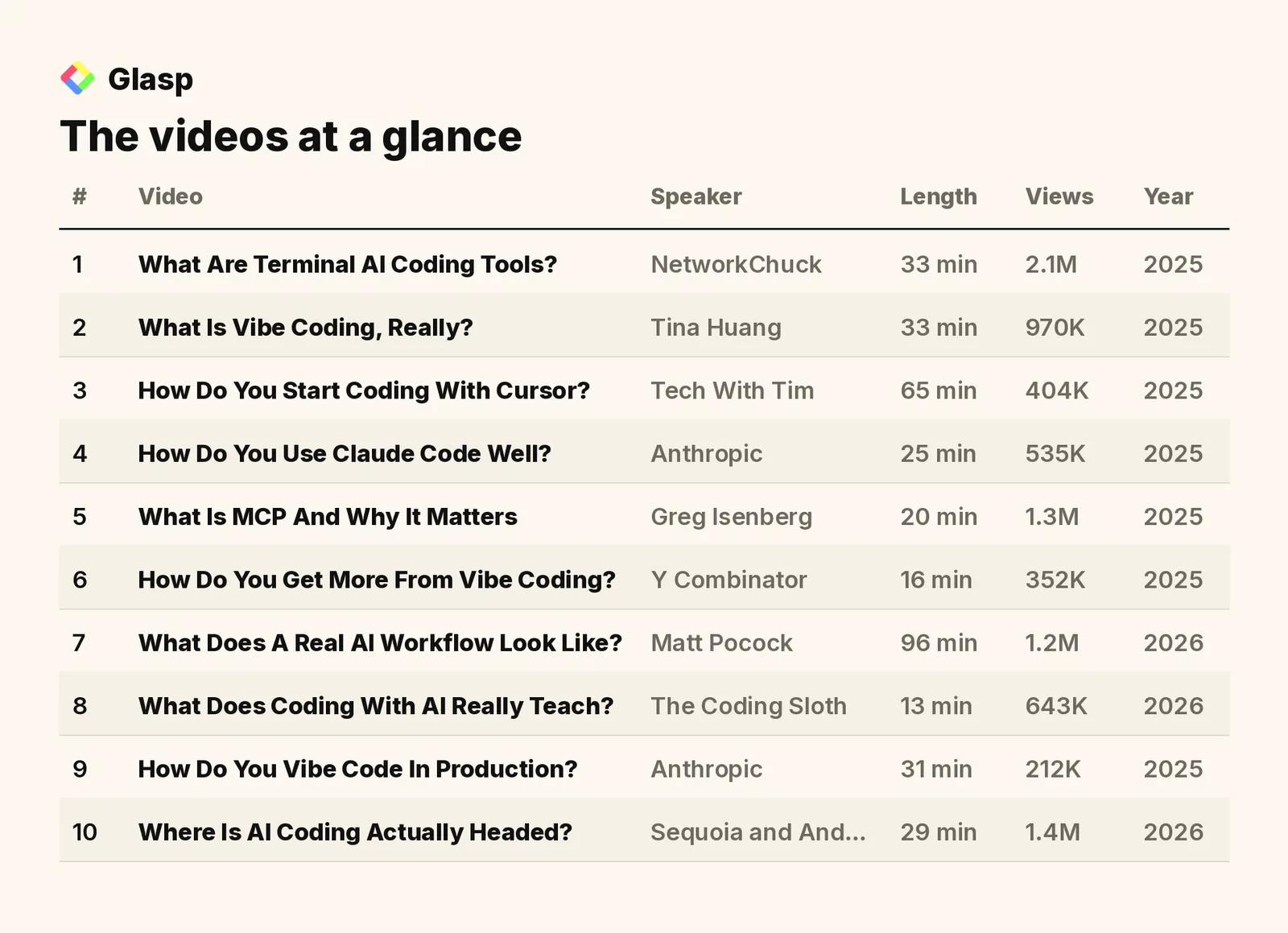
The videos on this list, in the order to watch them, are:
What Are Terminal AI Coding Tools? (NetworkChuck)
What Is Vibe Coding, Really? (Tina Huang)
How Do You Start Coding With Cursor? (Tech With Tim)
How Do You Use Claude Code Well? (Anthropic)
What Is MCP And Why It Matters (Greg Isenberg)
How Do You Get More From Vibe Coding? (Y Combinator)
What Does A Real AI Workflow Look Like? (Matt Pocock)
What Does Coding With AI Really Teach? (The Coding Sloth)
How Do You Vibe Code In Production? (Anthropic)
Where Is AI Coding Actually Headed? (Sequoia and Andrej Karpathy)
Total: 10 videos, 361 minutes of watch time (about 6 hours), and 9.2M combined views.
1. What Are Terminal AI Coding Tools?

NetworkChuck · 33 min · 2.1M views · 2025
In short: Terminal tools like Gemini CLI, Claude Code, and OpenCode use project aware context files and local file access to work faster than browser AI.
A clear starting point for founders who have only used AI in a browser. It shows why moving to the terminal gives you control over context and lets tools read and change your actual files.
Key takeaways
Terminal based AI tools read project aware context files, giving models the folder structure and history they need to work more accurately than browser chat.
Gemini CLI, Claude Code, and OpenCode can access and change local files directly, which browser based AI assistants cannot do.
Running several terminal AI tools across a single folder keeps them in sync and lets you compare their output on the same project.
OpenCode supports local models and integrates with Claude Pro, giving users more control over their own data and context.
Watch on YouTube · Read the summary and Q&A
2. What Is Vibe Coding, Really?

Tina Huang · 33 min · 970K views · 2025
In short: Vibe coding is an AI driven approach where you define goals in a requirements document, then let models generate and debug the code.
This sets the vocabulary for the rest of the list. It explains the core principles of vibe coding, from writing a requirements document to using version control, before you touch a specific tool.
Key takeaways
A Product Requirements Document defines a project's goals and structure before you prompt the AI, giving the model clearer direction for its output.
Version control tools like Git and GitHub track code changes during vibe coding so you can recover earlier working states.
Providing detailed prompts, error messages, and context to the AI raises the quality of the code it generates.
Vibe coding tools differ in learning curve, with Replit being more beginner friendly and Windsurf offering more advanced features.
Watch on YouTube · Read the summary and Q&A
3. How Do You Start Coding With Cursor?

Tech With Tim · 65 min · 404K views · 2025
In short: You set up an AI code editor like Cursor, pick a model and mode, then describe features in plain English to generate code.
The first hands on tutorial in the path, aimed at complete beginners. It walks through setting up Cursor, choosing models and modes, and debugging, so you can build something before going deeper.
Key takeaways
AI code editors like Cursor connect to models such as GPT or Claude so beginners can generate code from plain English requests.
Choosing between agent and ask mode controls how much freedom the AI has, which affects both code generation and project safety.
Cursor lets you set global and project specific rules that guide how the AI behaves during code generation.
Debugging in Cursor works by giving the AI error messages and context so it can refine its earlier output.
Watch on YouTube · Read the summary and Q&A
4. How Do You Use Claude Code Well?

Anthropic · 25 min · 535K views · 2025
In short: Claude Code acts like a terminal fluent coworker, so you share context through cloud.md files, manage permissions, and let it plan tasks before running.
Guidance straight from the team behind the tool. It covers the practices that separate casual use from productive use, including context files, permissions, and running multiple instances at once.
Key takeaways
Claude Code works as a pure agent, using instructions and tools to complete tasks without indexing the whole codebase.
cloud.md files share project context with Claude Code, and careful permission management keeps the workflow efficient and controlled.
Claude Code helps onboard new developers by exploring an unfamiliar codebase and explaining how its parts fit together.
Advanced users run multiple Claude Code instances at once to handle complex tasks and increase overall productivity.
Watch on YouTube · Read the summary and Q&A
5. What Is MCP And Why It Matters

Greg Isenberg · 20 min · 1.3M views · 2025
In short: MCP is a standard communication layer that lets language models connect to external tools and services without custom integration for each one.
Modern coding tools lean on the Model Context Protocol to reach outside services. This short explainer clarifies what MCP is and why it is becoming the connective tissue for AI assistants.
Key takeaways
Language models alone only predict text and cannot perform real tasks until they are connected to external tools.
The MCP ecosystem includes clients like Cursor and Windsurf, the protocol itself, servers, and the underlying services.
MCP acts as a universal translator, giving models one common language to reach databases, APIs, and other services.
Anthropic's strategy pushes service providers to build MCP servers, which steadily expands what AI assistants can do.
Watch on YouTube · Read the summary and Q&A
6. How Do You Get More From Vibe Coding?

Y Combinator · 16 min · 352K views · 2025
In short: Combine AI tools with traditional practices: start from test cases, keep code modular, and use Git so you can revert bad changes.
A tight set of practical strategies from Startup School. It bridges beginner enthusiasm and professional habits, showing how tests, modularity, and version control keep AI output under control.
Key takeaways
Building test cases before coding guides AI generated solutions and checks them against project requirements.
Git lets developers revert to a stable version when AI tools produce unwanted or broken changes.
A planning document written together with the AI acts as a roadmap and keeps implementation organized.
Keeping code modular reduces complex interdependencies and makes AI assisted projects easier to manage.
Watch on YouTube · Read the summary and Q&A
7. What Does A Real AI Workflow Look Like?

Matt Pocock · 96 min · 1.2M views · 2026
In short: AI turns vague requirements into structured plans, then autonomous agents implement vertical task slices under test driven development with human planning and QA.
The most complete walkthrough on the list. It connects the earlier ideas into one workflow, from turning requirements into plans to slicing tasks and keeping humans in the planning and review loop.
Key takeaways
AI can convert ambiguous requirements into structured, actionable plans that autonomous coding agents then implement feature by feature.
Vertical slicing of tasks provides feedback at each layer of development instead of only at the very end.
Test driven development gives AI reliable feedback loops, which is essential for it to produce trustworthy code.
Human oversight stays crucial in the planning and quality assurance stages to keep control over the process.
Watch on YouTube · Read the summary and Q&A
8. What Does Coding With AI Really Teach?

The Coding Sloth · 13 min · 643K views · 2026
In short: AI multiplies your existing skill, so specific prompts, small task chunks, detailed context, and ways to verify work produce the best results.
Field notes from hundreds of hours of real practice. It is a reality check that grounds the tooling in habits: be specific, break work down, and always give the AI a way to verify itself.
Key takeaways
AI multiplies existing knowledge, so a solid programming foundation is needed to get effective results from it.
Vague prompts lead to poor output, while specific, detailed communication with AI produces much better code.
Breaking large tasks into smaller, manageable pieces improves AI performance and aligns with fundamental software engineering principles.
Giving AI a way to verify its work, such as tests or CI pipelines, keeps generated code reliable.
Watch on YouTube · Read the summary and Q&A
9. How Do You Vibe Code In Production?
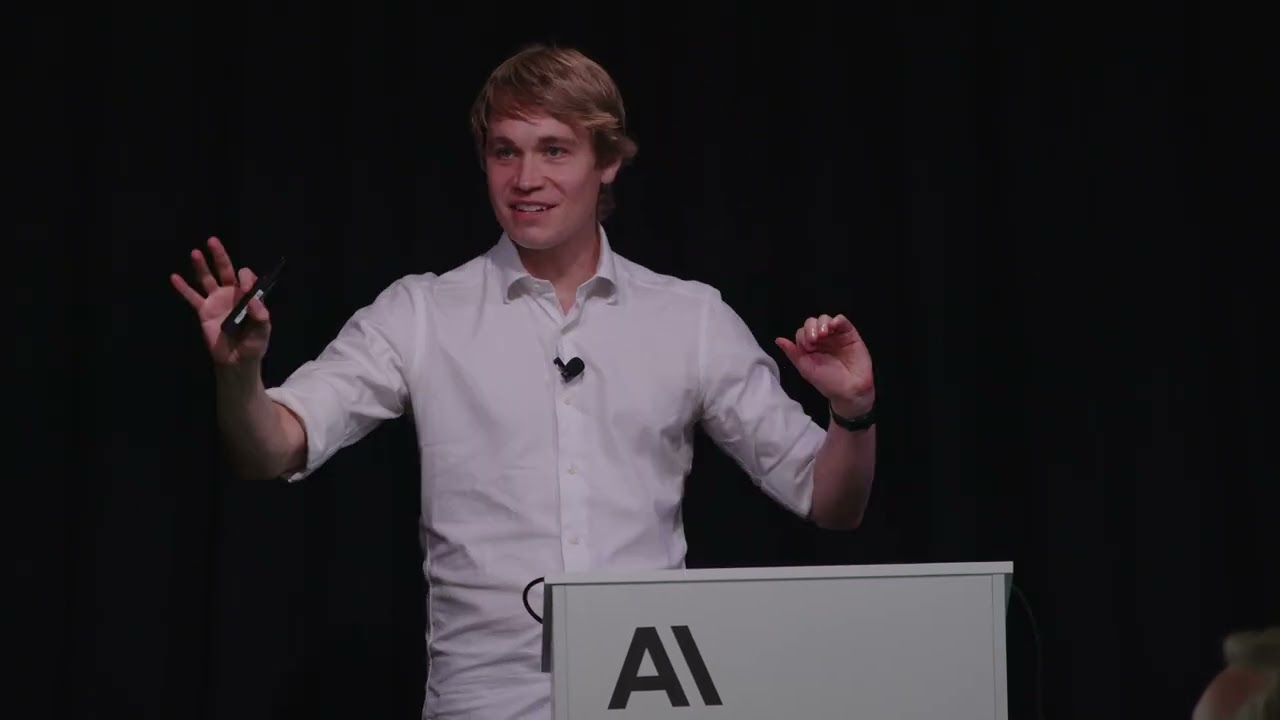
Anthropic · 31 min · 212K views · 2025
In short: Point AI at low risk leaf nodes, act as its product manager, and verify output with checkpoints and stress tests before shipping.
The discipline chapter for teams shipping real software. It draws the line between playing with AI and running it responsibly in production by focusing on low risk areas and verifiable checkpoints.
Key takeaways
Responsible vibe coding targets low risk leaf nodes in the codebase where mistakes have minimal impact.
Acting as a product manager for the AI means providing clear guidance and context so it can succeed.
Verifiable checkpoints and stress tests build trust in AI generated code before it reaches production.
The video argues AI capabilities can roughly double every seven months, pushing teams to adapt their process.
Watch on YouTube · Read the summary and Q&A
10. Where Is AI Coding Actually Headed?
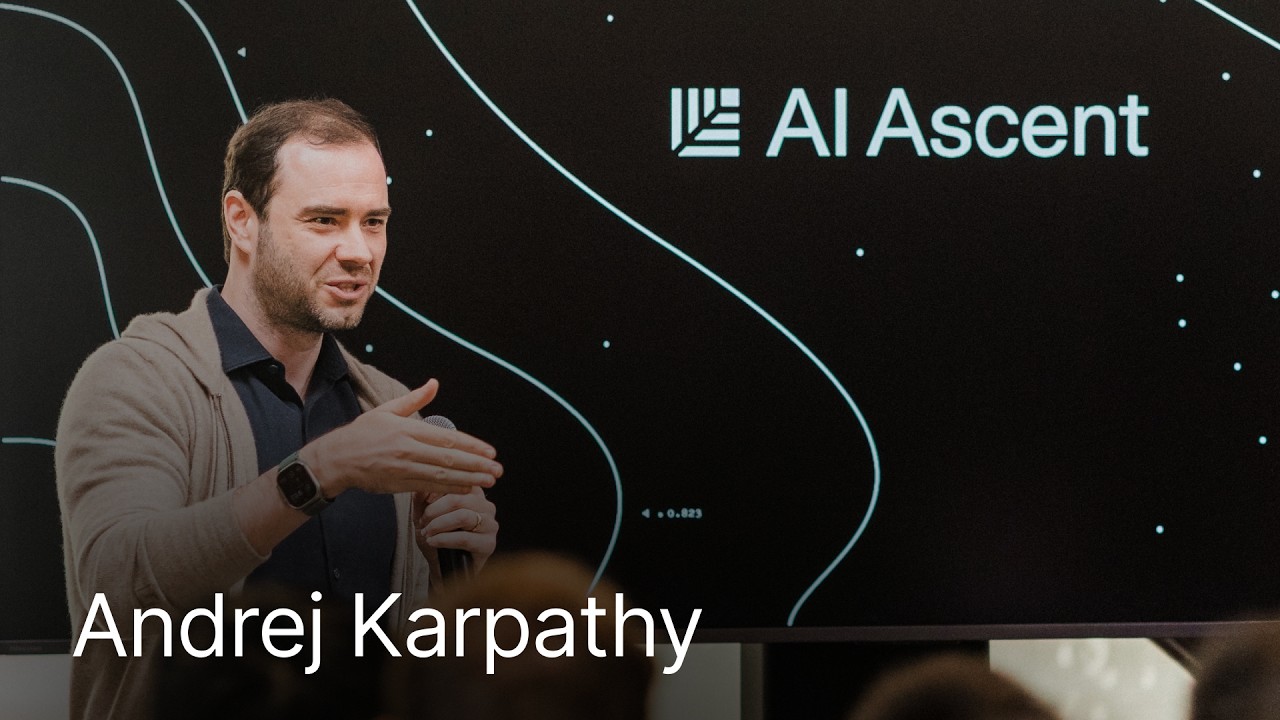
Sequoia and Andrej Karpathy · 29 min · 1.4M views · 2026
In short: AI raises the baseline for building software, but agentic engineering adds new discipline to keep professional quality as agents automate complex work.
The closing view from Andrej Karpathy on where these tools lead. It frames the shift from vibe coding to agentic engineering and why understanding stays a human job even as agents take over more tasks.
Key takeaways
Agentic engineering is a new discipline focused on keeping quality high while AI agents handle software development tasks.
Vibe coding widens access to building software, while agentic engineering protects the quality of professional work.
Software 3.0 means programming through prompts, where models interpret and run tasks based on the context they receive.
Understanding stays a human domain, since AI can outsource thinking but not the comprehension needed to direct it.
Watch on YouTube · Read the summary and Q&A
Frequently asked questions
What is vibe coding?
Vibe coding is an approach where you describe what you want in plain language and let AI models generate and debug the code, often starting from a requirements document.
Is Cursor or Claude Code better for beginners?
Cursor gives beginners a familiar visual editor with model choices, while Claude Code runs in the terminal and suits users comfortable with command line workflows.
What is MCP in AI coding tools?
MCP, or Model Context Protocol, is a standard that lets language models connect to external tools and services through one common interface instead of custom integrations.
Do I still need to know how to code to use AI tools?
AI multiplies existing skill, so a programming foundation still helps you write specific prompts, verify output, and keep AI generated code reliable.
How do you use AI coding tools safely in production?
Point AI at low risk parts of the codebase, keep human oversight in planning and QA, and verify output with tests and checkpoints before shipping.
How long does it take to watch all the videos on this list?
The full set runs 361 minutes, about six hours across ten videos, ranging from a 13 minute set of field notes to a 96 minute end to end workflow walkthrough. Watching them in order moves you from terminal tools and vibe coding basics to production discipline and where the field is heading.
Which AI coding video should I watch first if I only have time for one?
Anthropic's 25 minute Claude Code best practices session is the single best starting point, since it shows how a modern coding assistant fits into real work through context files, permissions, and planning before execution. Come back for the full workflow and production videos once you are ready to build.
Why use terminal AI coding tools instead of browser based AI chat?
Terminal tools like Gemini CLI, Claude Code, and OpenCode read project aware context files and can access and change local files directly, which browser based AI assistants cannot do. That gives you control over what context the model sees and lets it work on your actual project rather than pasted snippets.
What is the difference between vibe coding and agentic engineering?
Vibe coding widens access to building software by letting anyone describe what they want in plain language, while agentic engineering is a newer discipline focused on keeping quality high as AI agents take on more complex development work. Both still depend on human understanding, since AI can outsource the thinking but not the comprehension needed to direct it.
How to use this list
Use this list as a sequence: start with the concepts, get hands on with one tool, then adopt the workflow and production habits before looking ahead. If you only have time for one, watch Anthropic's Claude Code best practices to see how a modern coding assistant fits into real work, then come back for the full workflow and vibe coding in production once you are ready to build.
Related lists
💡 Want summaries and transcripts for any YouTube video? Try YouTube Summary with ChatGPT & Claude.