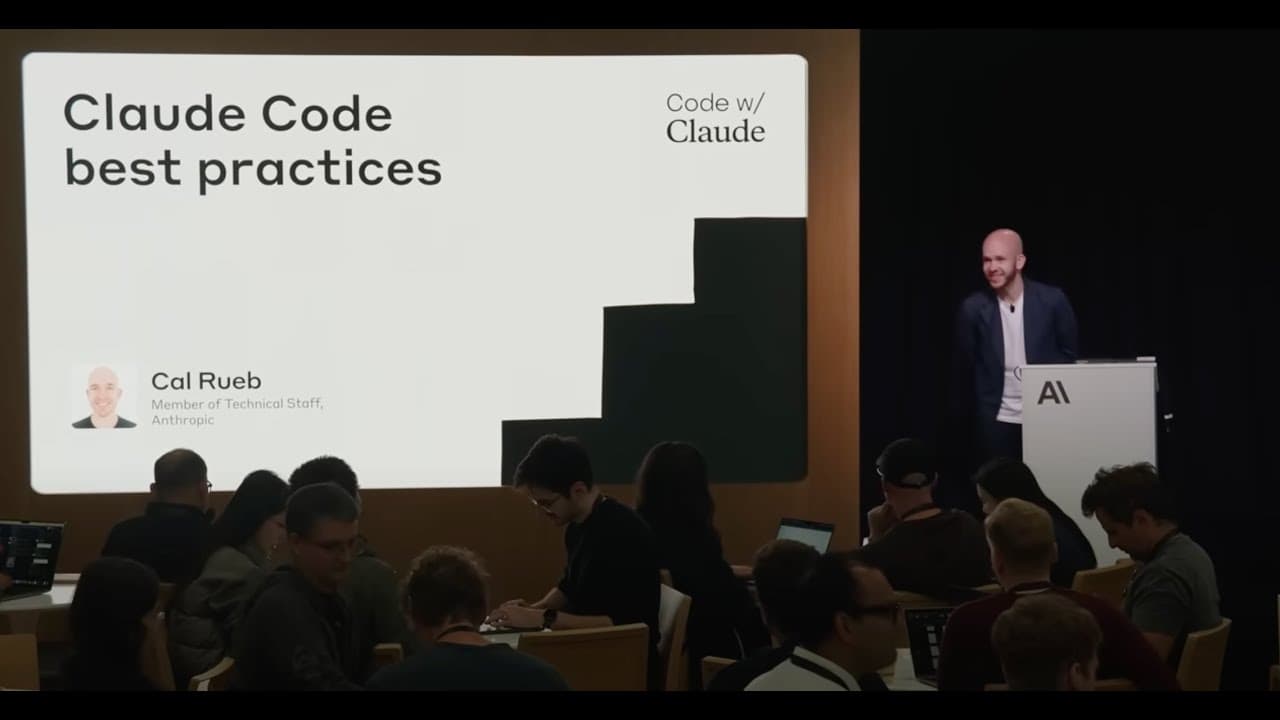
What Are Claude Code Best Practices? | Code w/ Claude
TL;DR
Claude Code works best when you give it persistent context through CLAUDE.md files, manage permissions carefully, verify its plans before execution, and extend it with CLI tools or MCP servers. It acts as a terminal-based coworker, exploring codebases through agentic search rather than indexing them. Read on for practical guidance on onboarding, testing, debugging, automation, and coordinating multiple instances.
Transcript
Let's get started. Welcome everyone to Cloud Code best practices. In this talk, I'm going to talk about kind of what cloud code is at a high level. Then we'll peer under the hood a little bit to kind of understand how cloud code works. And then knowing that because it's useful to kind of know how your tools work. We're going to talk about good ... Read More
Key Insights
- Cloud Code is a tool that acts like a co-worker proficient in terminal operations, helping users navigate and understand codebases efficiently.
- It operates as a pure agent, using instructions and powerful tools to perform tasks until completion without indexing the codebase.
- Cloud Code is highly effective in onboarding processes, helping new developers understand codebases quickly by exploring and providing insights.
- The tool excels in both creating new applications from scratch and working within existing codebases, including adding unit tests and writing commit messages.
- Best practices for using Cloud Code include utilizing cloud.md files for context sharing and managing permissions for efficient workflow.
- Integrating CLI tools and MCP servers can enhance Cloud Code's capabilities, making it more versatile in handling various tasks.
- Cloud Code supports efficient workflows by planning tasks and creating to-do lists, allowing users to verify and adjust plans before execution.
- Advanced users can orchestrate multiple instances of Cloud Code simultaneously, increasing productivity and enabling complex task management.
Install to Summarize YouTube Videos and Get Transcripts
Explore YouTube Video Summarizer or Get YouTube Transcript Extractor
Questions & Answers
Q: What are the best practices for using Claude Code effectively?
Use CLAUDE.md files to preserve context and instructions across sessions, and manage permissions so routine work proceeds efficiently. Have Claude Code plan tasks and create a to-do list, then verify or adjust the plan before execution. CLI tools and MCP servers can extend the range of work it can perform.
Q: What is Claude Code and how does it work?
Claude Code is presented as a coworker who handles terminal-based work. It is a pure agent built from instructions and powerful tools, running in a loop until it decides the task is complete. It can create and edit files, use the terminal, and connect to other capabilities through MCP.
Q: Does Claude Code index a codebase?
No, Claude Code does not index or embed the entire codebase for retrieval. It explores the project through agentic search, using tools such as glob, grep, and find. It reviews each set of results, decides what else it needs to investigate, and continues searching.
Q: How can Claude Code help developers understand an unfamiliar codebase?
Claude Code can explore a codebase, locate relevant files, and explain its structure and recurring patterns. It can also answer questions about feature implementations and provide insights into code history. This makes it useful for onboarding developers to an existing project.
Q: Can Claude Code create new applications and modify existing projects?
Yes, Claude Code can build applications or games starting from an empty directory and work within established codebases. In existing projects, it can generate code, add unit tests, and write commit messages. Cal describes using it to turn a note-taking app idea into a large working application over a weekend.
Q: How do CLI tools and MCP servers extend Claude Code?
Well-documented CLI tools give Claude Code more operations it can execute programmatically through the terminal. MCP servers can pull in additional tools and capabilities beyond its file-editing and terminal primitives. Together, these integrations let users delegate a wider range of tasks.
Q: How can developers manage complex work with Claude Code?
Claude Code can plan a task and create a to-do list before carrying out the work, giving the user an opportunity to review and modify its approach. Advanced users can also coordinate multiple Claude Code instances in separate tabs or with tmux. This allows different instances to handle parts of a larger workflow simultaneously.
Q: What advanced Claude Code workflows are discussed?
Advanced techniques include interjecting with Escape to redirect work, using screenshots during debugging, and running multiple instances for separate tasks. Claude Code can also be used in headless automation through environments such as GitHub Actions. These workflows extend it beyond a single interactive terminal session.
Q: How do I make Claude Code plan before writing code?
Tell Claude Code to search the codebase, report back with two or three implementation options, and not write any files yet. You can then review and validate its ideas before starting the implementation.
Q: How does Claude Code handle dangerous terminal actions?
Claude Code uses a permission system that requires the human to step in when the agent is doing something dangerous. Its lightweight interface also lets you watch the agent work and see its output as it runs.
Q: Can Claude Code use AWS or Google Cloud instead of the Anthropic API?
Yes, Claude Code can be pointed at Anthropic models through AWS or GCP instead of using the Anthropic API directly. The speaker says this is easy because the model is available through those cloud providers and Claude Code is a lightweight layer on top of it.
Summary & Key Takeaways
-
Cloud Code serves as a terminal-based coding assistant, akin to a skilled co-worker, facilitating codebase exploration and task automation. It operates as a pure agent, using instructions and tools to perform tasks without indexing. Cloud Code is particularly useful for onboarding, code generation, and debugging, with best practices including the use of cloud.md files and permission management.
-
The tool enhances productivity by allowing users to navigate new codebases, generate code, and manage tasks efficiently. It supports creating applications from scratch and working within existing codebases, with features like automated unit test addition and commit message generation. Integrating CLI tools further expands its capabilities.
-
Advanced techniques include orchestrating multiple instances of Cloud Code for complex task management and leveraging its planning and to-do list features for efficient workflow execution. Users are encouraged to stay updated with new features and improvements to maximize the tool's potential.
Read in Other Languages (beta)
Share This Summary 📚
Summarize YouTube Videos and Get Video Transcripts with 1-Click
Try YouTube Summary with ChatGPT & Claude or YouTube Transcript Generator
Explore More Summaries from Anthropic 📚



Summarize YouTube Videos and Get Video Transcripts with 1-Click
Try YouTube Summary with ChatGPT & Claude or YouTube Transcript Generator