Apple Intelligence Review: Siri Still Falls Short
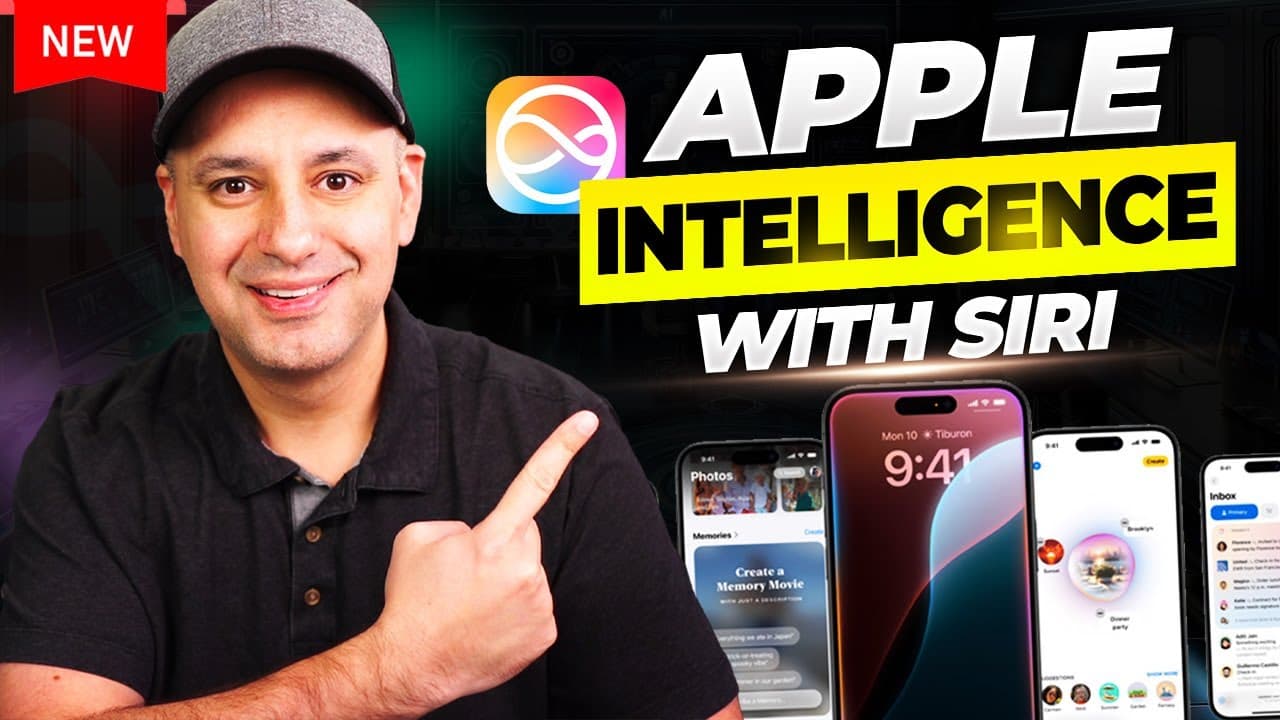
TL;DR
Apple Intelligence is most useful for summarizing email, rewriting text, searching and cleaning up photos, and transcribing voice memos. In the tested beta, Siri sounds substantially more natural and can change some settings, open apps, and create reminders, but it often falls back to web searches, misunderstands requests, and cannot perform many requested actions inside apps.
Transcript
I just got access to the new Apple intelligence here on the iPhone and I've had it for about 3 days now and I wanted to show you 10 different things some are really interesting some I was not quite impressed I got my old iPhone here too so then I could show you some of the things the old iPhone won't be able to do this is a iPhone 14 over here iPho... Read More
Key Insights
- Apple Intelligence requires supported hardware and beta software in the reviewed setup. The reviewer says it is available on the iPhone 15 Pro, iPhone 16 Pro, and iPhone 16 Pro Max, while demonstrating that an iPhone 14 Pro cannot use the feature.
- Mail summaries are one of the most useful Apple Intelligence features tested. The Mail app scans messages, presents concise summaries, and can elevate emails as priorities when their context includes information such as an approaching due date.
- Writing Tools provide system-level assistance wherever selectable text is available. The tools can proofread, rewrite, adjust wording to sound friendly or professional, summarize content, and extract key points without requiring the user to open ChatGPT or another separate application.
- Photos search works with natural-language descriptions and can locate specific people, clothing, activities, text, or moments within videos. The transcript describes searches such as a person wearing a blue suit and finding a relevant segment inside a longer video clip.
- Cleanup mode removes selected objects from photos by letting the user brush over unwanted elements. In the demonstration, the removals appear clean, making this one of the reviewer's favorite photo-editing additions included with iOS 18 and Apple Intelligence.
- Voice Memos can automatically transcribe newly recorded audio into selectable text. Because the transcription behaves like text elsewhere on the phone, users can apply Writing Tools to proofread, rewrite, summarize, or otherwise process the recording directly within the Voice Memos app.
- The upgraded Siri sounds substantially more natural than the older version. It also has a new animation and can complete basic tasks such as reporting weather, opening an app, changing the phone to light mode, and creating a reminder for taking out the garbage.
- Siri remains limited in the tested beta despite its improved presentation. It often performs simple web searches, misunderstands repeated questions, cannot delete or remove requested apps, and cannot create an Instagram post. The tested release also lacks the anticipated ChatGPT connection.
Install to Summarize YouTube Videos and Get Transcripts
Explore YouTube Video Summarizer or Get YouTube Transcript Extractor
Questions & Answers
Q: How do you enable Apple Intelligence in the tested beta?
To enable Apple Intelligence in the setup shown, open Settings, select General, and enter Software Update. Turn on the iOS 18 public beta, then return to Settings and open the new Apple Intelligence and Siri section to activate the feature. The reviewer warns that beta software can be glitchy and recommends waiting for the general rollout if you do not want that risk.
Q: Which iPhones support Apple Intelligence according to the review?
The reviewer states that Apple Intelligence is available on the iPhone 15 Pro, iPhone 16 Pro, and iPhone 16 Pro Max. The demonstration compares an iPhone 16 Pro with an older iPhone 14 Pro to show features that the older device cannot perform. No other supported models are identified in the supplied transcript or description.
Q: How does Apple Intelligence improve the Mail app?
Apple Intelligence scans email and creates a quick summary that can be read without opening and reviewing the complete message. It also uses context to identify important information, including due dates, and can display relevant messages in a priority format. The reviewer considers this one of the strongest additions, although some summaries are too long and end with an ellipsis.
Q: What can Apple Intelligence Writing Tools do?
Writing Tools appear when text is selected in supported writing contexts, including Notes, Mail, and transcribed Voice Memos. They can proofread text, generate a corrected version, rewrite selected passages, change the tone to friendly or professional, summarize material, and produce key points. The reviewer values having these functions inside existing apps instead of switching to ChatGPT or another application.
Q: How does Apple Intelligence improve photo search and editing?
The Photos app can search using detailed natural-language descriptions, including a person's clothing, activity, or other context. It can also identify text within images and locate a specific moment inside a video. For editing, Cleanup mode lets the user brush over an unwanted object and remove it. The demonstrated removals appear clean and worked well during the review.
Q: What does Apple Intelligence add to Voice Memos?
Voice Memos can automatically transcribe a newly recorded memo and display the result as selectable text inside the app. The user can then apply the same Writing Tools available elsewhere, including proofreading, rewriting, and summarization. The reviewer does not regularly use Voice Memos but expects the combination of automatic transcription and integrated text processing to benefit frequent users.
Q: What tasks could the upgraded Siri complete in the beta?
The upgraded Siri successfully reported the weather in Chicago, opened the Instagram app, changed the iPhone from dark mode to light mode, and created a reminder to take the garbage to the curb. It also has a more human-sounding voice and a new listening animation. These successes were primarily basic commands that older Siri could already perform, plus access to certain settings.
Q: Why was Siri disappointing in the Apple Intelligence beta?
Siri frequently returned basic web searches instead of answering questions or taking action. It could not recap news, explain ChatGPT reliably, plan a trip, create an Instagram post, remove Instagram from the Home Screen, or delete YouTube. It also repeatedly misunderstood a request for ten examples of its capabilities. The tested beta did not yet include Siri's expected ChatGPT connection.
Summary & Key Takeaways
-
Apple Intelligence was tested for roughly three days on an iPhone 16 Pro in beta. The reviewer highlights practical features across Mail, Notes, Photos, and Voice Memos. Supported devices mentioned include the iPhone 15 Pro, iPhone 16 Pro, and iPhone 16 Pro Max, while the iPhone 14 Pro lacks Apple Intelligence.
-
Mail can generate quick email summaries and identify messages containing contextual priorities such as due dates. Writing Tools work wherever text can be selected, offering proofreading, rewriting, tone adjustments, summaries, and key points. Voice Memos can automatically transcribe new recordings, after which the same writing features can process the resulting text.
-
Siri receives a more natural voice and a new visual animation, but its intelligence remains limited in the tested beta. It can report weather, open Instagram, change light and dark modes, and create reminders. However, it struggles with explanations, planning, app management, news recaps, and requests requiring deeper app interaction.
Read in Other Languages (beta)
Share This Summary 📚
Summarize YouTube Videos and Get Video Transcripts with 1-Click
Try YouTube Summary with ChatGPT & Claude or YouTube Transcript Generator
Explore More Summaries from Skill Leap AI 📚






Summarize YouTube Videos and Get Video Transcripts with 1-Click
Try YouTube Summary with ChatGPT & Claude or YouTube Transcript Generator