How to Automate Claude Skills and Files in n8n
TL;DR
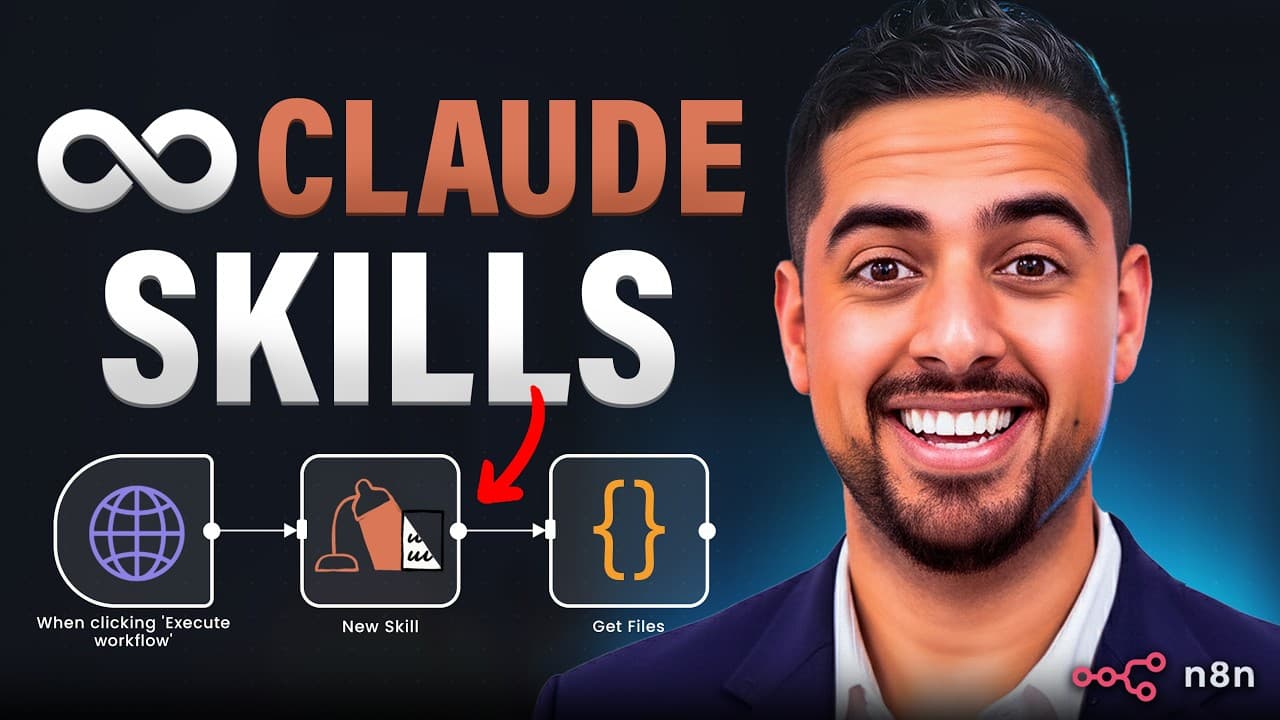
Claude Skills can be connected to n8n through the Anthropic API to retrieve skills, generate files, extract returned file IDs, and download the outputs. The same workflow pattern supports PPTX, PDF, DOCX, and XLSX creation, while Claude’s browser-based code execution provides a way to create and submit custom skills without Postman, although token usage must be monitored carefully.
Transcript
Did you know that you can use cloud skills from right within something like naden? Most people don't know it's possible. And those who do know what's possible might look at the documentation and decide it's way too complicated. But once you put all the different puzzle pieces together, which I've done for you in this video, it's actually pretty str... Read More
Key Insights
- Claude Skills are accessible from n8n through Anthropic API requests that can retrieve one skill, list multiple skills, create a custom skill, or generate downloadable files. The demonstrated workflow uses the same basic nodes with different URLs, skill identifiers, prompts, and download settings.
- The required request configuration includes an Anthropic API key, an API version, and beta headers for skills and code execution. The skills header is used when working with Skills, while the code-execution header enables the Python operations required to construct files through the API.
- File-generation skills are identified by formats such as PPTX, PDF, DOCX, and XLSX. Selecting the appropriate skill ID allows one workflow pattern to produce presentations, documents, PDFs, or spreadsheets without rebuilding the entire n8n automation for each output format.
- Generated files are retrieved by locating the file ID inside the API response payload. Searching the n8n schema for the file ID can simplify this step, after which the value can be dragged into the download request URL and used to retrieve the completed file.
- PowerPoint generation is the slowest and most token-intensive example shown. The demonstrated five-slide presentation took around 10 minutes and used about 1.1 million input tokens plus 13,000 output tokens, making model selection and output controls important for managing costs.
- A one-file instruction is important because the API may otherwise generate two, three, or four files from one request. Explicitly limiting the task to a single PPTX, PDF, or other output reduces unnecessary generation and helps prevent token usage from multiplying across unwanted files.
- Claude’s browser-based code execution can create and submit custom Skills through the API without requiring Postman. The approach gives Claude the relevant API documentation or a purpose-built Skill Creator API skill, allowing users who do not code to prototype and push skills from the browser.
- Dynamic prompts can turn file generation into an agent-driven workflow. Instead of keeping presentation or document instructions fixed, an AI agent can supply the topic, structure, content requirements, or data, then send the completed request through n8n to generate and download the requested artifact.
Install to Summarize YouTube Videos and Get Transcripts
Explore YouTube Video Summarizer or Get YouTube Transcript Extractor
Questions & Answers
Q: How do you connect Claude Skills to n8n?
Connect Claude Skills to n8n by configuring an HTTP request to the Anthropic API with the appropriate URL, API key, API version, and required beta header for Skills. For file generation, also enable code execution in the headers and tools section. The JSON body should specify the model, system instructions, user prompt, and relevant skill ID.
Q: How do you generate files with Claude Skills in n8n?
Generate a file by sending a structured JSON request from n8n to the Anthropic API. Select the appropriate PPTX, PDF, DOCX, or XLSX skill ID, provide a system prompt and detailed user instructions, and include code execution as a tool. After processing finishes, extract the returned file ID and use it in a download request.
Q: How do you download a file returned by the Anthropic API?
Download the generated file by finding its file ID in the Anthropic API response. In n8n, the schema search can locate occurrences of the file ID inside a large payload. Drag or reference that value in the download node’s URL, run the request, and then use the node’s download option to save the resulting file.
Q: Why is code execution required for Claude file generation?
Code execution is required because Claude uses it to run the Python operations needed to construct the actual file. The request must include the code-execution beta value in its headers and specify code execution in the tools configuration. Without that tool declaration, the demonstrated PPTX, PDF, DOCX, and XLSX generation workflow will not work.
Q: How expensive is PowerPoint generation with Claude Skills?
PowerPoint generation can consume a very large number of tokens. The demonstrated prompt-engineering deck required around 1.1 million input tokens and 13,000 output tokens, even though it contained five slides. The example used Claude Haiku 4.5 because it was described as cheaper, but repeated generation could still become costly at scale.
Q: How can you prevent Claude from creating multiple files?
Prevent multiple outputs by placing an explicit restriction in the system prompt, such as instructing Claude to create only one PowerPoint, PDF, DOCX, or spreadsheet file. The API may otherwise produce two, three, or four files. That behavior can multiply token consumption, so a precise one-file requirement is an important cost-control measure.
Q: How can you create a custom Claude Skill without Postman?
A custom Claude Skill can be created by giving Claude the relevant API documentation and using its in-browser code-execution capability to prepare and submit the skill. The demonstrated approach can also use a Skill Creator API skill that contains the required process. This provides a browser-based route for users who do not code or use Postman.
Q: What file formats can the Claude Skills workflow create?
The demonstrated workflow creates PowerPoint, PDF, DOCX, and Excel files through their corresponding PPTX, PDF, DOCX, and XLSX skill identifiers. The requests follow nearly the same structure, with small changes to the selected skill and prompt. Each completed file is obtained by extracting its file ID from the response and running a download request.
Summary & Key Takeaways
-
Claude Skills can be consumed inside n8n by sending structured requests to the Anthropic API. The workflow supplies an API key, required beta headers, a model, prompts, a skill ID, and the code-execution tool. Successful requests return payload data containing the identifiers needed to retrieve the generated files.
-
The demonstrated workflows create PPTX, PDF, DOCX, and XLSX files using nearly identical n8n nodes. Each request changes the selected skill and prompt, while the download stage searches the returned payload for a file ID. That identifier is inserted into a second API request that downloads the completed output.
-
Custom skills can be created through the API when importing a ZIP file through the Claude Console interface does not work. Claude’s in-browser code execution can process the relevant documentation and submit a skill without Postman. The workflow can then retrieve the resulting skill ID for use in later automations.
Read in Other Languages (beta)
Share This Summary 📚
Summarize YouTube Videos and Get Video Transcripts with 1-Click
Try YouTube Summary with ChatGPT & Claude or YouTube Transcript Generator
Explore More Summaries from Mark Kashef 📚



Summarize YouTube Videos and Get Video Transcripts with 1-Click
Try YouTube Summary with ChatGPT & Claude or YouTube Transcript Generator