How to Run Llama 3.2 Privately on Your PC
TL;DR
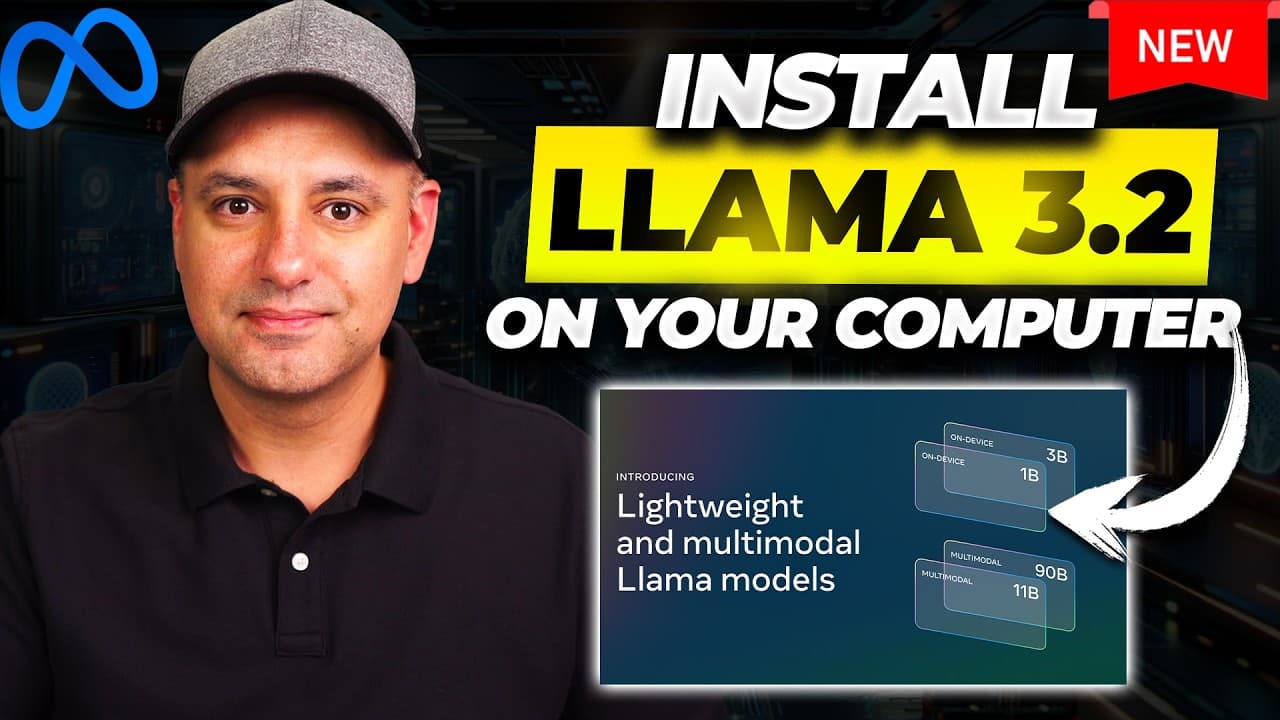
Llama 3.2 can be run locally on a computer in lightweight and multimodal variants. The video shows a five step installation using Ollama, terminal commands, Docker, and OpenWebUI, then demonstrates prompts and practical tests. It also compares lightweight models to other open source options and mentions testing on mobile devices.
Transcript
meta AI just released a brand new large language model llama 3.2 and it comes in four different versions two of them are multimodal with vision capabilities and two of them are small enough to run on devices like mobile phones I actually partner with meta AI for this video and I want to show you these four models what the difference is between the ... Read More
Key Insights
- Llama 3.2 is released in four versions, including lightweight 1B and 3B and vision enabled 11B and 90B.
- Lightweight models are designed to run on devices like mobile phones, enabling private and offline use.
- The multimodal models add vision capabilities for image related tasks.
- A five step process installs Llama 3.2 using Ollama, terminal commands, and OpenWebUI.
- Docker is required to run the local chat interface through OpenWebUI.
- OpenWebUI provides a local host interface for interacting with the installed models.
- The video compares lightweight performance to open source benchmarks and notes strong results.
- Users can choose between models via a simple dropdown and set a default model for easy reuse.
Install to Summarize YouTube Videos and Get Transcripts
Explore YouTube Video Summarizer or Get YouTube Transcript Extractor
Questions & Answers
Q: How do you start the five step installation for Llama 3.2 locally?
The process begins with installing Ollama, then copying and pasting the installation commands into the terminal to install Llama 3.1 first, followed by step three to add Llama 3.2 from the AMA library. After that, Docker is installed, and finally OpenWebUI is set up to run a local chat interface. This sequence enables running Llama 3.2 privately on a computer.
Q: What are the four versions of Llama 3.2 mentioned in the video?
The video mentions four versions: a lightweight 1B model, a lightweight 3B model, and two multimodal models with vision capabilities: 11B and 90B. The lightweight models are highlighted for their ability to run on devices with limited resources, while the multimodal variants add image processing features.
Q: Why is running Llama 3.2 locally advantageous according to the video?
Running Llama 3.2 locally provides private and secure operation on the user’s own device, avoiding cloud dependence and data transfer concerns. The open source nature allows experimentation without external service constraints, and the setup is designed to be accessible with a five step process that does not require advanced technical skills.
Q: What role does Docker play in the setup?
Docker is used to run the local chat interface for Llama 3.2 via OpenWebUI. The video shows opening Docker, launching the appropriate container, and using the OpenWebUI installation guide to connect to the locally installed model. This enables a user friendly, web based chat experience on the local machine.
Q: What are some practical prompts tested in the video?
Practical prompts include summarizing text, performing a creative writing task, and generating concise instructions for password resets in apps. The video demonstrates the model responding in real time and adjusting to different model sizes to show performance across options.
Q: Can the models be run on mobile devices according to the video?
Yes, the lightweight 1B and 3B models are highlighted as capable of running on devices with limited resources, including mobile phones. This makes private, offline AI experimentation feasible on less powerful hardware while multimodal models are more resource intensive.
Q: How does OpenWebUI contribute to the setup?
OpenWebUI provides a user friendly chat interface hosted locally. After installing the required components, users access a local host interface to select models, start chats, and run prompts, all without needing external internet access once the environment is configured.
Q: What is the significance of the four model versions for developers?
The four versions offer a spectrum from lightweight, device friendly models to larger multimodal options with vision capabilities. This allows developers to choose based on resource constraints, desired capabilities, and offline privacy considerations, enabling flexible experimentation and deployment across various devices and use cases.
Summary & Key Takeaways
-
The video explains that Llama 3.2 comes in four versions, including lightweight 1B and 3B models and multimodal 11B and 90B, with vision features for image tasks. It emphasizes open source access and private use on a user’s own device. The walkthrough covers installing Ollama, running commands, and configuring Docker and OpenWebUI for a local chat interface.
-
The presenter demonstrates a five step setup to run Llama 3.2 locally, including installation via terminal, selecting 3.2 models, and using OpenWebUI to interact with the model offline. Benchmarks are mentioned but focus stays on practical local use and flexibility across devices.
-
The video also highlights testing prompts such as summarization, creative writing, and utility tasks, showing the immediate chat response and model switching between 1B, 3B, and larger variants in the local interface for personal experimentation.
Read in Other Languages (beta)
Share This Summary 📚
Summarize YouTube Videos and Get Video Transcripts with 1-Click
Try YouTube Summary with ChatGPT & Claude or YouTube Transcript Generator
Explore More Summaries from Skill Leap AI 📚





Summarize YouTube Videos and Get Video Transcripts with 1-Click
Try YouTube Summary with ChatGPT & Claude or YouTube Transcript Generator