Why You Should Start Using Virtual Machines Today
TL;DR
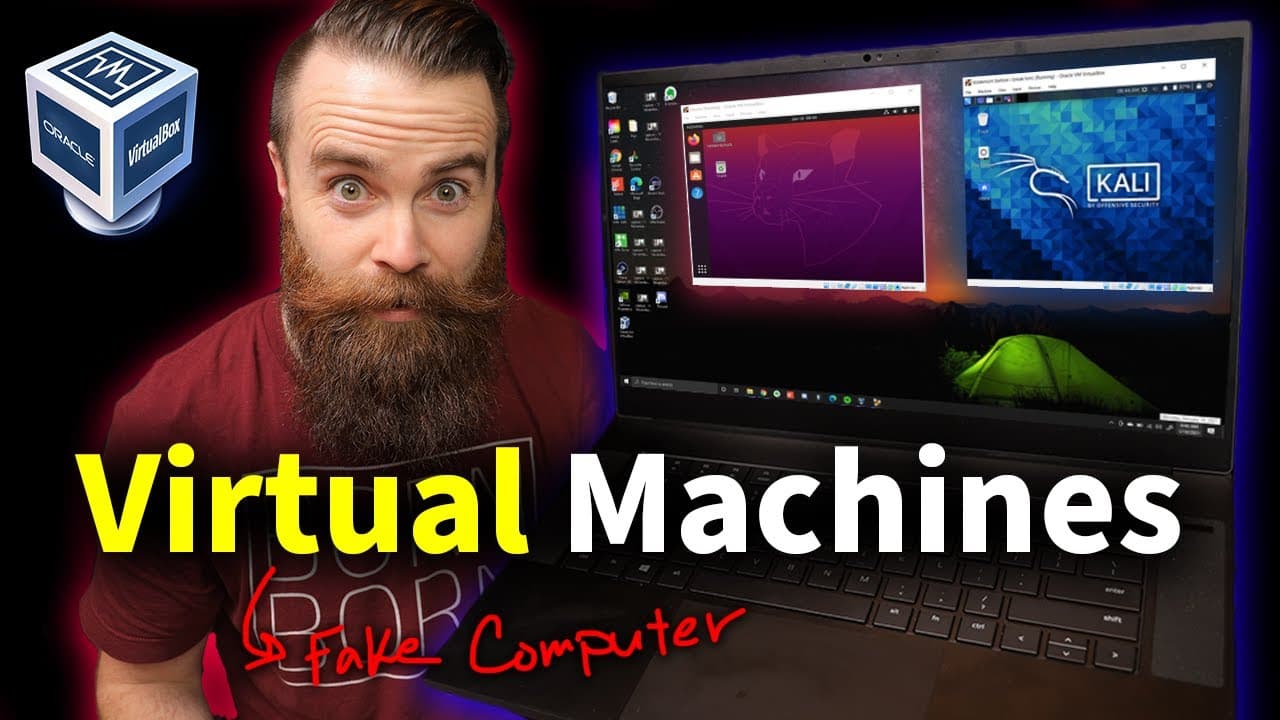
Using virtual machines allows you to safely run different operating systems, experiment securely, and learn skills like hacking without affecting your main computer. Setting them up with hypervisors like VirtualBox is straightforward and free, providing an isolated environment to explore various OSs like Kali Linux and Ubuntu. This technology is essential for IT professionals and hobbyists alike.
Transcript
virtual machines are amazing if you want to become a hacker or learn linux or get into it or if you're just a person learning what a virtual machine is and then starting to use them will change your life and that's what we're doing in this video if you're new to virtual machines we're going to talk about hey what the heck are they and why do you ne... Read More
Key Insights
- 🎰 Virtual machines offer a safe and flexible way to run multiple operating systems on a single physical machine.
- 👻 Hypervisors like VirtualBox allow users to create, manage, and run virtual machines easily.
- 🎰 Virtual machines are beneficial for learning hacking, exploring different operating systems, and experimenting without affecting the main system.
- 👻 Virtual machines can be configured to have different network settings, enabling isolation or connection to the host network.
- 🎰 Snapshots and clones are useful features in virtual machines, allowing users to save and restore specific states or duplicate machines.
- 🎰 Virtual machines can be integrated with other technologies like VPNs and Docker for additional functionalities.
- 🅰️ The choice between type 1 and type 2 hypervisors depends on the specific use case and requirements.
Install to Summarize YouTube Videos and Get Transcripts
Explore YouTube Video Summarizer or Get YouTube Transcript Extractor
Questions & Answers
Q: What is a virtual machine?
A virtual machine is a computer within a computer that runs an operating system independent of the host operating system. It allows users to run multiple operating systems on a single physical machine.
Q: How do virtual machines work?
Virtual machines work through the use of a hypervisor, which is an application that creates and manages virtual machines. The hypervisor enables the allocation and sharing of hardware resources between the host operating system and guest operating systems.
Q: What are the benefits of using virtual machines?
Virtual machines offer increased security by isolating the guest operating system from the host. They also allow users to run different operating systems on the same hardware and provide a safe environment for experimenting with software or configurations.
Q: How can I set up a virtual machine on my computer?
To set up a virtual machine, you can download and install a hypervisor like VirtualBox. Then, you can create a new virtual machine, select the desired operating system, allocate resources like memory and CPU, and install the operating system using an ISO file.
Summary & Key Takeaways
-
Virtual machines allow users to run an operating system within another operating system, offering benefits like increased security and the ability to experiment without affecting the main system.
-
Setting up a virtual machine using a hypervisor like VirtualBox is simple and free, and it allows users to install and run different operating systems, such as Kali Linux, Ubuntu, and Windows.
-
Virtual machines are useful for various purposes, including learning hacking, exploring different operating systems, and safely experimenting with software or configurations.
Read in Other Languages (beta)
Share This Summary 📚
Summarize YouTube Videos and Get Video Transcripts with 1-Click
Try YouTube Summary with ChatGPT & Claude or YouTube Transcript Generator
Explore More Summaries from NetworkChuck 📚


Summarize YouTube Videos and Get Video Transcripts with 1-Click
Try YouTube Summary with ChatGPT & Claude or YouTube Transcript Generator