How Do TCP/IP and OSI Network Models Work?
TL;DR
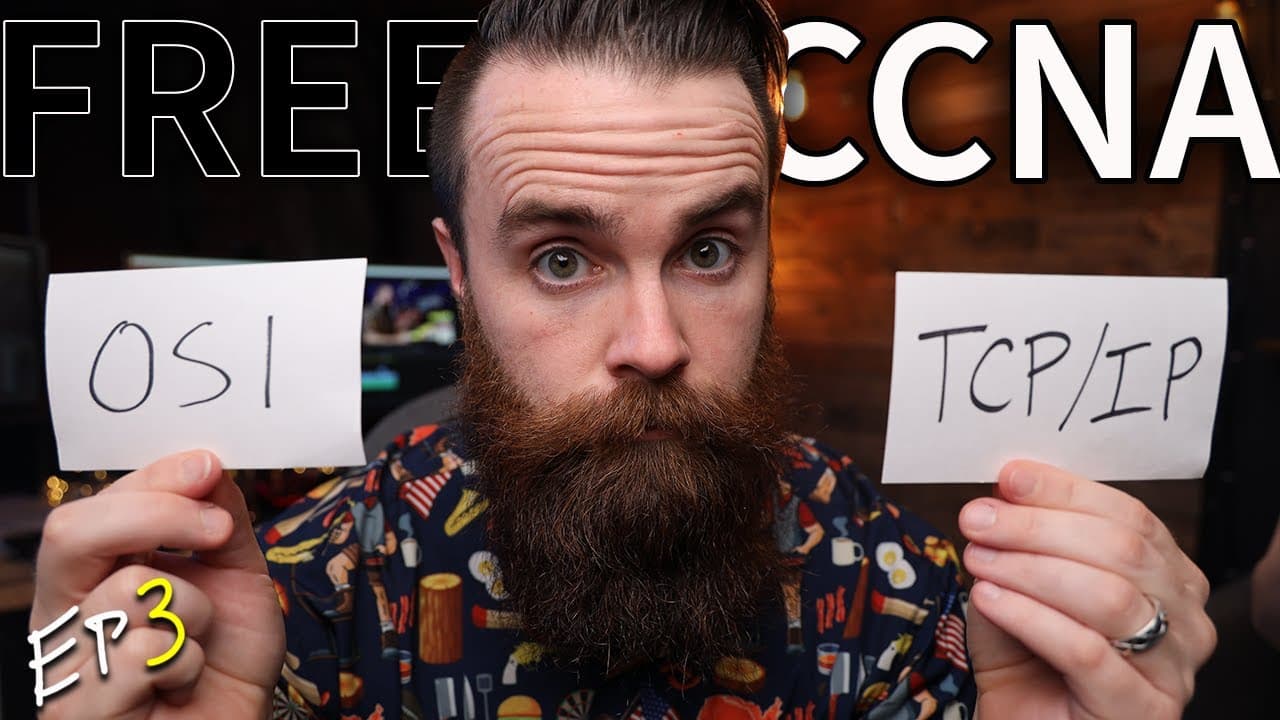
TCP/IP is the networking model implemented by modern computers, while OSI remains the standard vocabulary engineers commonly use to describe and troubleshoot network functions. Both organize communication into layers, but OSI separates session and presentation functions into distinct layers, whereas TCP/IP includes them within its application layer.
Transcript
this is episode three of my free ccna course and a huge shout out to boson software the official sponsor of the ccna course they are the reason this can be made available for free so i highly encourage you to go check them out they have the absolute best ccna ccnp labs and practice exams okay i need you to stop and think about this for a second i w... Read More
Key Insights
- Network models are shared rules and standards that allow computers and network equipment from different manufacturers to communicate. Before common models existed, companies created proprietary networks that worked with their own equipment but could not reliably exchange information with other companies' systems.
- ARPANET was created by the United States Department of Defense in 1969 and represented the first network described in the lesson. It introduced packet switching, which networks still use, although the detailed rules for universal communication had not yet been fully established.
- TCP/IP is the model implemented by computers for modern network communication. It organizes many networking functions into layers, making the standards easier to understand, design, and implement while ensuring that participating systems use compatible technologies and communication rules.
- The physical layer is responsible for tangible and electrical networking elements, including Ethernet cables, network cards, and electricity moving through the connection. It is identified as layer 1 in the layered terminology used throughout networking and CCNA study.
- The data link layer uses MAC addresses to support communication between hosts on the same network. Switches operate primarily at this layer, identified as layer 2, and use those addresses to determine where information should be sent.
- The network layer uses IP addresses to identify devices and help routers deliver packets to the correct destinations. Routers operate at layer 3, distinguishing their role from switches, which primarily use layer 2 information.
- The OSI model contains seven layers: physical, data link, network, transport, session, presentation, and application. Its session and presentation functions remain present in TCP/IP, but TCP/IP places them within the broader application layer instead of representing them separately.
- OSI terminology remains common because engineers adopted its layer names while OSI was expected to become the dominant model. Even though TCP/IP prevailed, engineers still call the application layer layer 7 and use numbered OSI layers when discussing exams, responsibilities, and troubleshooting.
Install to Summarize YouTube Videos and Get Transcripts
Explore YouTube Video Summarizer or Get YouTube Transcript Extractor
Questions & Answers
Q: Why are networking models needed?
Networking models provide shared rules, guidelines, and standards for connecting computers and exchanging data. Before those standards, manufacturers developed proprietary networks that supported only their own equipment, so devices from different companies effectively spoke different languages. Common models allow manufacturers such as IBM, Apple, and Microsoft to build compatible networking technology into their systems, enabling those systems to communicate.
Q: What is the TCP/IP model?
The TCP/IP model is the networking model implemented and supported by modern computers. It defines standards for how systems communicate and divides numerous networking functions into understandable layers. In the lesson's expanded view, those layers include physical, data link, network, transport, and application. TCP/IP is also called the TCP/IP stack and became more widely adopted than OSI.
Q: What is the OSI model?
The OSI model, whose name stands for Open Systems Interconnect, organizes networking functions into seven layers: physical, data link, network, transport, session, presentation, and application. It shares its lower layers with the TCP/IP view presented in the lesson, but gives session and presentation their own layers instead of including those functions within one application layer.
Q: What is the main difference between TCP/IP and OSI?
The main difference presented is how the models organize their upper-layer functions. OSI has separate session, presentation, and application layers, while TCP/IP places session and presentation functions inside its application layer. The underlying functions do not disappear in TCP/IP. They are simply grouped differently, while the physical, data link, network, and transport layers remain aligned in the comparison.
Q: Why do network engineers still use OSI terminology?
Network engineers still use OSI terminology because its layer names became established while the OSI model was widely expected to win adoption. TCP/IP ultimately became the implemented model, but the existing vocabulary remained part of everyday networking practice. Engineers therefore describe problems with expressions such as layer 1, layer 2, or layer 7, especially during troubleshooting and technical discussions.
Q: What happens at the physical, data link, and network layers?
The physical layer covers Ethernet cables, network cards, and the electrical activity carrying information. The data link layer uses MAC addresses for communication among hosts on the same network, with switches using those addresses to forward information. The network layer uses IP addresses, allowing routers to identify destinations and route packets toward the correct devices.
Q: At which OSI layers do switches and routers operate?
A switch operates primarily at layer 2, the data link layer, where MAC addresses help it determine where information should go. A router operates at layer 3, the network layer, where IP addresses identify devices and destinations. This layer distinction is both a networking concept and an example of the terminology used in CCNA exam questions.
Q: How can the seven OSI layers be memorized?
From application down to physical, the lesson suggests the mnemonic, "All People Seem To Need Data Processing." This maps to application, presentation, session, transport, network, data link, and physical. For the reverse direction, from physical up to application, it suggests, "Please Do Not Throw Sausage Pizza Away," which follows the same seven layers in reverse order.
Summary & Key Takeaways
-
Early computer networks used proprietary technologies, preventing equipment from different companies from communicating. ARPANET, created by the United States Department of Defense in 1969, introduced networking and packet switching, but common standards were still needed. Networking models eventually supplied shared rules that enabled independently manufactured computers and network devices to exchange data.
-
The TCP/IP model divides networking responsibilities into layers. The physical layer covers cables, network cards, and electrical signals. The data link layer uses MAC addresses and switches for communication on the same network. The network layer uses IP addresses and routers, while transport and application layers support ports and application protocols.
-
The OSI model contains seven layers and adds separate session and presentation layers between transport and application. TCP/IP incorporates those functions into its application layer. Although TCP/IP became the implemented model, engineers kept OSI terminology. Consequently, exams, technical discussions, and troubleshooting routinely describe application functions as layer 7 and switches as layer 2 devices.
Read in Other Languages (beta)
Share This Summary 📚
Summarize YouTube Videos and Get Video Transcripts with 1-Click
Try YouTube Summary with ChatGPT & Claude or YouTube Transcript Generator
Explore More Summaries from NetworkChuck 📚


Summarize YouTube Videos and Get Video Transcripts with 1-Click
Try YouTube Summary with ChatGPT & Claude or YouTube Transcript Generator