How to Use Screencastify for Easy Screen Recording
TL;DR
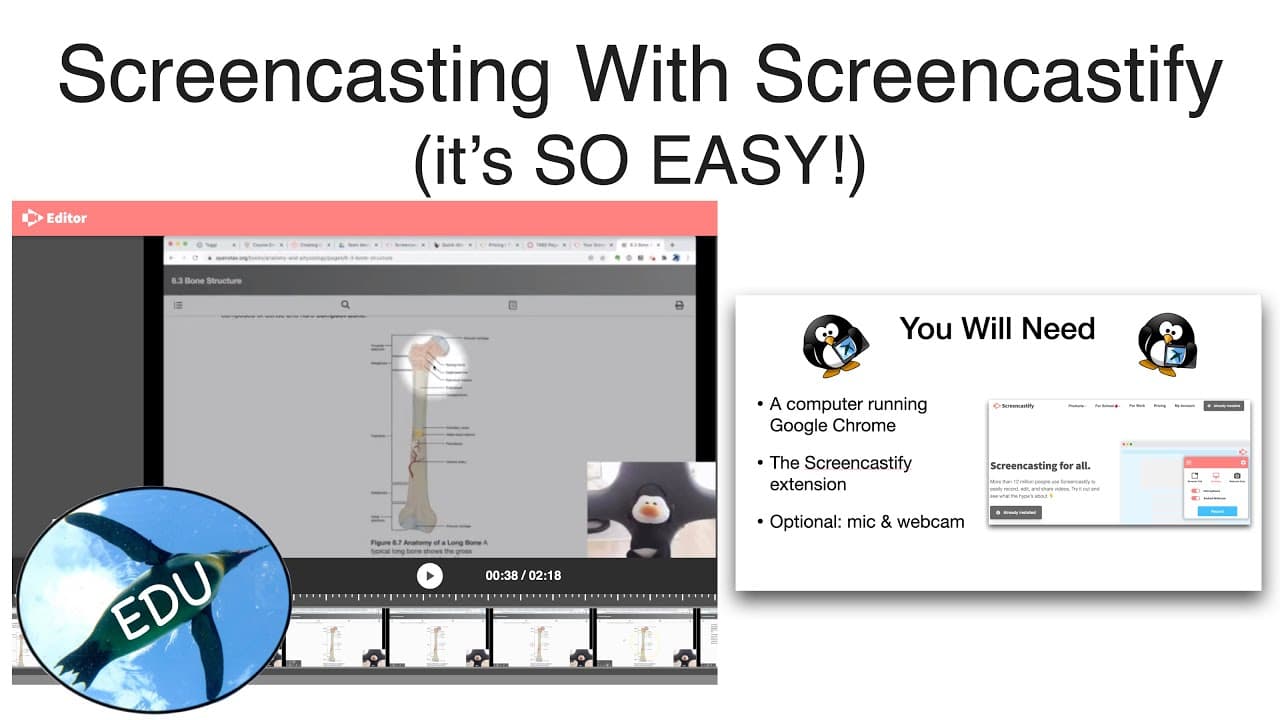
Screencastify is a user-friendly tool that enables quick screen recording using the Google Chrome extension. The free version allows recordings of up to five minutes, while the paid option at $29/year provides unlimited recording length and advanced editing features. Upgrading is advisable for educators seeking to create engaging instructional content.
Transcript
hello and welcome to the penguin prof channel for educators i'm valerie pennington and today i want to show you how to use screen castify i think it is the quickest and easiest method for screen casting that's available right now all you'll need is a computer running google chrome and you'll need to get the screencastify extension optionally if you... Read More
Key Insights
- 👤 Screencastify is an accessible and user-friendly tool for screen casting, especially for educators.
- 🥶 The free version of Screencastify is suitable for basic recording needs, while the paid version offers extensive features and editing capabilities.
- 🧑🎓 With Screencastify, educators can create engaging instructional materials and share them easily with students.
- 🔨 The tool provides various annotation and highlighting options to enhance the visual presentation of the screencast.
- 👻 Screencastify's editing capabilities allow for precise cropping and cutting, ensuring the focus remains on important content.
- 😒 Upgrading to the paid version of Screencastify is recommended for educators who plan to use the tool consistently in their teaching.
- 💄 Screencastify simplifies the process of recording and editing, making it a valuable resource for educators seeking a versatile screencasting solution.
Install to Summarize YouTube Videos and Get Transcripts
Explore YouTube Video Summarizer or Get YouTube Transcript Extractor
Questions & Answers
Q: What is needed to use Screencastify for screen casting?
To use Screencastify, you need a computer running Google Chrome and the Screencastify extension. An external microphone and webcam are optional but can enhance the recording quality.
Q: How can educators benefit from Screencastify's features?
Educators can use Screencastify to create instructional screencasts for their students. The paid version offers unlimited recording length and advanced editing tools, making it highly recommended for educators.
Q: What are some useful features of Screencastify?
Screencastify offers features like focus beam for highlighting specific areas of the screen, click highlighting, and drawing tools. It also provides an eraser option and allows for cropping and editing recordings.
Q: How can recordings be shared or edited in Screencastify?
After finishing a recording, you can immediately post it on YouTube or create a shareable link. If you want to make changes, you can open the recording in the editor, where you can crop, cut, and export it as an MP4 or send it to Google Drive.
Summary & Key Takeaways
-
Screencastify is a quick and easy method for screen casting, requiring only Google Chrome and the Screencastify extension.
-
The free version allows recording videos up to five minutes, with basic editing capabilities available for $29/year.
-
Educators can access high-end features, unlimited recording length, and more sophisticated editing for the same price.
Read in Other Languages (beta)
Share This Summary 📚
Summarize YouTube Videos and Get Video Transcripts with 1-Click
Try YouTube Summary with ChatGPT & Claude or YouTube Transcript Generator
Explore More Summaries from ThePenguinProf 📚


Summarize YouTube Videos and Get Video Transcripts with 1-Click
Try YouTube Summary with ChatGPT & Claude or YouTube Transcript Generator