How to Share Drawings on Zoom Using Your Phone
TL;DR
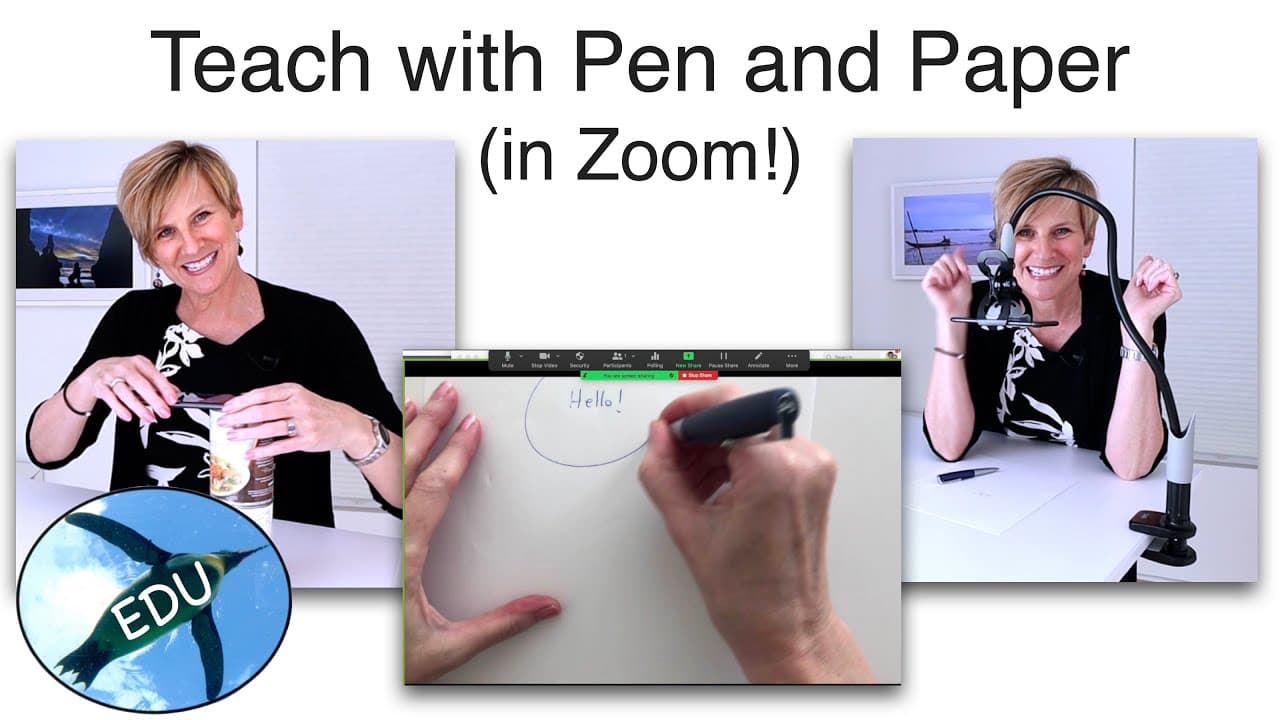
To share drawings on Zoom using your phone, lift your phone above your desk with household items like soup cans or use a gooseneck clamp for better positioning. Connect your phone to your computer wirelessly or via cable, and consider using the Belkin Stage Pro app for a borderless projection of your drawings.
Transcript
hello and welcome to the penguin prof channel i'm valerie pennington remember paper do you like paper i kind of like paper too um do you want to draw on paper and show that in your zoom room while you're teaching i can help you to do that there's a couple of different ways to do it using only your phone are you ready let's do this basic technique w... Read More
Key Insights
- 🤵 You can draw on paper and share it in your Zoom room using your phone and a simple setup.
- 💁 Items from your pantry can be used to lift and stabilize your phone above your desk.
- 👻 Connecting your phone to your computer wirelessly or with a cable allows for sharing in Zoom.
- 🧘 A gooseneck clamp can provide more versatility and safety in positioning your phone.
- 😀 The Belkin Stage Pro app eliminates the border from the camera app, providing a larger drawing area.
- 🧘 Experimenting with different setups can help you find the ideal height and positioning for drawing on paper.
- 😫 Longer cables provide more flexibility in setting up your space for drawing and sharing on Zoom.
Install to Summarize YouTube Videos and Get Transcripts
Explore YouTube Video Summarizer or Get YouTube Transcript Extractor
Questions & Answers
Q: What do I need to draw on paper and share it through Zoom?
You need a phone with a camera app, items to lift and stabilize the phone, a way to connect your phone to your computer, and pencil and paper.
Q: Can I connect my phone to my computer wirelessly?
Yes, you can connect wirelessly using airplay if your phone and computer are on the same Wi-Fi network.
Q: Is there an alternative to wireless connection?
If you have trouble with wireless, you can use a cable to connect your phone to the computer.
Q: How can I improve the setup for drawing on paper?
Consider using a gooseneck clamp for more versatility and safety in positioning your phone above your writing surface.
Q: Is there an app that eliminates the border from the camera app when sharing on Zoom?
Yes, the Belkin Stage Pro app allows you to project what you're drawing without the border, providing more freedom in teaching and sharing with students.
Summary & Key Takeaways
-
Set up your phone with a simple setup using items from your pantry to lift and stabilize it above your desk.
-
Connect your phone wirelessly or with a cable to your computer for sharing in your Zoom room.
-
Use a gooseneck clamp for added versatility and safety, and consider the Belkin Stage Pro app for a borderless drawing projection.
Read in Other Languages (beta)
Share This Summary 📚
Summarize YouTube Videos and Get Video Transcripts with 1-Click
Try YouTube Summary with ChatGPT & Claude or YouTube Transcript Generator
Explore More Summaries from ThePenguinProf 📚





Summarize YouTube Videos and Get Video Transcripts with 1-Click
Try YouTube Summary with ChatGPT & Claude or YouTube Transcript Generator