How to turn Claude into a video editing pro
TL;DR
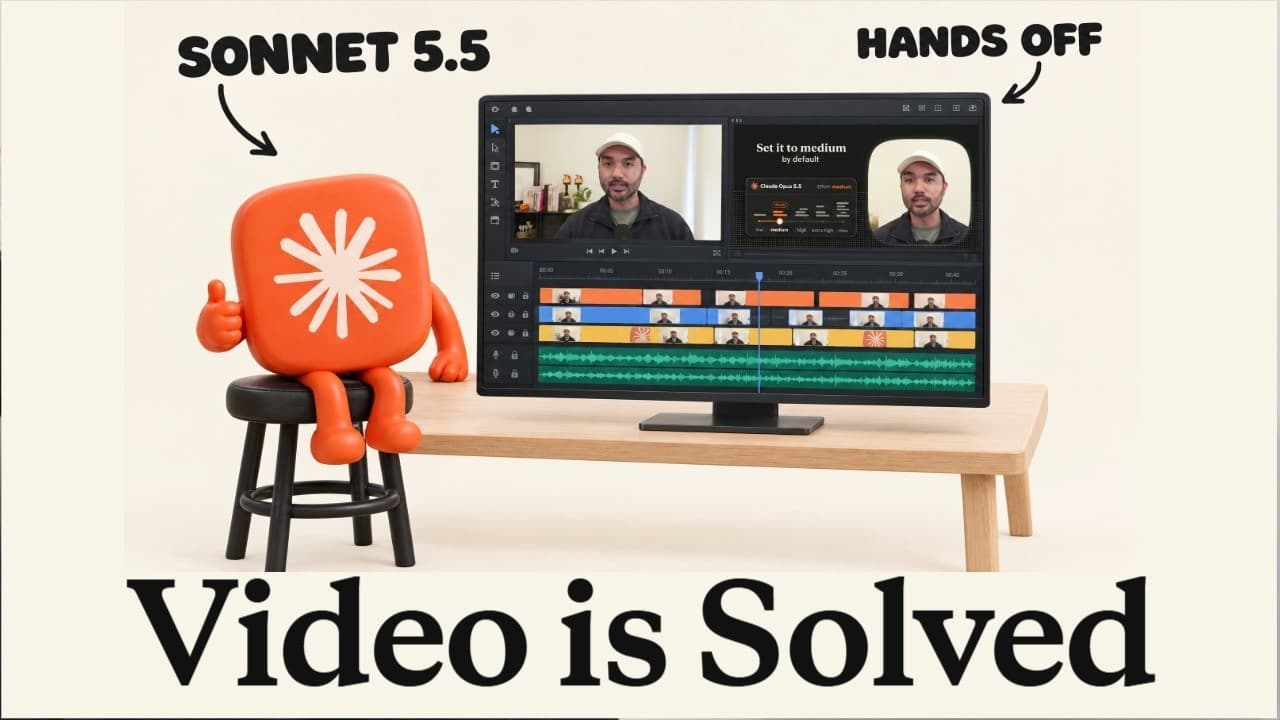
You can turn Claude into a powerful video editor by creating a codified design system with SVG assets and using Sonnet 5.5 to generate editable, animatable videos. Start by transcribing footage with Assembly AI, identify the best takes, then guide Claude to animate and assemble the final cut using a defined design system and the /animate skill.
Transcript
So, Sonic 5.5 got released early this week, and it turns out it's quite incredible when it comes to video editing and motion graphic animations like the ones you're seeing on this page, and it's also half the token cost of Opus 5.5. So, you can potentially get these types of animations for cheaper. And just to show you an example, here at the left ... Read More
Key Insights
- Sonnet 5.5 is presented as a cheaper alternative to Opus 5.5 for video editing and motion graphics.
- Claude can generate and animate SVG assets, making graphics scalable without losing quality or requiring manual redraws.
- SVG assets created by Claude are editable and animatable, enabling easy color changes and adjustments by hand if needed.
- The video demonstrates multiple visual styles including flat vector, isometric, 3D renderings, and glass morphism, all generated from Claude instructions.
- A design system can be codified into a skill to reproduce consistent visuals across videos, reducing repetition of manual configurations.
- Transcript-based editing uses Assembly AI to transcribe footage and identify worthwhile takes, enabling automated cut decisions.
- Claude can use a provided transcript to select relevant portions and apply edits based on the script, streamlining the edit process.
- The workflow emphasizes turning raw footage into a design system driven animation pipeline rather than relying on black box AI video generators due to reproducibility and cost.
Install to Summarize YouTube Videos and Get Transcripts
Explore YouTube Video Summarizer or Get YouTube Transcript Extractor
Questions & Answers
Q: What is the first step to turning Claude into a video editor according to the video?
The first step is to transcribe the raw footage using Assembly AI and then have Claude identify the best takes from the transcription. This enables automated editing and cut selection, reducing manual review time and ensuring that only high quality segments are kept for the final edit.
Q: Why is SVG format recommended for new icons and diagrams?
SVG format is recommended because it scales to any size without becoming blurry, and you can open the file and change colors by hand. This makes graphics editable and animatable, allowing for consistent rendering across different video styles while preserving sharpness on all screen sizes.
Q: How does Sonet 5.5 contribute to video editing in the described workflow?
Sonet 5.5 is used to produce all cuts and animations, including motion graphics, by leveraging JavaScript and HTML under the hood. It enables multiple animation styles such as flat vector, 3D renderings, collage, and glass morphism, and supports turning a design system into a reusable animation skill.
Q: What is the role of a design system in this video editing approach?
A design system acts as a core theme that can be codified into a skill. This makes it possible to reproduce a consistent visual language across videos and to reuse the same visual logic by simply instructing Claude to apply the design system to new footage, saving time and ensuring coherence.
Q: How are transcripts used to improve video edits in Step 1?
Transcripts are used to identify where pauses or false takes occurred and which parts of the script are worth keeping. Claude uses the transcript to select the best segments, apply cuts, and assemble a clean final edit, guided by the structure of the spoken content.
Q: What comparison is made between Sonnet 5.5 and Opus 5.5 in the video?
The video notes that Sonnet 5.5 is the cheaper version of Opus 5.5 while still delivering high quality video editing and motion graphics. This cost advantage is presented as a key reason to consider Sonnet for producing diverse styles of animated content.
Q: What types of visuals are demonstrated as possible outputs with Claude and Sonnet?
The demonstration includes flat vector animations, isometric designs, 3D render animations, collage style cuts, glass morphism visuals, and cutout animations. This shows a broad range of visual styles that can be produced by tagging the appropriate design system and instructing Claude accordingly.
Q: What guarantees does the video imply about reproducibility when using a design system with Claude?
The video implies that once a design system is codified into a skill, the visuals can be consistently reproduced across different videos. This reproducibility comes from using the same design system prompts and the /animate capability to generate the desired style without reinventing the wheel each time.
Summary & Key Takeaways
-
A codified design system with SVGs lets Claude generate scalable, editable assets that can be animated with Sonnet 5.5, enabling flexible video production.
-
Transcription and clip selection are automated steps that improve editing efficiency, allowing the final cut to be produced with fewer manual corrections.
-
Using SVG based design systems and the /animate capability, multiple visual styles can be produced from the same transcript, increasing versatility in video styles.
Read in Other Languages (beta)
Share This Summary 📚
Summarize YouTube Videos and Get Video Transcripts with 1-Click
Try YouTube Summary with ChatGPT & Claude or YouTube Transcript Generator
Explore More Summaries from Jay E | RoboNuggets 📚

Summarize YouTube Videos and Get Video Transcripts with 1-Click
Try YouTube Summary with ChatGPT & Claude or YouTube Transcript Generator