How to Build Agent Workflows with LangGraph
TL;DR
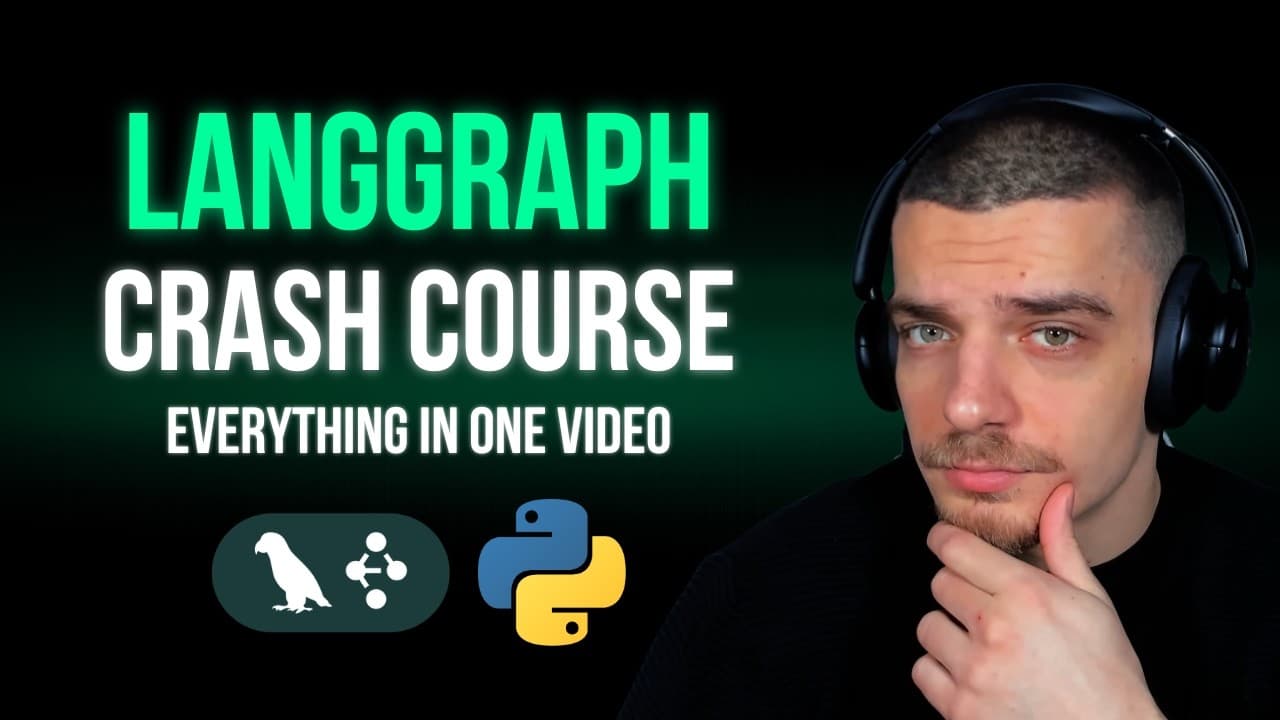
Build a LangGraph workflow by defining shared state, implementing nodes that read and update it, connecting those nodes with edges, and compiling the graph before invocation. LangGraph supports more complex agent processes through memory, conditional routing, retrieval-augmented generation, human approval steps, workflow visualization, and loops, while LangChain provides higher-level components for LLM applications.
Transcript
Today, we're going to do a crash course on LangGraph, which is part of the LangChain ecosystem, but operates on a lower level. LangGraph is mainly focused on agent orchestration, building workflows, modeling whole processes as graphs, whereas LangChain is more like a toolkit for building LLM applications, LLM wrappers, so to say. LangChain is more ... Read More
Key Insights
- LangGraph is a lower-level framework for orchestrating agents and modeling complete processes as graphs, while LangChain is presented as a higher-level toolkit for constructing simpler LLM applications and providing components that support the intelligent work performed inside graph nodes.
- Every LangGraph workflow is built from nodes and edges, beginning with the predefined START node and eventually reaching the predefined END node. Intermediate nodes can perform prompting or other operations, while edges specify how execution proceeds between those operations.
- Graph state is the shared information passed from one node to the next throughout a workflow. The built-in MessagesState contains a list of user, assistant, and tool-related messages, giving each connected node access to the conversation information accumulated so far.
- MessagesState appends newly returned messages instead of replacing the existing message list. A prompting node can therefore return a dictionary containing its model response, and the state annotation ensures that response becomes part of the continuing message history.
- A basic LangGraph node is a Python function that accepts the current state and returns an update. In the demonstrated prompting node, the function retrieves messages from the state, invokes the configured chat model, and returns the generated response inside a messages list.
- A StateGraph instance acts as the graph builder and must be initialized with the selected state structure. Developers add node functions, connect them with ordinary or conditional edges, and then compile the builder to obtain an executable graph.
- Conditional edges enable routing decisions that send execution toward different nodes according to the current situation. Graphs can also contain branches and loops, allowing workflows to revisit nodes or follow different paths instead of always executing one fixed sequence.
- LangGraph supports workflows that incorporate memory, retrieval-augmented generation, human-in-the-loop approval, graph visualization, and loops. These capabilities make it possible to represent processes that require stored context, retrieved information, branching decisions, manual checkpoints, or repeated operations.
Install to Summarize YouTube Videos and Get Transcripts
Explore YouTube Video Summarizer or Get YouTube Transcript Extractor
Questions & Answers
Q: What is LangGraph used for in Python applications?
LangGraph is used to orchestrate agents and model complete application processes as graphs. A workflow consists of nodes that perform operations and edges that control movement between them. It can represent simple prompt sequences as well as more complex processes involving memory, conditional routing, retrieval-augmented generation, human approval checkpoints, visualization, branches, and loops.
Q: How is LangGraph different from LangChain?
LangChain is described as a higher-level toolkit for building LLM applications and working with model-related components, while LangGraph operates at a lower level and focuses on agent orchestration. LangGraph gives developers detailed control over complete workflows, including their state, nodes, edges, branches, routing rules, loops, and durable process structure.
Q: How do you set up a Python project for LangGraph?
Create a project directory, add a .env file containing the API key for the chosen model provider, and install LangGraph, LangChain with the required provider support, and python-dotenv. The demonstration uses OpenAI and the uv package manager, but it also states that packages can be installed with pip and another supported provider may be selected.
Q: How do you create a basic LangGraph workflow?
Initialize a StateGraph with MessagesState, define a node function that accepts the state, and add that function to the graph builder. Connect START to the prompting node and connect the prompting node to END. Compile the builder into an executable graph, then invoke it with a messages dictionary containing the user's role and content.
Q: What is state in a LangGraph workflow?
State is the shared information passed from node to node while the graph executes. The basic example uses MessagesState, which stores a list of messages that can include user, assistant, or tool-related entries. A custom state can also be defined when a workflow needs to carry information beyond the default message list.
Q: How does MessagesState preserve message history?
MessagesState uses an annotation that causes returned messages to be appended to the existing list rather than replacing it. A node can return a dictionary whose messages field contains the latest model response. LangGraph then adds that response to the accumulated state, preserving the messages that were already available when the node began executing.
Q: How do conditional edges and loops work in LangGraph?
Conditional edges route execution to different nodes depending on a decision made from the workflow's current situation or state. Loops allow execution to return to an earlier node, including potentially the same node, rather than proceeding directly to END. Together, these structures support branching and repeated operations within more complex agent workflows.
Q: When should human-in-the-loop approval be added?
Human-in-the-loop approval can be added when a graph needs a manual checkpoint as part of its process. It is one of the advanced workflow patterns covered alongside routing, memory, retrieval-augmented generation, visualization, and loops. In graph terms, the approval becomes a stage that affects how execution proceeds through the connected workflow.
Summary & Key Takeaways
-
LangGraph is a lower-level orchestration framework within the LangChain ecosystem for representing agent workflows as graphs. Every workflow begins at a START node, moves through one or more functional nodes, and finishes at an END node. Edges determine the path taken through the process.
-
The introductory Python workflow loads an API key from a .env file, initializes a chat model, and defines a prompting node. That node receives the graph state, invokes the model with the stored messages, and returns the response so it can be appended to the existing message history.
-
More advanced workflows can add memory, conditional edges, routing, retrieval-augmented generation, human-in-the-loop approval, visualization, and loops. These features allow developers to model branching and durable processes rather than limiting an application to one direct prompt-and-response sequence between the starting and ending nodes.
Read in Other Languages (beta)
Share This Summary 📚
Summarize YouTube Videos and Get Video Transcripts with 1-Click
Try YouTube Summary with ChatGPT & Claude or YouTube Transcript Generator
Explore More Summaries from NeuralNine 📚

Summarize YouTube Videos and Get Video Transcripts with 1-Click
Try YouTube Summary with ChatGPT & Claude or YouTube Transcript Generator