Office / Studio Tour and Gear Update
TL;DR
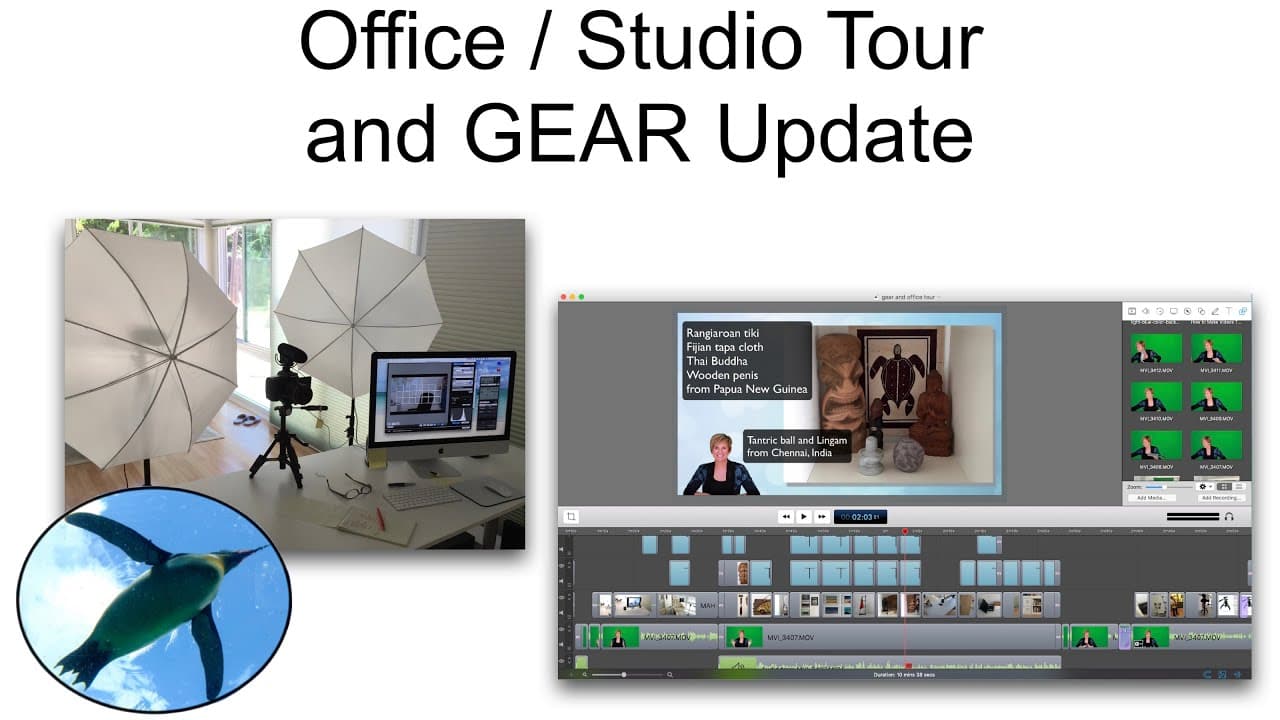
Penguin Prof gives a tour of her office and shares her YouTube gear setup.
Transcript
hello and welcome to the penguin prof channel in today's video you guys keep asking for it so we're gonna do it we're going to do an office tour set up and YouTube gear tour a few years ago I did a video which I geared more for educators which talked about I'll link it somewhere I talked about kind of how I go about making the different types of ed... Read More
Key Insights
- 😃 Penguin Prof's office is designed to inspire creativity and joy while providing a functional workspace.
- 🦾 She organizes her gear by keeping items within arm's reach and storing others in drawers and bins.
- 🎥 Penguin Prof recommends different cameras for specific purposes, such as vlogging or recording unlisted videos.
- 🎙️ Good audio quality is vital for videos, and Penguin Prof suggests using the Blue Yeti USB microphone or Rode microphones.
- 🖱️ She uses the Canon 70D camera with her computer for remote control and monitoring during filming.
- 🎮 Penguin Prof prefers using ScreenFlow software for her educational videos on her iMac.
Install to Summarize YouTube Videos and Get Transcripts
Explore YouTube Video Summarizer or Get YouTube Transcript Extractor
Questions & Answers
Q: How did Penguin Prof design her office space?
Penguin Prof designed her office to include lighting, sound, and items that inspire her, such as souvenirs from her travels.
Q: What gear does Penguin Prof recommend for creating videos on a budget?
Penguin Prof suggests using an iPhone or the Sony RX100 Mark 3 camera for vlogging, a Logitech webcam for virtual office hours, and the Blue Yeti USB microphone for great audio quality.
Q: How does Penguin Prof control her Canon 70D camera for filming videos?
Penguin Prof sets up her Canon 70D camera on a tripod and connects it to her computer via USB. She uses the Canon software to control the camera settings and monitor the audio levels.
Q: What is the quality of the audio from the Rode microphones that Penguin Prof uses?
Penguin Prof speaks highly of the Blue Yeti USB microphone and the VideoMic Pro by Rode. She also recommends the Rode Smartlav Plus for recording audio with a phone.
Summary & Key Takeaways
-
Penguin Prof built her office as an addition to her house, focusing on lighting, sound, and creating a space that brings her joy.
-
She keeps her workspace clean and organized, with items within arm's reach and others stored in drawers and bins.
-
Penguin Prof discusses her gear, including tripods, a Wacom Bamboo tablet, cameras (Sony RX100 Mark 3, Logitech webcam, Canon 70D), and different types of microphones.
Read in Other Languages (beta)
Share This Summary 📚
Summarize YouTube Videos and Get Video Transcripts with 1-Click
Try YouTube Summary with ChatGPT & Claude or YouTube Transcript Generator
Explore More Summaries from ThePenguinProf 📚


Summarize YouTube Videos and Get Video Transcripts with 1-Click
Try YouTube Summary with ChatGPT & Claude or YouTube Transcript Generator