Multithreading in Java Explained in 10 Minutes
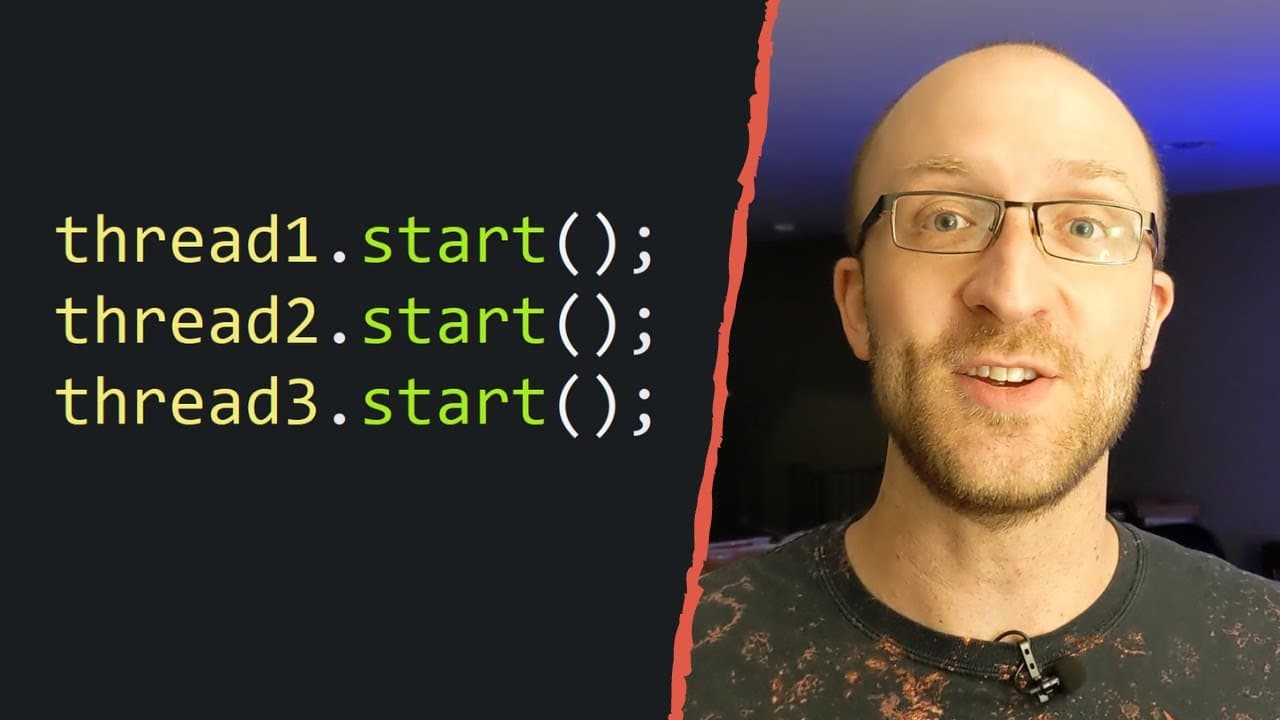
TL;DR
This video explains how to implement multithreading in Java programs, allowing multiple tasks to be executed simultaneously.
Transcript
in this video we're going to talk about how you can implement multithreading into your java programs so you'll be able to write java programs that do multiple different things at the same time my name is john i'm a lead java software engineer and i love sharing what i've learned in a clear understandable way so if you like this video be sure to sub... Read More
Key Insights
- 👻 Multithreading allows for simultaneous execution of multiple tasks in Java programs.
- 👶 Two main approaches to creating a new thread: extending the Thread class or implementing the Runnable interface.
- 🧵 The start() method is used to start the execution of a thread, and the run() method contains the code to be executed in that thread.
- 🧵 Exceptions in one thread do not impact the execution of other threads.
- 🏛️ Implementing the Runnable interface provides more flexibility in class inheritance compared to extending the Thread class.
- 🧵 The join() method can be used to pause the execution of the program until a specific thread completes.
Install to Summarize YouTube Videos and Get Transcripts
Explore YouTube Video Summarizer or Get YouTube Transcript Extractor
Questions & Answers
Q: What is multithreading in Java?
Multithreading in Java refers to the ability to execute multiple paths of code simultaneously, allowing multiple tasks to be performed at the same time.
Q: How can you create a new thread in Java?
There are two ways to create a new thread in Java: by extending the Thread class or by implementing the Runnable interface. Extending the Thread class requires overriding the run() method, while implementing the Runnable interface requires implementing the run() method.
Q: How does multithreading work in Java?
Java creates a separate thread for each task to be performed concurrently. The code to be executed in each thread is defined in the run() method. The start() method is used to kick off the execution of each thread.
Q: What happens if an exception occurs in one thread?
If an exception occurs in one thread, it does not impact the execution of other threads. Each thread runs independently, and exceptions in one thread will not affect the execution of other threads.
Q: What is the difference between extending the Thread class and implementing the Runnable interface?
Extending the Thread class allows you to create a new thread directly, but it limits the ability to extend other classes since Java does not allow multiple inheritance. Implementing the Runnable interface allows more flexibility to extend other classes while still enabling multithreading.
Key Insights:
- Multithreading allows for simultaneous execution of multiple tasks in Java programs.
- Two main approaches to creating a new thread: extending the Thread class or implementing the Runnable interface.
- The start() method is used to start the execution of a thread, and the run() method contains the code to be executed in that thread.
- Exceptions in one thread do not impact the execution of other threads.
- Implementing the Runnable interface provides more flexibility in class inheritance compared to extending the Thread class.
- The join() method can be used to pause the execution of the program until a specific thread completes.
- The isAlive() method returns a boolean indicating whether a thread is still running.
Summary & Key Takeaways
-
Multithreading allows execution of multiple paths of code simultaneously in a Java program.
-
Two main ways of creating a new thread in Java: extending the Thread class or implementing the Runnable interface.
-
The start() method is used to kick off a new thread, while the run() method contains the code to be executed in that thread.
Read in Other Languages (beta)
Share This Summary 📚
Summarize YouTube Videos and Get Video Transcripts with 1-Click
Try YouTube Summary with ChatGPT & Claude or YouTube Transcript Generator
Explore More Summaries from Coding with John 📚
Summarize YouTube Videos and Get Video Transcripts with 1-Click
Try YouTube Summary with ChatGPT & Claude or YouTube Transcript Generator