Where to Find Free AI Prompts for ChatGPT
TL;DR
Free prompt libraries from Google, Anthropic, OpenAI, Hero, Snack Prompt, PromptHero, and GitHub provide reusable instructions for writing, business, coding, and image generation. Choose prompts by use case, replace placeholders with specific details, test the output in your preferred model, and refine the instructions when necessary. Many useful options are available without paying for individual prompts.
Transcript
in today's video I want to share with you seven different prompt libraries that I found really really useful and if you're really busy these should give you some really great free prompts that you could save to a Notes app and constantly use across chat GPT or Claud or whatever large language model you like to use this video is brought to you by ni... Read More
Key Insights
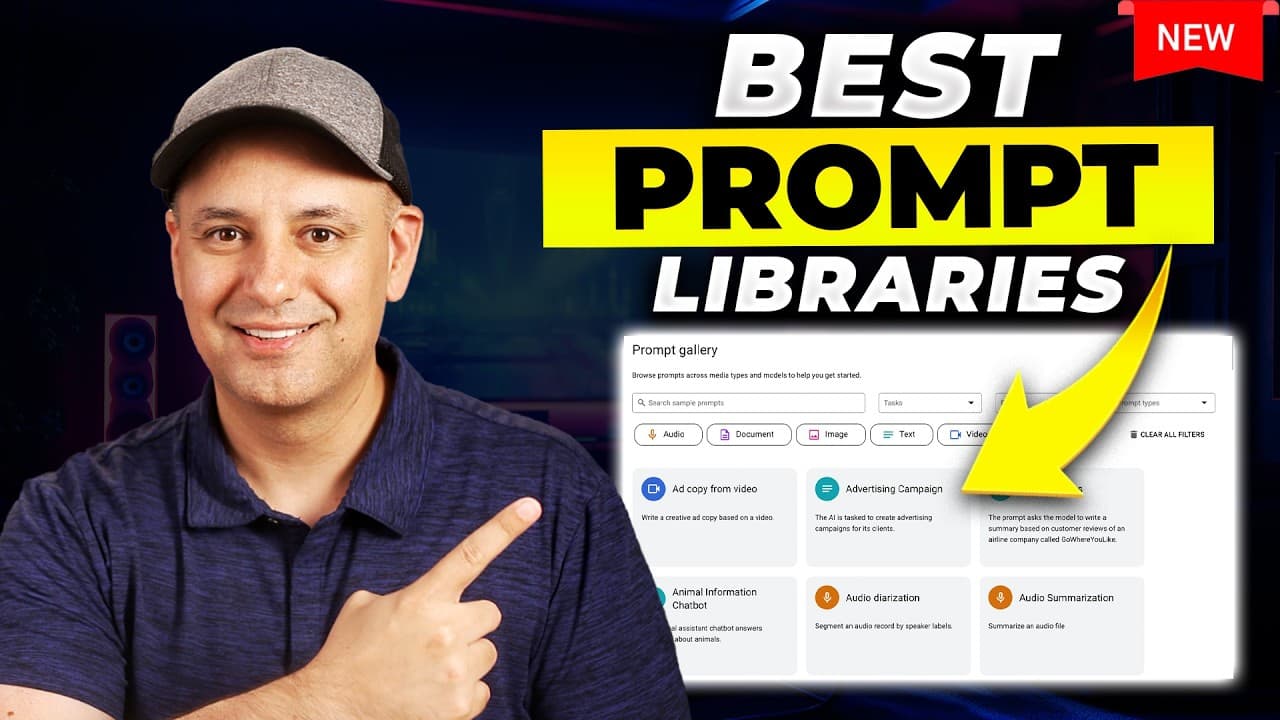
- Google AI Studio is both a prompt gallery and an execution environment where users can enter variables, upload an image, choose a Gemini model, and generate an output without transferring the prompt to another chatbot.
- Hero is a practical prompt library for business owners, marketers, and creative professionals, covering areas such as content creation, design, media, and image generation. Its interface lets users replace placeholders before copying a completed prompt.
- Snack Prompt is a community library containing free and premium prompts with visible ratings. The presenter recommends filtering for non-premium options because many free prompts are useful and paying for an individual prompt is unnecessary.
- Long-form generation is constrained by output limits, so comprehensive prompts may divide a project into stages. The tested book prompt created a title and eleven-chapter structure, then requested confirmation before generating each chapter separately.
- OpenAI's prompt library contains about fifty examples and was presented as the first prompt library the creator used. Many entries are simple, developer-oriented examples, although individual user prompts can still be copied for general chatbot use.
- Anthropic's prompt library provides both system prompts and user prompts. System instructions can operate in the backend of a chatbot or custom configuration, while user prompts are the requests entered during the conversation.
- PromptHero is designed primarily for finding image-generation prompts across platforms such as Midjourney, Stable Diffusion, Flux, and ChatGPT. Many entries display the generated result alongside a copyable prompt and relevant parameters.
- Role prompting works by instructing a model to act as a particular specialist, such as an English translator or travel guide. The featured GitHub collection contains detailed role-based examples that the presenter found especially helpful when beginning to write prompts.
Install to Summarize YouTube Videos and Get Transcripts
Explore YouTube Video Summarizer or Get YouTube Transcript Extractor
Questions & Answers
Q: Where can I find free prompts for ChatGPT and Claude?
Free prompts are available through Google AI Studio, Hero, Snack Prompt, OpenAI's examples, Anthropic's prompt library, PromptHero, a GitHub role-prompting collection, and Google Vertex AI. These sources cover business writing, marketing, content creation, chatbot development, coding, travel, translation, and image generation. Prompts can be copied into ChatGPT, Claude, or another preferred large language model.
Q: How do I customize a prompt from an AI prompt library?
Start by identifying placeholders for details such as the topic, audience, profession, tone, style, or desired task. Replace those placeholders with information specific to your goal, then copy the completed prompt into your preferred chatbot. Review the first result and ask the model to refine it if necessary. Hero can replace placeholder fields before the prompt is copied.
Q: How does Google AI Studio's prompt gallery work?
Google AI Studio presents example prompts for different use cases and can execute them within the same platform. In the marketing-writer example, a user supplies a product image and identifies the target audience, then runs the prompt to produce a marketing description. Users can also select a model, add tone or style instructions, save the prompt, or copy it elsewhere.
Q: Which prompt libraries are useful for image generation?
PromptHero is especially useful for image-generation prompts because it supports searching examples associated with Midjourney, Stable Diffusion, Flux, and ChatGPT. Many listings show the resulting image, the complete prompt, and relevant parameters. Hero also includes detailed Midjourney examples. These collections can help when a user wants to reproduce a stock-photo style or another specific visual result.
Q: Should I pay for prompts on Snack Prompt?
The presenter recommends using free, non-premium prompts instead of paying for individual prompts because many free entries are already useful. Snack Prompt also provides ratings, which can help identify examples that other users found effective. One highly rated book-creation prompt produced a title and eleven-chapter outline, then organized the writing process through follow-up requests for each chapter.
Q: What is the difference between system prompts and user prompts?
A system prompt contains background instructions that guide how a chatbot behaves, and it can be placed in the backend of a chatbot or a custom configuration. A user prompt is the request typed directly into the conversation. Anthropic's library provides examples of both types, while some Google prompt examples also combine task instructions with separate system guidance for tone and style.
Q: How can AI prompts handle a long project such as writing a book?
A long-form prompt can begin by defining the book topic, generating a title, and creating a chapter structure. Because a chatbot may not produce the entire requested manuscript in one response, the workflow can pause after the outline and ask whether the user is ready for the first chapter. Each later section can then be generated through successive follow-up requests.
Q: What is role prompting and when is it useful?
Role prompting begins by telling the model to act as a particular kind of specialist, such as an English translator, writing improver, or travel guide. The GitHub collection featured in the transcript expands these simple role assignments into detailed instructions for many tasks. The presenter found this technique especially useful when new to prompting because it produced better results for specific use cases.
Summary & Key Takeaways
-
Google offers two useful collections: Google AI Studio provides prompts that can run directly with Gemini models, while the Vertex AI gallery contains more professional examples designed for developers. Business owners and general chatbot users can still copy these prompts, customize their variables, and use them with ChatGPT, Claude, or another model.
-
Hero provides practical prompts for business, marketing, content creation, design, and media, with fields that replace placeholders before copying. Snack Prompt adds community ratings and both free and premium entries. Its longer workflows can divide large projects, such as an eleven-chapter book, into manageable outputs delivered through successive follow-up requests.
-
OpenAI and Anthropic publish prompt libraries containing user prompts and, in some cases, system instructions for chatbot development. PromptHero specializes in searchable image-generation examples with visible outputs, while the GitHub role-prompting collection supplies detailed instructions that assign roles such as translator or travel guide. Together, these libraries cover many common creative and professional tasks.
Read in Other Languages (beta)
Share This Summary 📚
Summarize YouTube Videos and Get Video Transcripts with 1-Click
Try YouTube Summary with ChatGPT & Claude or YouTube Transcript Generator
Explore More Summaries from Skill Leap AI 📚





Summarize YouTube Videos and Get Video Transcripts with 1-Click
Try YouTube Summary with ChatGPT & Claude or YouTube Transcript Generator