What Are User Interfaces in Operating Systems?
TL;DR
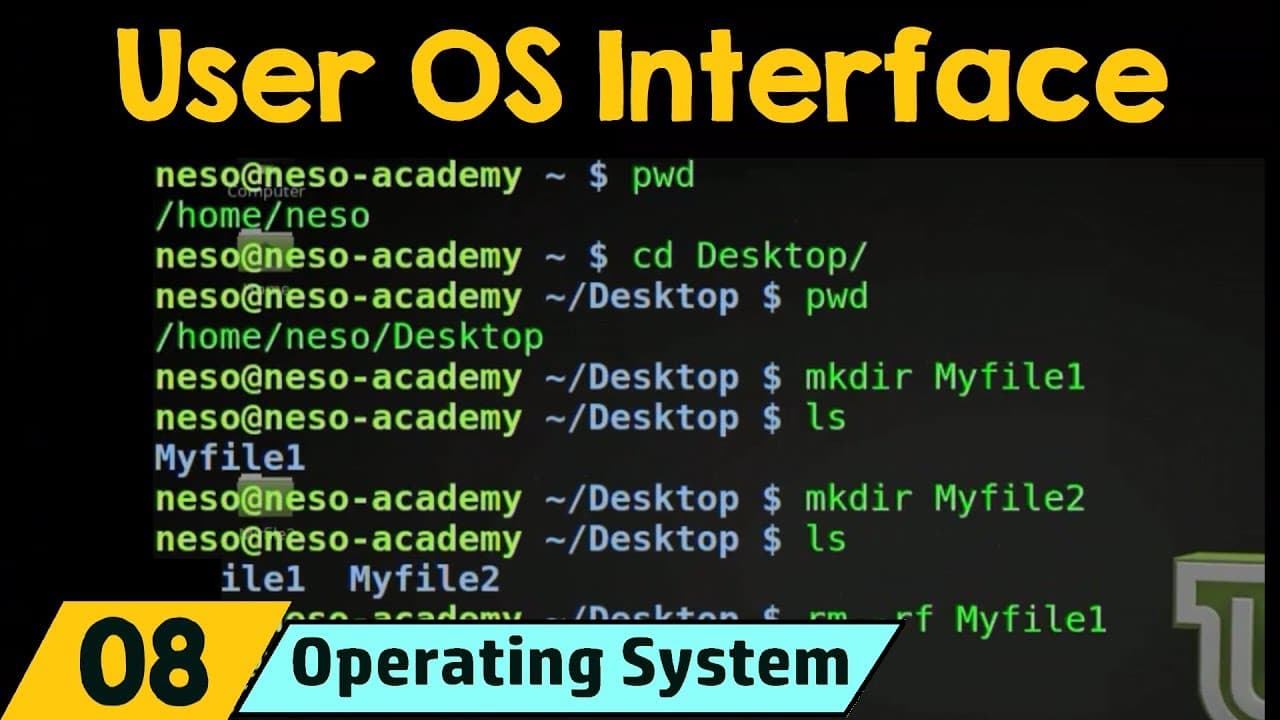
User interfaces enable interaction with operating systems and fall into two main categories: command-line interfaces (CLI) and graphical user interfaces (GUI). While CLIs require users to type commands, GUIs offer a more intuitive experience through visual elements, making them generally easier to use.
Transcript
in this lecture we'll be studying about user operating system interface now in a previous lecture when we studied about operating system services we saw that user interface is one of the most important service that is provided by the operating system now what is a user interface a user interface is something that allows the user to actually interac... Read More
Key Insights
- 👤 User interfaces are crucial for interacting with an operating system effectively.
- 👤 Command-line interfaces require users to enter commands directly, whereas graphical user interfaces provide a visual and user-friendly interface.
- 👨💻 The command interpreter can either contain the code for tasks or call specific programs to execute them.
- 🐚 Different operating systems have different implementations of command interpreters and shells.
Install to Summarize YouTube Videos and Get Transcripts
Explore YouTube Video Summarizer or Get YouTube Transcript Extractor
Questions & Answers
Q: What is a user interface?
A user interface is a means for users to interact with an operating system and perform tasks.
Q: What are the two fundamental approaches for user interfaces?
The two fundamental approaches are command-line interfaces (CLI) and graphical user interfaces (GUI).
Q: How does a command-line interface work?
In a CLI, users enter commands directly into the interface, and the operating system performs the associated tasks based on the commands.
Q: How does a graphical user interface work?
A GUI provides a visual interface with menus and icons that users can interact with through mouse clicks or keyboard inputs, making it more user-friendly.
Q: Do all operating systems include the command interpreter in the kernel?
No, some operating systems treat the command interpreter as a special program, while others include it in the kernel itself.
Q: What are some examples of command interpreters or shells?
Examples include CMD in Windows, Terminal in Linux, and shells such as bash, conch, etc.
Q: How does a command interpreter execute tasks?
There are two approaches: the command interpreter includes the code for the task, or it calls specific programs responsible for executing the task.
Q: Can the same tasks be performed using both command-line interfaces and graphical user interfaces?
Yes, the same tasks can generally be performed using either approach, but the methods of input and interaction differ.
Key Insights:
- User interfaces are crucial for interacting with an operating system effectively.
- Command-line interfaces require users to enter commands directly, whereas graphical user interfaces provide a visual and user-friendly interface.
- The command interpreter can either contain the code for tasks or call specific programs to execute them.
- Different operating systems have different implementations of command interpreters and shells.
- Both command-line interfaces and graphical user interfaces have their pros and cons, depending on the user's preference and familiarity.
Summary & Key Takeaways
-
User interfaces allow users to interact with the operating system.
-
Command-line interfaces (CLI) require users to enter commands directly into the interface to perform tasks.
-
Graphical user interfaces (GUI) are more user-friendly and allow users to interact with the operating system through clicks and keyboard inputs.
Read in Other Languages (beta)
Share This Summary 📚
Summarize YouTube Videos and Get Video Transcripts with 1-Click
Try YouTube Summary with ChatGPT & Claude or YouTube Transcript Generator
Explore More Summaries from Neso Academy 📚


Summarize YouTube Videos and Get Video Transcripts with 1-Click
Try YouTube Summary with ChatGPT & Claude or YouTube Transcript Generator