How to Send Large Files Over Email Using WeTransfer
TL;DR
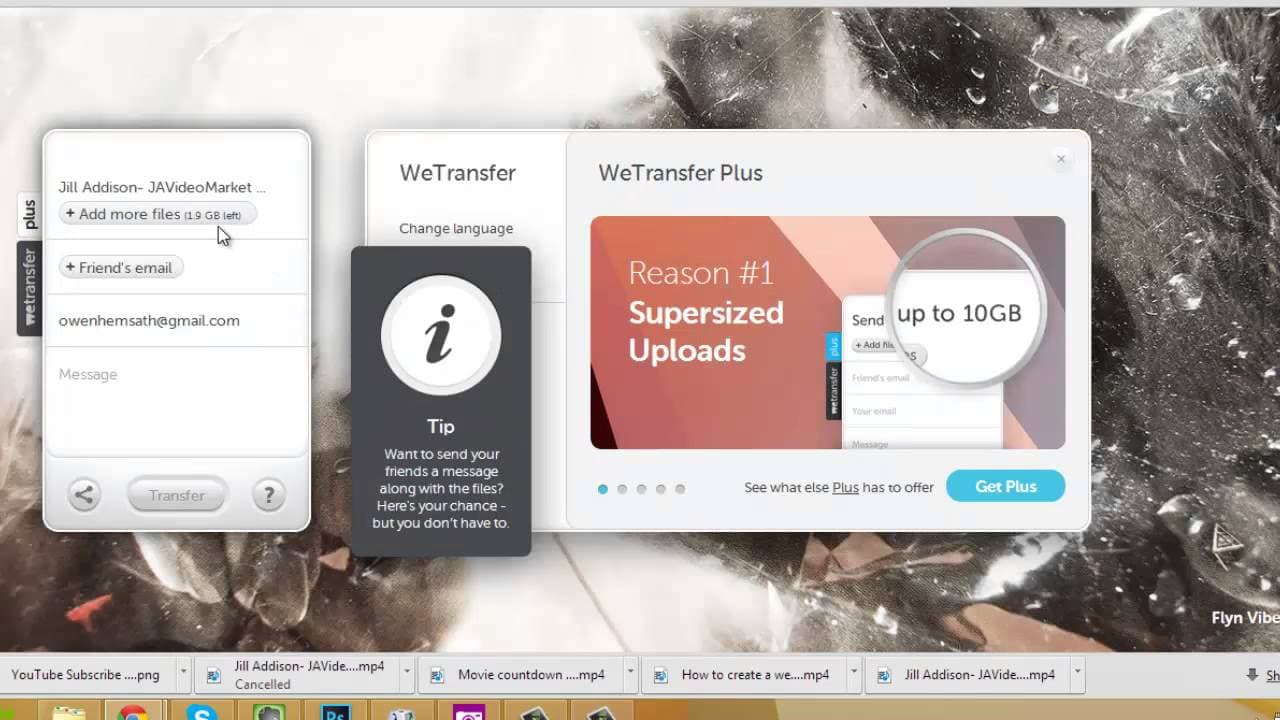
To send large files over email, use WeTransfer, which allows for file transfers up to 2GB for free. Simply go to WeTransfer.com, upload your files, enter the recipient's email, add a message, and hit transfer. Both you and the recipient will receive notifications once the file is successfully sent and downloaded.
Transcript
but they style it is so big what's up ninjas this is Owen coming back at you today we're going to be going through another quick tip tutorial for you I'm going to be showing you how to take a large file and emailing it out to any a large variety of people files up to two gigs and even bigger using a program called we transfer that is free to everyo... Read More
Key Insights
- 👤 WeTransfer is a user-friendly tool for sending large files quickly and efficiently.
- 🎮 The tutorial showcases sending videos, but WeTransfer supports various file types for sharing.
- 👤 Users can personalize their file sharing by adding messages and specifying recipients.
- 🤯 Both sender and recipients receive notifications upon successful file transfers for peace of mind.
- 📁 WeTransfer offers a free version for files up to two gigs and a paid version for larger file sizes.
- 💬 Owen encourages viewer engagement by inviting questions and comments for potential video topics.
- ❓ The focus of the tutorial is on practical, actionable strategies for marketers seeking to promote their products.
Install to Summarize YouTube Videos and Get Transcripts
Explore YouTube Video Summarizer or Get YouTube Transcript Extractor
Questions & Answers
Q: What program does Owen recommend for sending large files?
Owen suggests using WeTransfer, a free service that allows users to send files up to two gigs efficiently. It's not limited to videos and can be used for various file types.
Q: How does WeTransfer notify the sender and recipient of successful file transfers?
WeTransfer sends an email to the recipient with a download link once the transfer is complete. The sender also receives a confirmation email, ensuring a smooth file-sharing process.
Q: Can users increase the file size limit beyond two gigs?
While the free version of WeTransfer supports files up to two gigs, users can opt for the paid version to send larger files, potentially up to ten gigabytes.
Q: How can users track the progress of file transfers on WeTransfer?
WeTransfer provides a progress bar during the transfer process, showing the sender how much data has been sent and when the transfer is complete.
Summary & Key Takeaways
-
Owen demonstrates the simple process of using WeTransfer to send files up to two gigs for free.
-
The tutorial is applicable not only to videos but also images, text, or any other file types.
-
By following Owen's steps, users can quickly share content without relying on email.
Read in Other Languages (beta)
Share This Summary 📚
Summarize YouTube Videos and Get Video Transcripts with 1-Click
Try YouTube Summary with ChatGPT & Claude or YouTube Transcript Generator
Explore More Summaries from Owen Video 📚






Summarize YouTube Videos and Get Video Transcripts with 1-Click
Try YouTube Summary with ChatGPT & Claude or YouTube Transcript Generator