How to Build a No-Code AI Agent in n8n
TL;DR
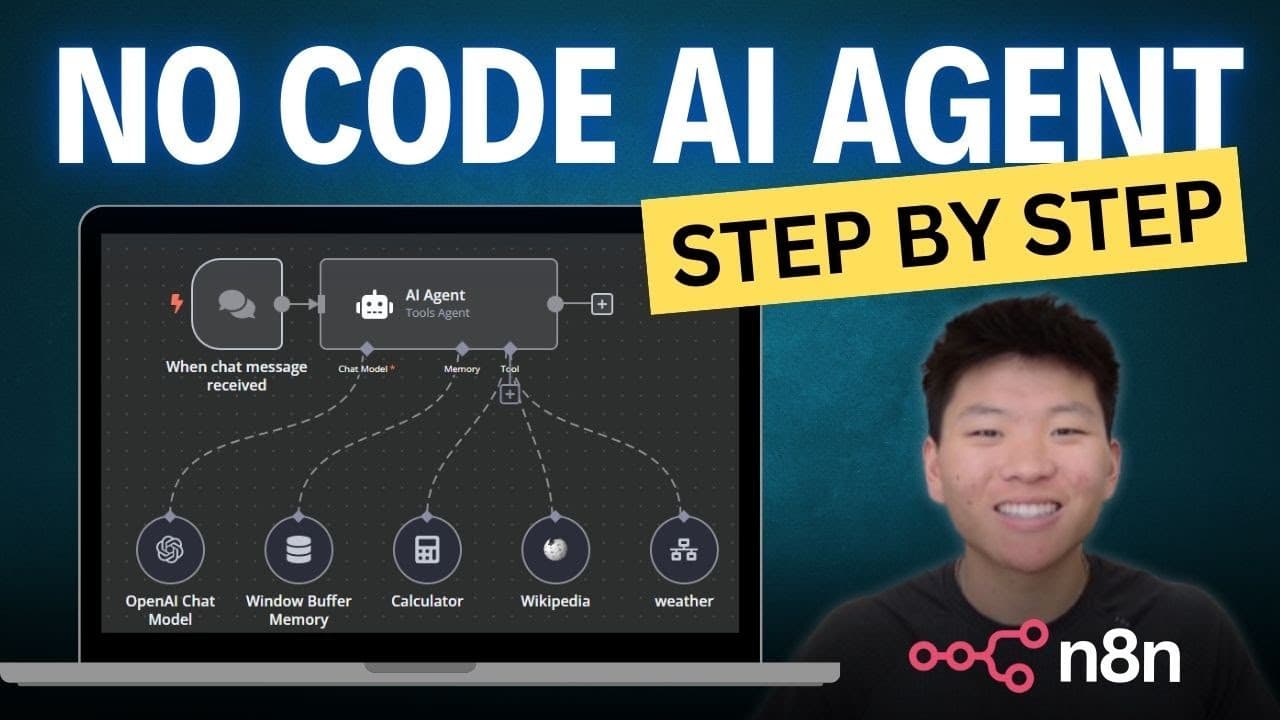
Learn to create a no-code AI agent using n8n, OpenWeather API, and OpenAI. This step-by-step guide shows how to build a tool that can fetch weather data and search Wikipedia. Ideal for beginners, it requires no prior coding experience and can be completed in about 15 minutes.
Transcript
today I'm going to be walking through step by step how to build this AI agent in Ann no prior coding experience is needed you'll be able to get this agent up and running within 15 minutes so by the end of it you'll have a great idea of how to build Tools in NN and how to have agents call different Tools in order to be as effective as possible so wa... Read More
Key Insights
- n8n is a powerful tool for building no-code workflows and automations.
- The OpenWeather API provides current weather data that can be integrated into workflows.
- OpenAI API is used to process and generate responses in a natural language format.
- Setting up API keys is essential for accessing third-party services like OpenWeather and OpenAI.
- Workflows in n8n can be triggered manually or through various automated triggers.
- AI agents in n8n can call multiple tools to perform tasks like fetching data and answering queries.
- Prompting plays a crucial role in determining the quality of AI-generated responses.
- Memory buffers in AI agents help maintain context across multiple interactions.
Install to Summarize YouTube Videos and Get Transcripts
Explore YouTube Video Summarizer or Get YouTube Transcript Extractor
Questions & Answers
Q: How to set up an AI agent in n8n?
To set up an AI agent in n8n, start by creating workflows that define the agent's tasks. Use triggers to specify how the agent is activated. Integrate APIs like OpenWeather and OpenAI for data fetching and processing. Configure the agent to call these tools and use prompts to guide its responses.
Q: What is the role of OpenWeather API in this project?
The OpenWeather API provides real-time weather data that the AI agent can access and use to answer weather-related queries. By setting up an OpenWeather account and obtaining an API key, you can integrate this service into your n8n workflows to fetch and display current weather information.
Q: Why is prompting important in AI workflows?
Prompting is crucial because it guides the AI on how to interpret and respond to data. Effective prompts ensure that the AI generates accurate, relevant, and user-friendly responses. In this project, prompts help the AI agent deliver weather updates in a conversational and engaging manner.
Q: How does memory buffering enhance AI agent performance?
Memory buffering allows AI agents to retain context from previous interactions, enabling them to provide coherent and contextually relevant responses. This feature is especially useful in multi-step conversations, where the agent needs to remember past queries to answer follow-up questions accurately.
Q: What are the benefits of using n8n for building AI agents?
n8n offers a no-code platform that simplifies the creation of complex workflows and automations. It enables users to integrate various APIs and tools without programming knowledge, making it accessible for beginners. n8n's flexibility and ease of use make it an ideal choice for building AI agents and automations.
Q: How to troubleshoot issues in n8n workflows?
To troubleshoot n8n workflows, use the execution logs to trace data flow and identify where errors occur. Check API keys and configurations to ensure they are correct. Review prompts and workflow settings for accuracy. Testing each workflow step-by-step can help isolate and fix issues effectively.
Q: What tools are integrated into the AI agent in this tutorial?
The AI agent in this tutorial integrates the OpenWeather API for weather data and the OpenAI API for natural language processing. Additionally, a Wikipedia tool is included to enable the agent to fetch information from Wikipedia. These tools work together to provide comprehensive and informative responses.
Q: How long does it take to build the AI agent in this tutorial?
Building the AI agent as demonstrated in this tutorial can be completed in approximately 15 minutes. This timeframe includes setting up API keys, configuring n8n workflows, and testing the agent's functionality. The tutorial is designed to be beginner-friendly, allowing users to quickly create a functional AI agent.
Summary & Key Takeaways
-
Learn how to build a no-code AI agent in n8n that can fetch weather data and search Wikipedia. The tutorial guides you through setting up OpenWeather and OpenAI APIs, creating workflows, and configuring triggers. Perfect for beginners, this project showcases the power of n8n in automating tasks without coding.
-
The video demonstrates creating two main workflows: a weather tool and an AI agent. The weather tool uses OpenWeather API to fetch current weather data, while the AI agent processes queries and retrieves information using OpenAI. Key steps include setting up API keys and configuring workflows in n8n.
-
Prompting and memory buffers are emphasized as critical components for effective AI interactions. Proper prompting ensures accurate and user-friendly responses, while memory buffers help maintain context in conversations. The tutorial concludes with testing and troubleshooting tips for building functional AI agents.
Read in Other Languages (beta)
Share This Summary 📚
Summarize YouTube Videos and Get Video Transcripts with 1-Click
Try YouTube Summary with ChatGPT & Claude or YouTube Transcript Generator
Explore More Summaries from Nate Herk | AI Automation 📚






Summarize YouTube Videos and Get Video Transcripts with 1-Click
Try YouTube Summary with ChatGPT & Claude or YouTube Transcript Generator