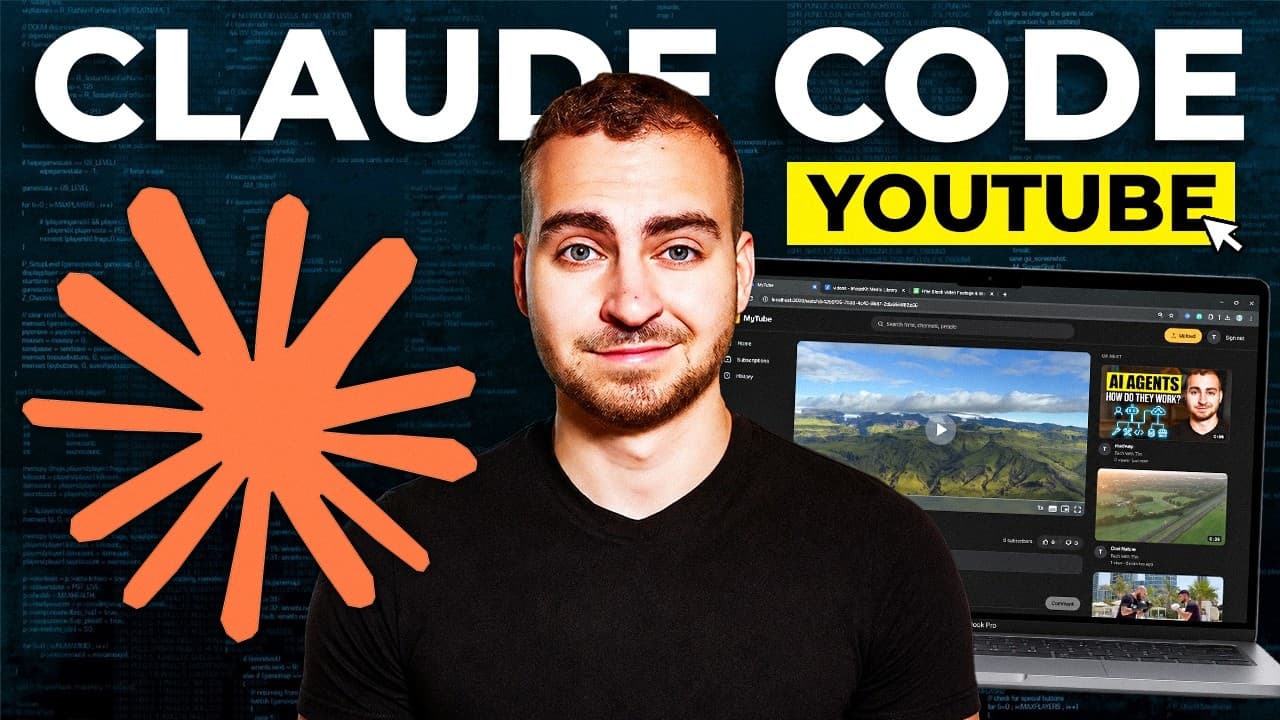
How to build a YouTube clone with Claude Code
TL;DR
Plan the project first, then use Claude Code in plan mode to draft milestones before building. Set a clear tech stack like Next.js, Supabase, and Image Kit, and incorporate UI design skills to produce a professional interface. Follow a step by step build pipeline and verify each milestone before moving on, mirroring a real development workflow.
Transcript
Today, I'll walk you through a full practical build using Claude code. I'll show you how to set it up, how to add connectors, and how to use this tool like a professional to build a real, legitimate sites that you could deploy and actually sell for thousands, if not tens of thousands of dollars. Now I'm a software engineer. I've been writing code f... Read More
Key Insights
- Plan upfront to define objective, scope, and MVP before coding
- Use Claude in plan mode by switching to planning phase to generate milestones
- Define the tech stack early and justify each choice for the project
- Create a detailed, structured plan file in Claude to guide development
- Install and utilize specialized Claude skills for front end design and UI
- Configure MCP servers like Supabase early to enable backend features
- Integrate Image Kit for media handling including video playback and hosting
- Maintain control of the build by guiding AI decisions and avoiding scope creep
Install to Summarize YouTube Videos and Get Transcripts
Explore YouTube Video Summarizer or Get YouTube Transcript Extractor
Questions & Answers
Q: How do you start a Claude Code project for a new app, according to the video?
To start a Claude Code project, begin by articulating a clear objective and MVP for the application. Use Claude in plan mode to brainstorm and structure the project so the AI can propose milestones. Create a detailed plan file outlining the web app’s pages, features, and delivery checkpoints, then review it to ensure scope aligns with the desired outcome before coding begins. This upfront planning helps prevent AI drift and keeps the project on track.
Q: What tech stack is suggested for building the YouTube clone in the video?
The video proposes using Next.js as the frontend framework, Supabase as the backend platform for authentication storage and edge functions, and Image Kit to manage media delivery, video playback, and CDN needs. This combination is chosen to handle frontend development, secure backend services, and robust media capabilities, enabling a functional MVP with real deployment potential.
Q: What role do the Claude Code skills play in the build process?
Claude Code skills extend the platform's capabilities by adding specialized tooling for frontend design, UI/UX optimization, and other integration tasks. Installing skills like Front End Design and UI UX Pro Max improves the visual quality and usability of the generated interfaces, helping the AI produce more professional and aesthetically polished components that resemble hand crafted designs.
Q: How does the video suggest handling plan execution and milestones?
The video emphasizes breaking the project into milestones that are validated one by one. After the plan is created, Claude should generate a structured plan with staged milestones such as scaffolding the backend, setting up authentication, building the creator studio, developing the watch page, and polishing the UI. Each milestone should be verifiable before proceeding to the next.
Q: Why is plan mode important when using Claude for software projects?
Plan mode is important because it shifts Claude from a building mode that might wander into unnecessary features to a planning mode that focuses on problem solving and requirement gathering. It allows for a structured exploration of the user needs, clarifying questions, and a well defined scope, reducing scope creep and ensuring the final product aligns with the initial goals.
Q: What is the suggested approach to integrating Image Kit in the project?
Image Kit is recommended for the media layer, handling video playback, streaming, thumbnails, captions, and related features. The approach involves configuring Image Kit to manage all media related tasks within the app, ensuring smooth delivery, adaptive bitrate handling, and reliable hosting for a YouTube clone like experience.
Q: How does the presenter justify using Supabase MCP servers?
Supabase MCP servers are used to provide integrated backend capabilities such as authentication, data storage, and edge functions. The presenter highlights MCP as a means to connect the app’s frontend with a robust backend service, enabling scalable user management and data operations essential for a creator studio and viewer experience.
Q: What is the overall takeaway about building with Claude Code from the video?
The overall takeaway is that Claude Code can facilitate real world software development by combining upfront planning, skill augmented AI capabilities, and a structured build pipeline. By meticulously planning, installing the right Claude skills, and wiring key services like Next.js, Supabase, and Image Kit, you can deliver a functional, deployable MVP that resembles a professional product.
Summary & Key Takeaways
-
This summary outlines the method used to build a YouTube clone with Claude Code by first creating a detailed plan, then enabling Claude to generate a milestone based build plan, followed by integrating tools like Next.js and Image Kit to realize a functional MVP suitable for deployment and sale.
-
The approach emphasizes upfront planning to prevent scope creep, using Claude in plan mode to structure the project, and employing specific technologies to handle authentication, video delivery, and user interfaces, culminating in a practical, shippable MVP.
-
The video demonstrates practical steps from initializing a project folder, selecting a plan oriented workflow, installing specialized Claude skills, connecting to a backend provider, and scaffolding the app with a focus on a creator studio and viewer experience.
Read in Other Languages (beta)
Share This Summary 📚
Summarize YouTube Videos and Get Video Transcripts with 1-Click
Try YouTube Summary with ChatGPT & Claude or YouTube Transcript Generator
Explore More Summaries from Tech With Tim 📚



Summarize YouTube Videos and Get Video Transcripts with 1-Click
Try YouTube Summary with ChatGPT & Claude or YouTube Transcript Generator