How Do Graphify and Obsidian Give Claude Code a Knowledge Graph Memory?
TL;DR
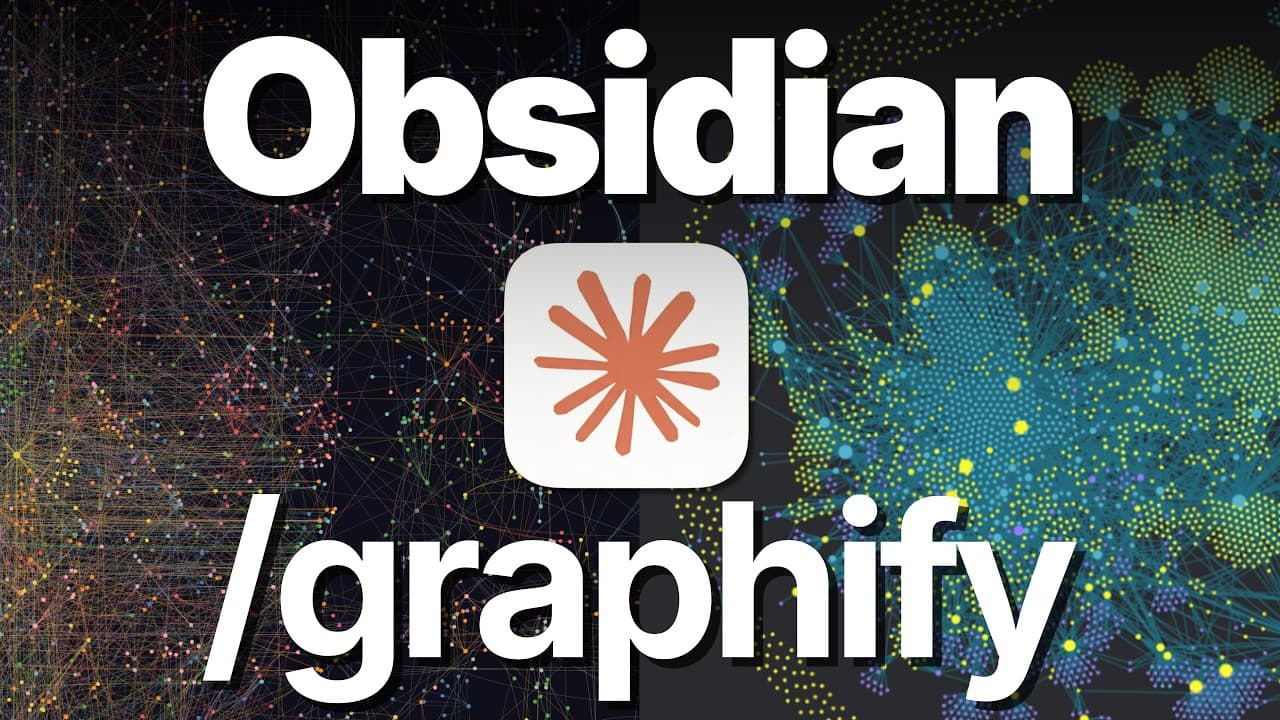
Combine Graphify and Obsidian to give Claude Code a queryable map of concepts and relationships from a codebase or document collection within a broader project context. In the demonstration, Graphify analyzes 145 Claude Code documentation files into 591 conceptual nodes, 685 connections, and 67 communities, then exports the nodes as linked Markdown files. Read on to understand the workflow, supported sources, and safe ways to manage the generated vault.
Transcript
This might be the best stack for giving Claude Code a second brain that we have ever seen. Everybody's been going crazy over using Obsidian or Graphify to help improve Claude Code's memory. But what if instead of choosing between one tool or the other, we just combined all of them? What if we used Graphify to turn any repository, whether that's a c... Read More
Key Insights
- Graphify is a tool for converting a repository, codebase, or collection of documents into a knowledge graph containing extracted concepts and their relationships. The resulting graph acts as a map that Claude Code can use when answering questions about the analyzed material.
- The combined stack places Graphify's repository-level map within Obsidian's broader project context. This addresses the limitation that an isolated Graphify graph covers only the analyzed codebase or document set and does not automatically relate those findings to other material in an existing vault.
- Graphify can analyze non-code material as well as codebases. The described input corpus can include documentation, PDFs, images, video, or another directory of information from which Graphify can extract meanings, connections, and conceptual groupings before creating an Obsidian vault.
- The demonstration processes the official Claude Code documentation after downloading 171 pages into a standalone folder. Graphify then analyzes 145 documents and produces 591 conceptual nodes, 685 connections, and 67 communities, rather than simply representing every downloaded page as one node.
- A Graphify node represents a concept extracted from source material, not necessarily an individual document or webpage. For example, a context-window node can connect to related concepts such as path-scoped rules, separate subagent context windows, post-tool-use hooks, and an extended context window.
- Communities are groupings of related concepts within the generated knowledge graph. Examples shown in the demonstration include checkpointing, Claude on the web, LLM gateway, and skills, giving Claude Code another organizational layer for navigating and interpreting relationships across the documentation.
- The Graphify Obsidian export creates one Markdown file for every node and automatically inserts links between connected concepts. For the demonstrated graph, this means generating 591 Markdown files with 685 corresponding links and making that connected material available within the Obsidian ecosystem.
- Vault isolation is a practical safeguard when importing hundreds of generated files. The material can remain in a standalone vault, enter an existing vault inside a dedicated removable subfolder, or be reviewed so that only selected information is harvested for the larger knowledge system.
Install to Summarize YouTube Videos and Get Transcripts
Explore YouTube Video Summarizer or Get YouTube Transcript Extractor
Questions & Answers
Q: How do you connect Graphify with Obsidian for Claude Code?
Install Graphify, select a repository or document directory, and ask Claude Code to point Graphify at it. Then use the Graphify Obsidian command to export the resulting knowledge graph as a vault of linked Markdown files.
Q: Why combine Graphify and Obsidian for Claude Code?
Graphify maps the concepts and relationships inside one repository or document collection, but that graph exists in isolation. Moving it into Obsidian lets Claude Code use the mapped material within the wider context of a project vault, or keep it as a standalone Obsidian vault with its own interface and add-ons.
Q: What did the Claude Code documentation demonstration produce?
The demonstration downloaded 171 documentation pages into a standalone folder, after which Graphify analyzed 145 documents. It produced 591 conceptual nodes, 685 connections, and 67 communities.
Q: What does a Graphify node represent?
A node represents a concept extracted from the source material rather than necessarily representing one document or webpage. For example, a context-window node can connect with concepts such as path-scoped rules, separate subagent context windows, post-tool-use hooks, and an extended context window.
Q: Can Graphify process material other than code repositories?
Yes. The described inputs include documentation, PDFs, images, video, or another directory of information, as well as codebases. Graphify examines the selected corpus to extract meanings, concepts, and connections before it is exported to Obsidian.
Q: How does Graphify export a knowledge graph to Obsidian?
The Graphify Obsidian command generates an Obsidian vault by creating one Markdown file for every conceptual node. It also inserts links between files based on the graph's relationships; the demonstrated graph would therefore generate 591 Markdown files representing nodes and preserve 685 connections.
Q: How can you safely add hundreds of Graphify files to Obsidian?
You can keep the generated material in a standalone vault or place it in a dedicated, removable subfolder within an existing vault. Another option is to review the export and selectively harvest only the useful information for the larger knowledge system.
Q: How does a knowledge graph help Claude Code answer questions?
The graph gives Claude Code a map showing the source's concepts, how they relate, and why they are connected. This helps it answer questions about large repositories more quickly and efficiently than relying only on basic text searches across separate files.
Summary & Key Takeaways
-
Graphify analyzes repositories or document collections and produces a knowledge graph of concepts, relationships, and communities. That graph helps Claude Code answer questions by providing a map of how ideas connect, instead of requiring it to rely only on basic text searches across individual files or downloaded pages.
-
The demonstration downloads the official Claude Code documentation, points Graphify at the collected files, and invokes its Obsidian export command. Graphify processes 145 documents into 591 conceptual nodes, 685 connections, and 67 communities, showing that nodes represent extracted concepts rather than a one-to-one copy of source pages.
-
The Obsidian export turns every Graphify node into a Markdown file and adds links corresponding to relationships in the graph. Because hundreds of files can overwhelm an established vault, the suggested controls include creating a standalone vault, placing everything in a removable quarantine folder, or selectively harvesting useful information.
Read in Other Languages (beta)
Share This Summary 📚
Summarize YouTube Videos and Get Video Transcripts with 1-Click
Try YouTube Summary with ChatGPT & Claude or YouTube Transcript Generator
Explore More Summaries from Chase AI 📚





Summarize YouTube Videos and Get Video Transcripts with 1-Click
Try YouTube Summary with ChatGPT & Claude or YouTube Transcript Generator